
Products
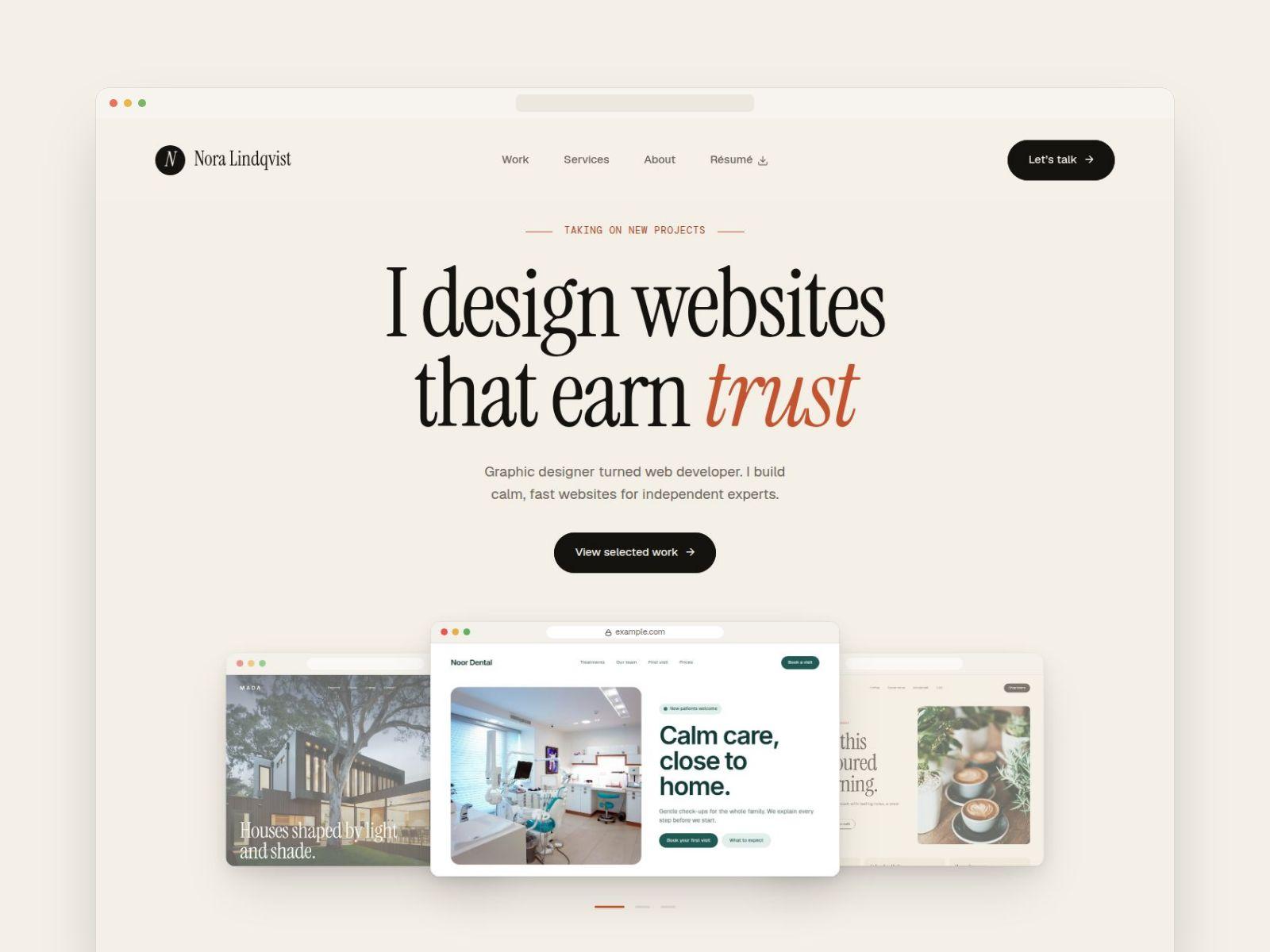
Nora — Framer Portfolio Template
A calm, editorial portfolio template for web designers, developers and independent creatives who want their work to earn trust before the first call.
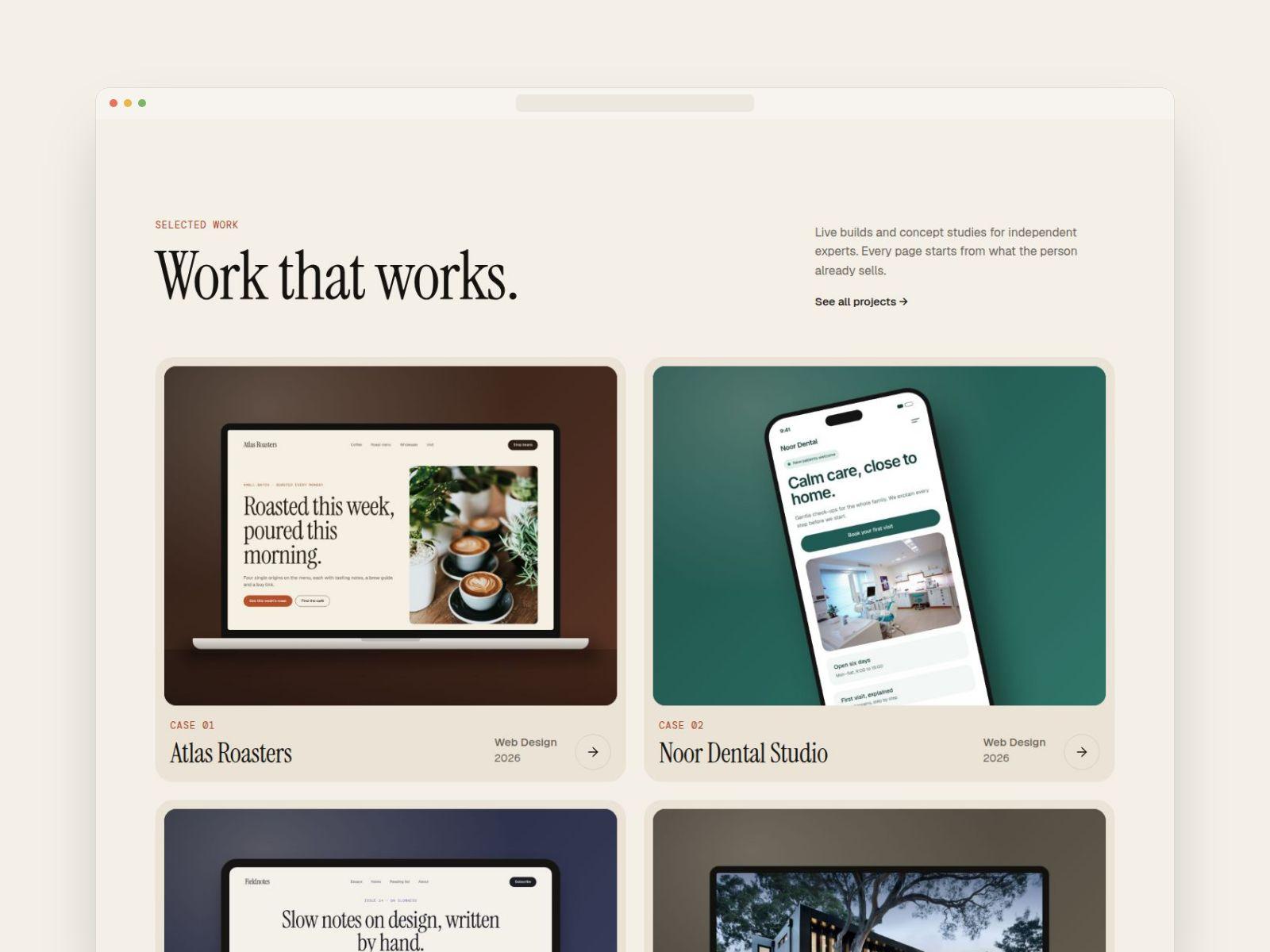
Big serif headlines, warm neutral colors and a clean layout put your projects first. Case studies live in the CMS, so adding a new project takes minutes and needs no design work.
What's inside
- 5 pages: Home, Work, Case study (CMS), About, Contact, plus a 404 page
- Projects CMS with 5 sample case studies. Optional sections (in-depth text, galleries, key numbers, client quote, deliverables, Behance/Dribbble links, live-site button) hide automatically when empty
- Work page with category filter pills
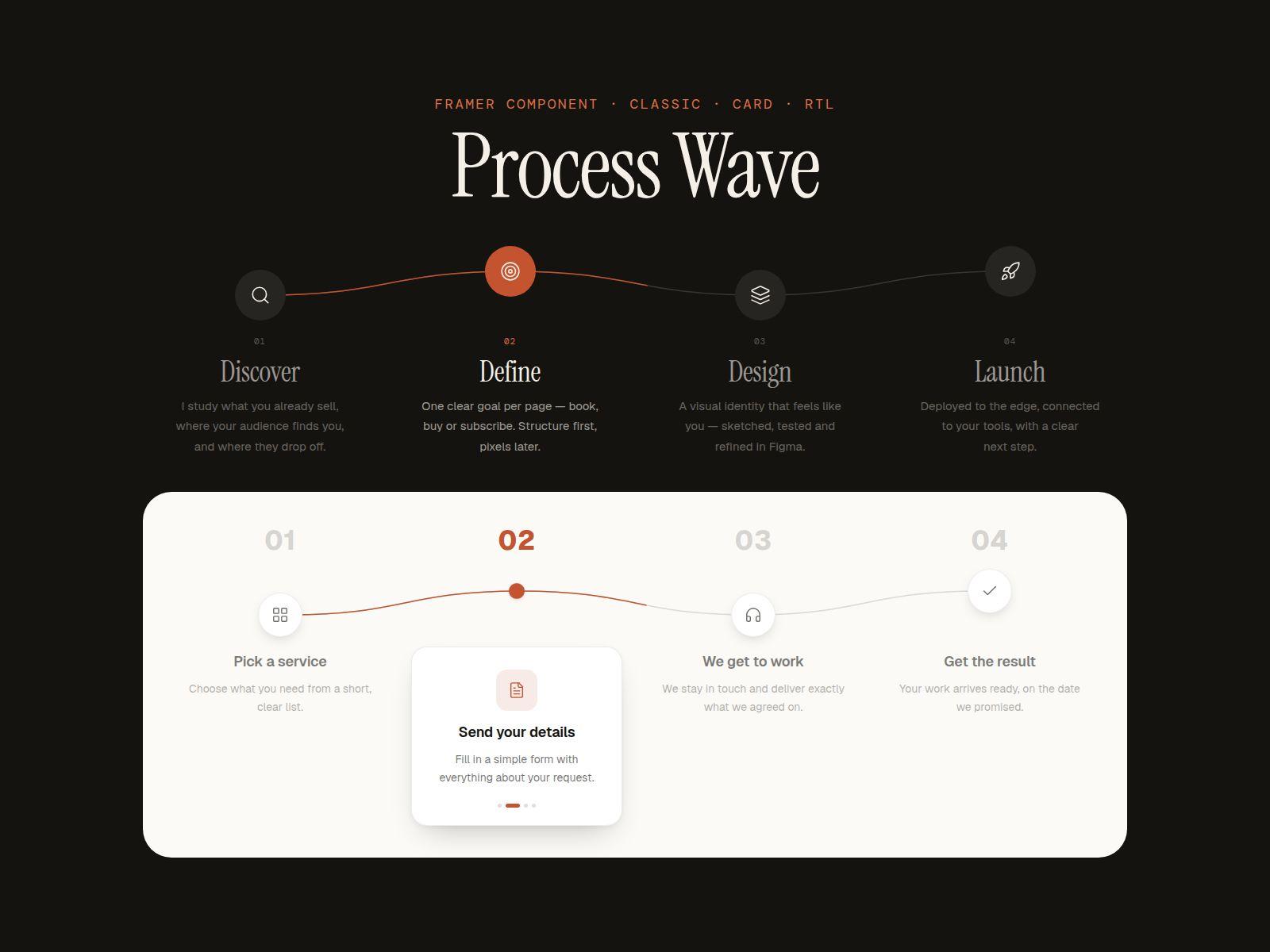
- Animated 5-step process timeline with a drawn wave line
- Testimonials CMS with a 3-up carousel (arrows on desktop, swipe on phone)
- Hero with rotating project previews, service cards with starting prices, résumé download link
- Fully responsive: Desktop, Laptop, Tablet and Phone
- Reusable components: navigation with mobile menu, dark footer with newsletter form, buttons, contact block
- Contact page with a ready-to-connect form and a service dropdown
- Style Guide page with colors, type styles and a step-by-step customization checklist
- SEO titles and descriptions on every page, plus favicon and social share image
- Free Google Fonts: Instrument Serif, Geist and DM Mono
Good to know
- Requires a Framer account. A free plan works for editing; a paid Framer site plan is needed for a custom domain.
- The contact and newsletter forms have no destination yet. Add your own email in Framer before publishing.
- Sample images are from Unsplash. Replace them with your own work.
- The persona (Nora Lindqvist), prices and all project content are fictional.
What you get
After purchase you receive a Remix link. Open it while logged in to Framer and a full copy of Nora is added to your projects, ready to edit.
License
One purchase = one license for one website (yours or one client's). Edit and use it commercially, but don't resell or share the template or the Remix link.
Step timeline that draws itself
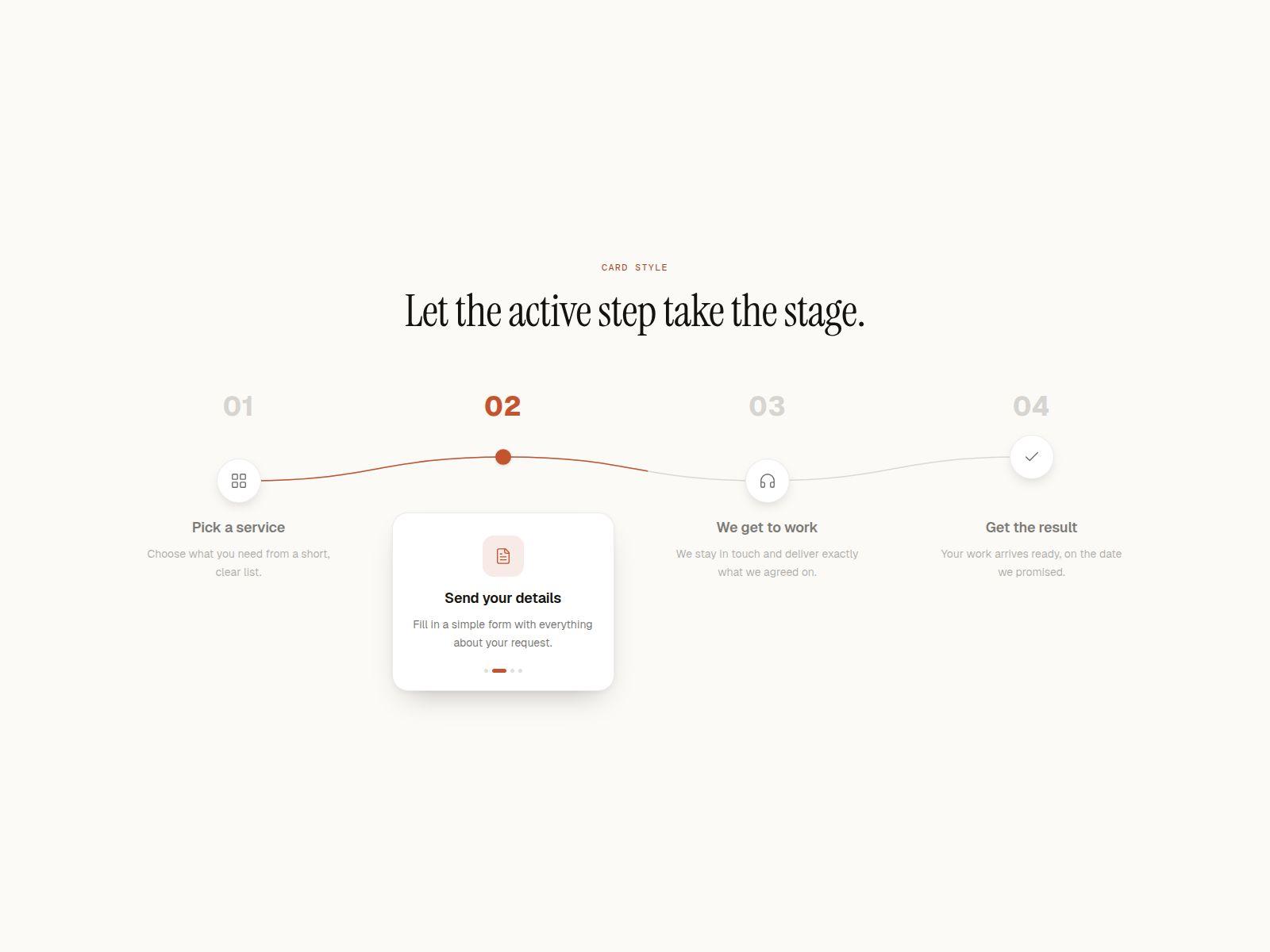
A step timeline that draws itself. One step lights up at a time, the line flows on to the next, and the rest stay dimmed but readable. Drop it into any Framer site as a "how we work" section.
It is the standout section of the Nora portfolio template, packaged as a component. Live preview
Two styles
- Classic — icon circles on a wave, with text under each step
- Card — big numbers on top; the active step becomes a raised card
Built in
- Right-to-left switch for Arabic, Hebrew and Persian
- Turns into a vertical timeline on phones (width is yours to set)
- Starts on scroll, pauses on hover, jumps on click or keyboard
- Respects "reduce motion"
In the properties panel
- Up to 8 steps — title, text, 15 built-in icons or your own image
- Wave or straight line, wave height and stroke width
- Speed per step, loop, hover pause and dim strength
- 13 colours and 3 fonts, every size and gap
- Number prefix ("Step 01") and heading tag for SEO
What you get
A Framer component link plus a one-page setup guide. Requires a Framer account.
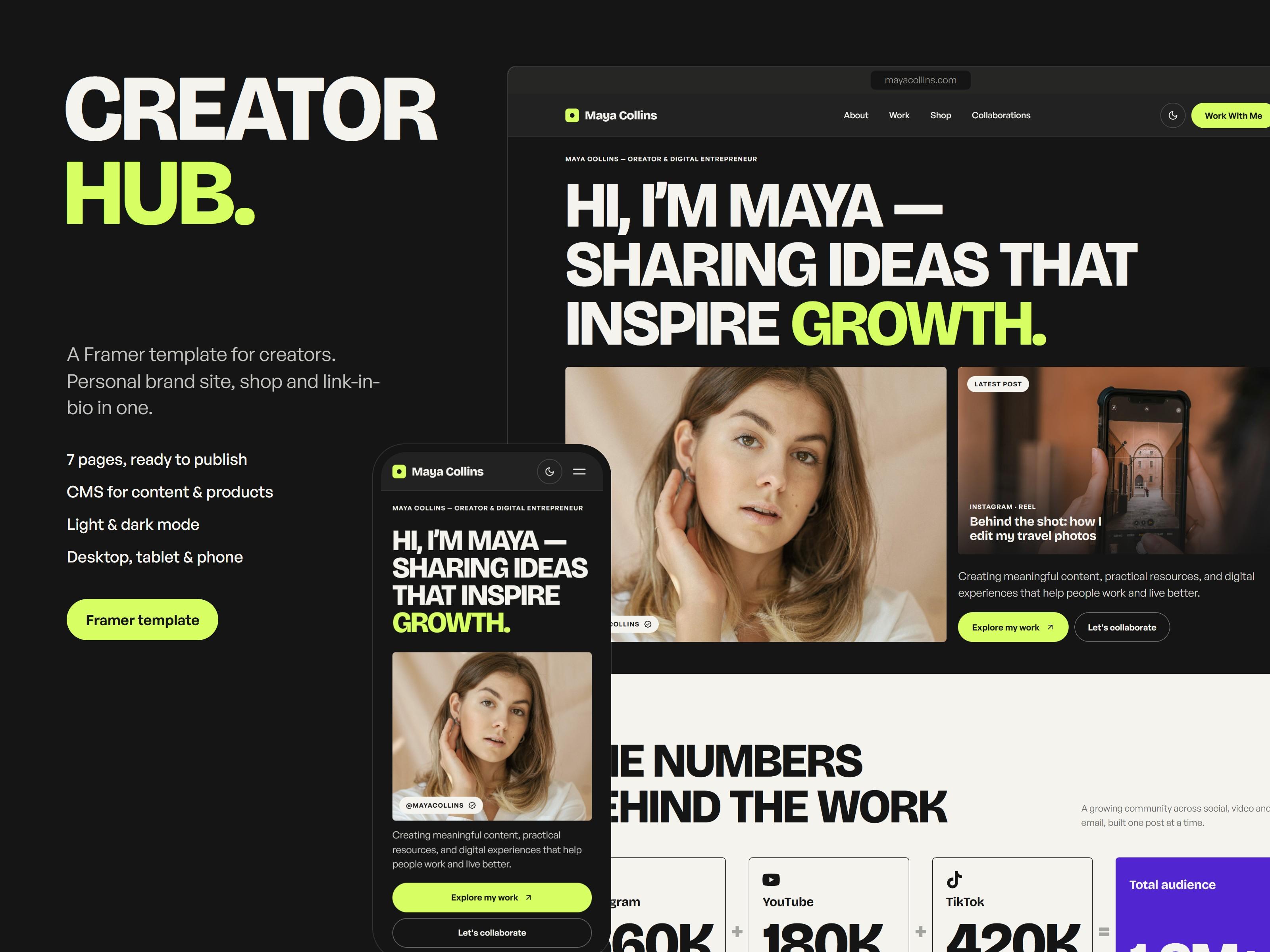
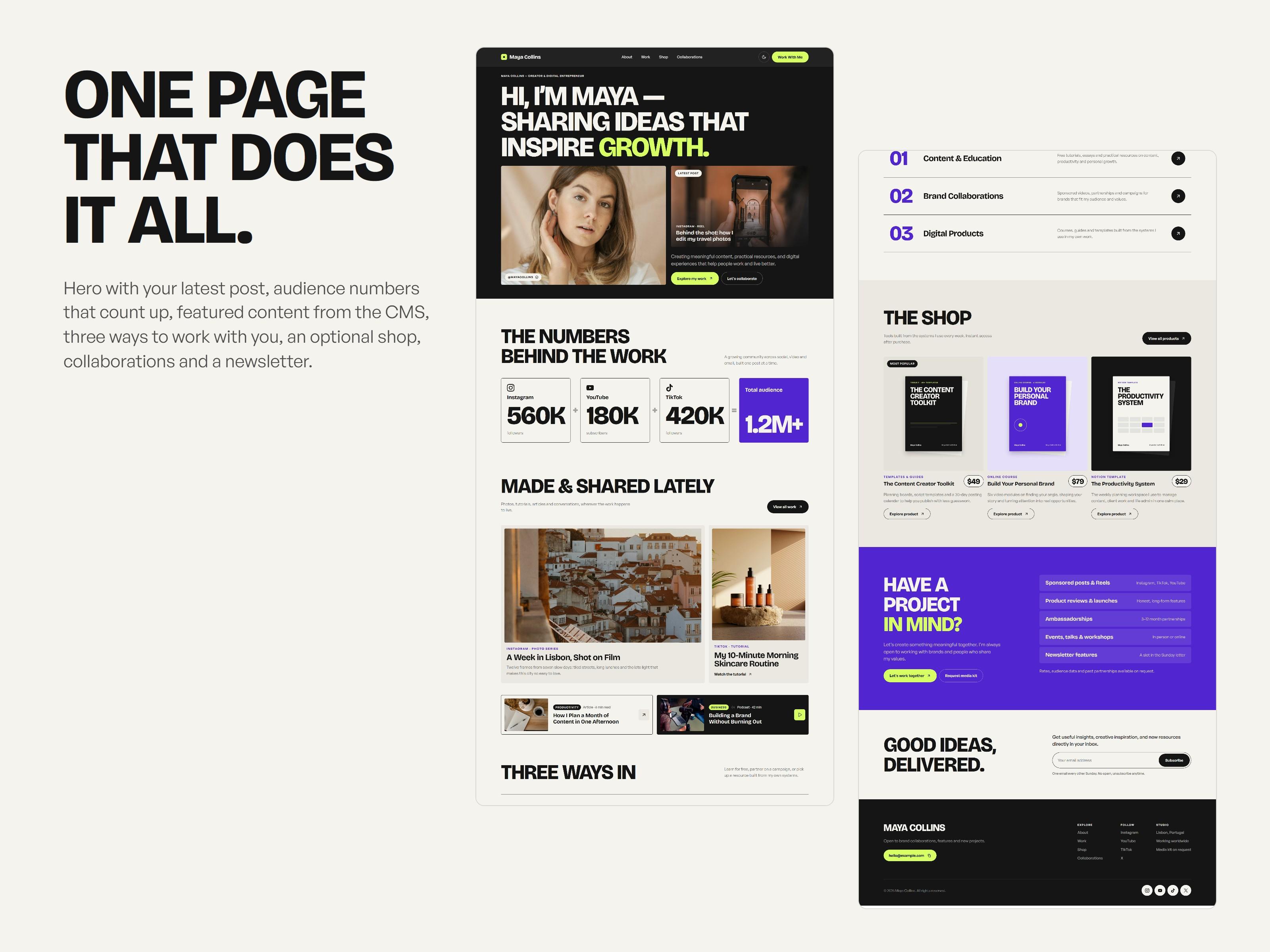
CreatorHub – Framer Template
CreatorHub is a premium Framer template designed for content creators, digital entrepreneurs, and personal brands.
Build your online presence with 5 ready-to-use pages for showcasing your work, sharing content, managing collaborations, and selling digital products.
What's included: • 5 fully designed pages: Home, About, Work, Shop, and Product • Light and dark mode • Responsive layouts for desktop and mobile • Product galleries and content sections • Newsletter signup and collaboration features • Fully editable in Framer — no coding required
One-time payment. No subscription or recurring fees.
After purchase, you'll receive a Framer Remix link to duplicate the template into your own Framer account.