Products
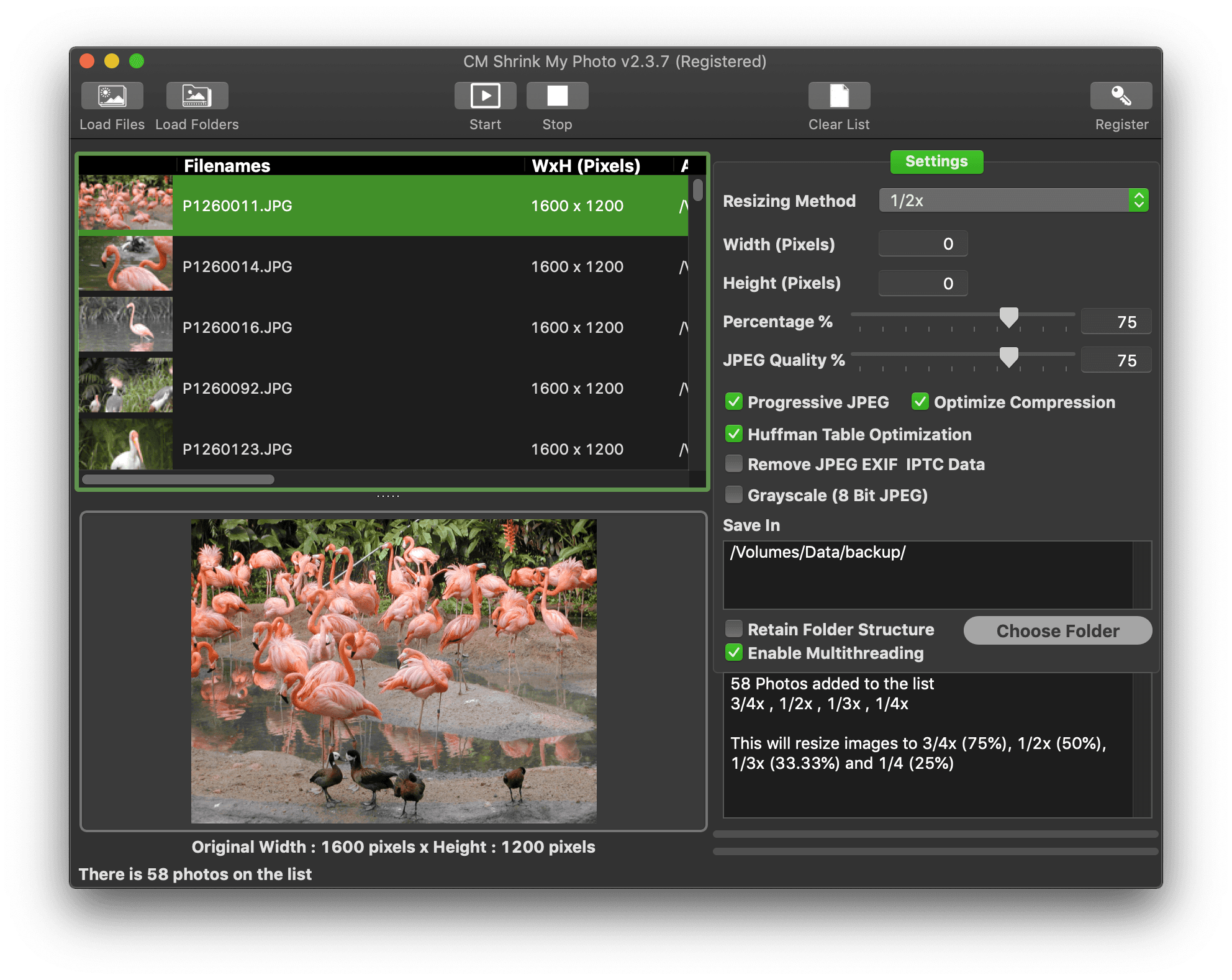
CM Shrink My Photo
CM Shrink My Photo is a simple-to-use macOS application which helps you reduce the dimensions of your photos and thus saving precious disk space.
It allows you to determine if you want to Resize by Pixel, Resize by Percentage or by the preset ratios. You can also adjust the JPEG Quality, set Progressive JPEG, Huffman Table Optimization and whether to remove the JPEG EXIF and IPTC Headers. All of which would help you reduce file size of the JPEG photos.
Resizing by Pixel allows you to set the Height and Width and have all photos resized to that dimension or retain the Ratio Aspect by setting either the Height or Width to 0.
The multithreading feature speeds up processing by working on two photos at the same time.
By using the Load Folders, you can have CM Shrink My Photo work on all the JPEG Photos from that folder and you also have the option to include all sub folders of photos. At the same time, the Retain Folder Structure option allows you to retain the pre-existing folder structures in the new location.
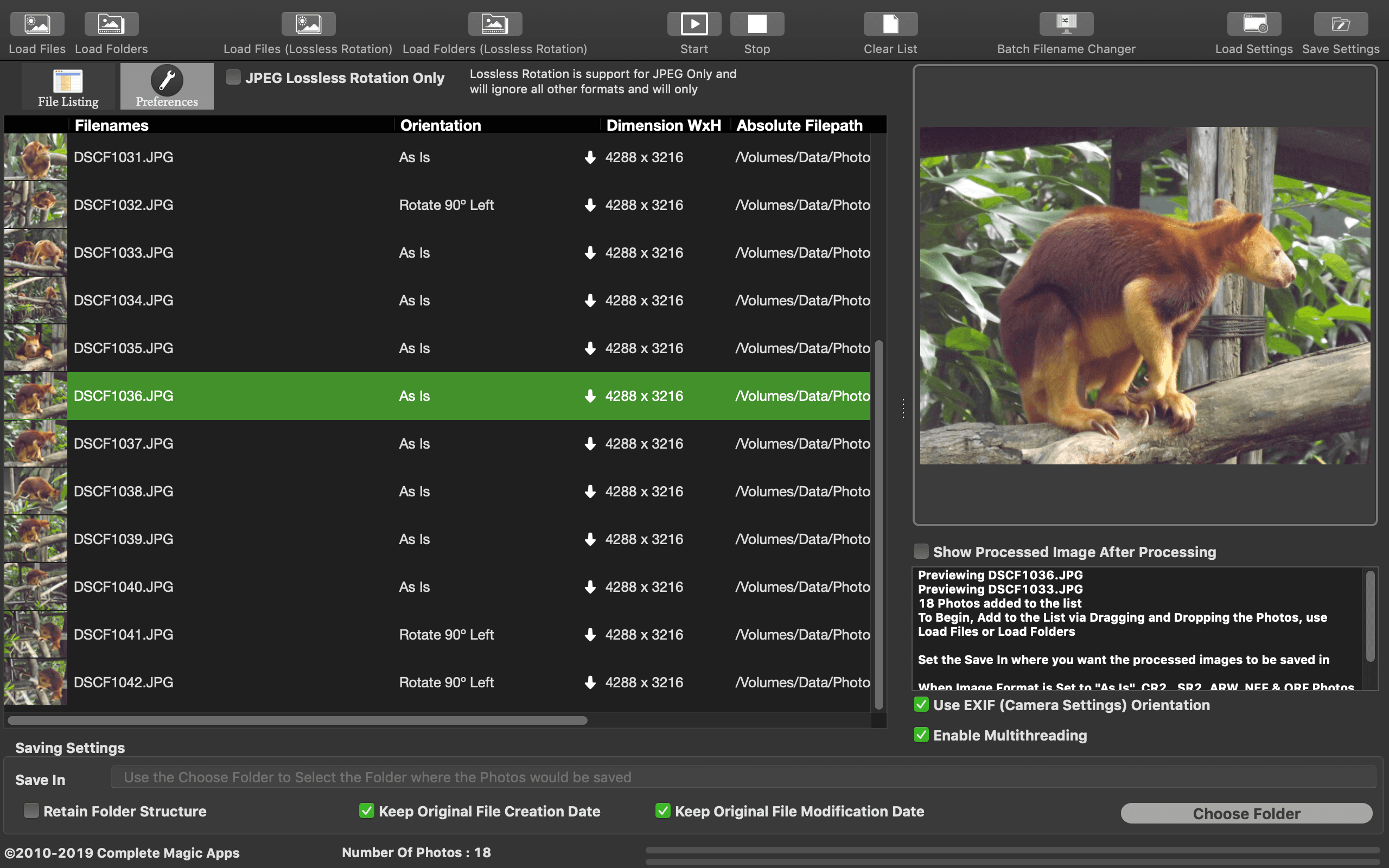
CM Batch Photo Processor
CM Batch Photo Processor is a macOS app helps you in performing the mundane and tiresome task of having to batch resize and rename all your photos while giving you back the time to doing what you enjoy doing.
It does :-
-
Batch Resizing (Downsizing and Upsizing)
-
Batch Resize Images into Fixed Dimension Frames while retaining Image Ratio Aspect
-
Batch File Renaming. Included is a basic file renaming feature which tags prefix, suffix and a running number to the output photos.
-
Comprehensive Batch File Renaming Module which lets you customise the filename structure by using the Filename Builder which can tag prefix, suffix, custom text, running numbers and dates to the filenames. This module works with not only photo files but any files with a filename and it is super quick.
-
Automatically Read in the EXIF Rotation Setting and Determine the rotation angle needed for each photo
-
EXIF Information are copied from JPEG, JPEG XL****, JPEG 2000, 3FR, AVIF, ARW, CR2, CR3, HEIC, MEF, MRW, NEF, NRW, ORF, PEF, RAF, RW2, SR2 and SRW format when converting between these formats to be saved to a supported output format.
-
Batch Rotation of Photos
-
Batch JPEG Lossless Rotation
-
Add Text Captions to Photos with support for Transparency
-
Add Image (PNG) Watermark to Photos with support for Transparency and Resizing
-
Text Caption & Watermark Alignment options include Top (Left, Middle, Right), Center (Left, Middle, Right), Bottom (Left, Middle, Right). Diagonal, Vertical (Left & Right) TopDown & BottomUp are also available for Text Caption
-
Add/Modify EXIF Tags – Author/Artist Name and Copyright
-
Batch Effect Manipulation such as Oil Paint, Sepia, Equalize, Brightness, Rainbow Effect, Crystallize, Normalize, Grayscale, Sharpen, Blur, Engrave, Solarize, Contrast and Auto Level Enhancement
-
Batch Conversion of Image Format
-
Batch Import of Folders of Photos using the Load Folders or by dragging and dropping a folder into the application.
-
Supports Import of JPEG, JPEG 2000, JPEG XL**** AVIF, Canon RAW (CR2 & CR3), FujiFilm RAW (RAF), Hasselblad RAW (3FR), High Efficiency Image File (HEIC/HEIF), Mamiya RAW (MEF), Minolta RAW (MRW), Nikon RAW (NEF & NRW), Olympus RAW (ORF), Panasonic RAW (RW2), Pentax RAW (PEF), Sony RAW (SR2 and ARW), Single Page TIFF, Radiance HDR, OpenEXR, PNG, WEBP (Lossless and Lossy), EPS, PS and BMP Photos.
-
Supported Output Format – JPEG, JPEG 2000, JPEG XL****, HEIC, EPS, Single Page TIFF, TIFF 48 Bit, PNG, WEBP (Lossless and Lossy), GIF (Still), OpenEXR, Radiance HDR, PDF (Single Page), TGA and BMP
-
Supports Output to 48 Bit Color Depth TIFF
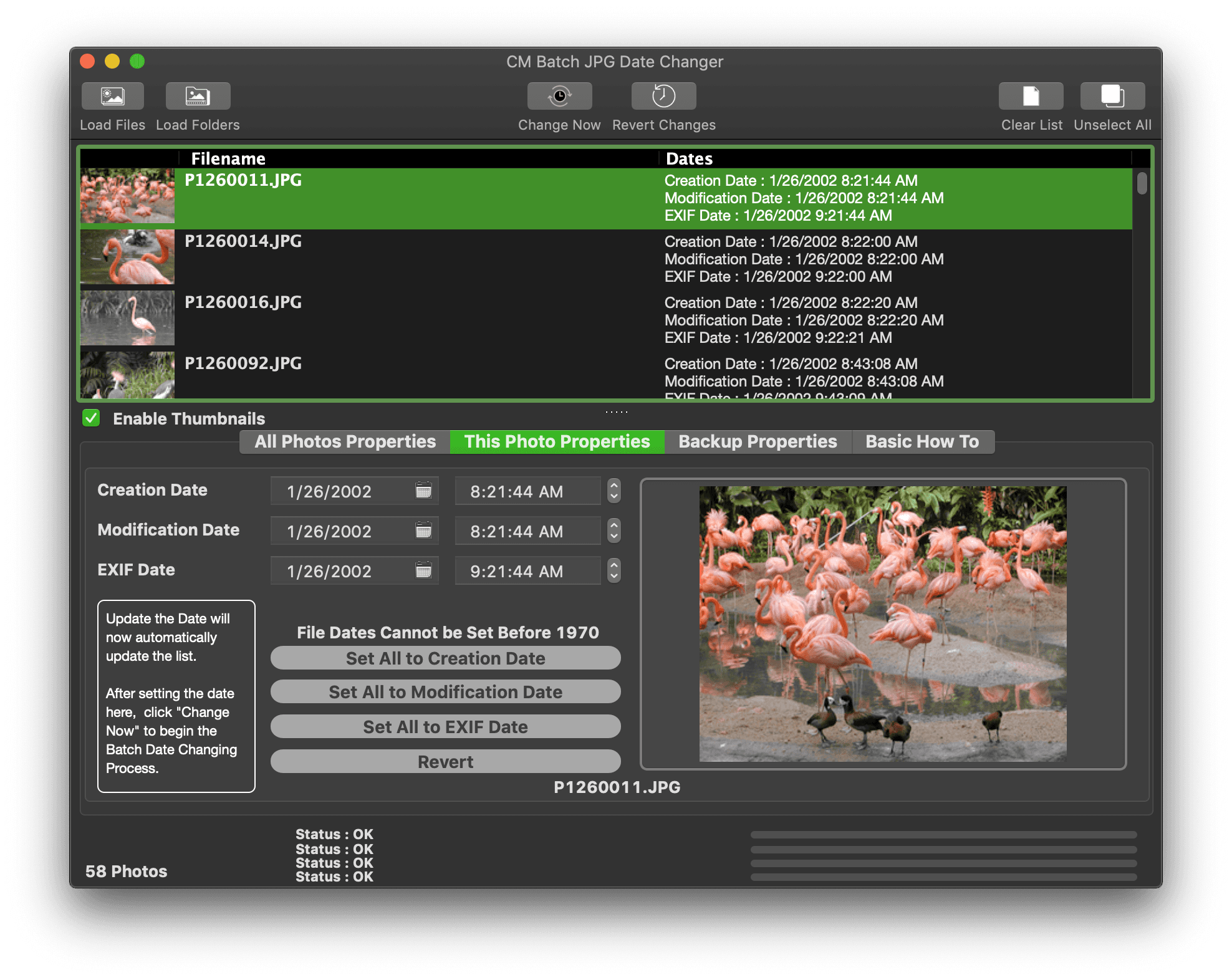
CM Batch JPEG Date Changer
CM Batch JPEG Date Changer is a macOS App which helps you get out of the bind when your camera set the wrong dates or downloading your photos from cloud servers and it shows up as current date instead of the original date. The quick batch features let you change either File Creation Date, Modification Date, EXIF Dates or any of the combinations with ease. CM Batch JPEG Date Changer works with JPEG and HEIC Photos.
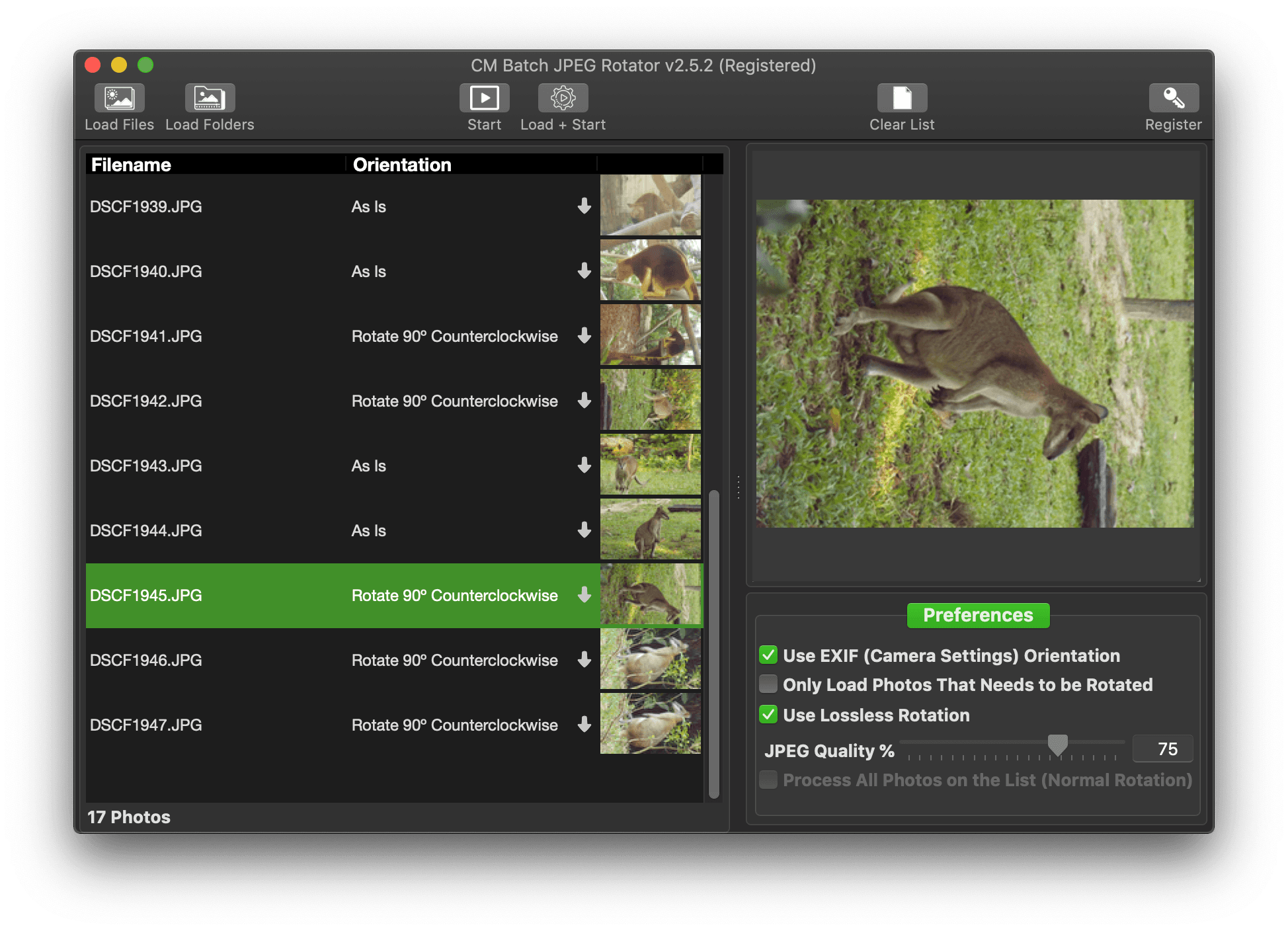
CM Batch JPEG Rotator
CM Batch JPEG Rotator is a macOS app which employs the Lossless Rotation Algorithm which means that when you have your portrait photos rotated to the right angle, you will be assured that they are as beautiful as you took them. Reading the EXIF details added by your camera, CM Batch JPEG Rotator knows which angle to rotate the photos thus freeing you time from rotating them one by one. It is fast and easy.
Memory Pictures (Mac)
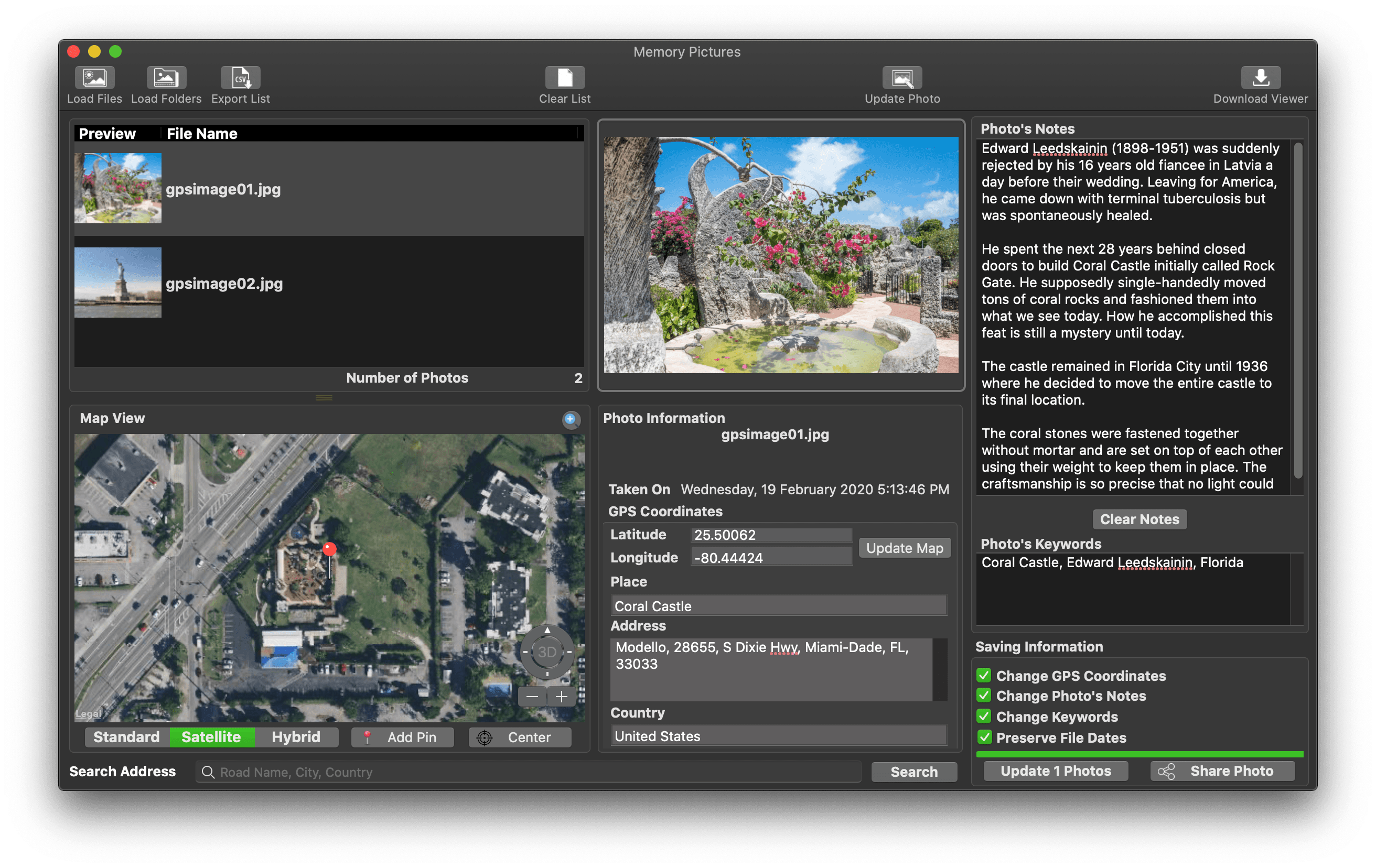
The core goal of Memory Pictures is to allow to keep your memories alive by assisting you in embedding the location and journal entries within the photo header. We all take photos with our digital cameras and smartphones and it certainly is a great way to look back at where we came from and where we have been to. However, a picture alone may not paint the whole story.
A Photo may paint a thousand words but a few words added to the photo would certainly bring back memories of the Special Occasion. Memory Pictures was developed to let you do just that.
Photo + Location + Story = Memory Forever
Memory Pictures is an OS X app which lets you do just that. Photos taken from digital cameras come supported with a wide varied amount of information about all the settings used to take the picture with the EXIF header. Nested within the EXIF header is the GPS Coordinates and User’s Comment settings. This does not interfere with the photo itself. Memory Pictures supports JPEG, JPEG XL (macOS 14 Sonoma and above), HEIC. AVIF, PNG and RAW photos formats which includes Adobe RAW (DNG), Canon RAW (CR2 & CR3), Fujifilm RAW (RAF), Mamiya RAW (MEF), Minolta RAW (MRW), Nikon RAW (NEF & NRW), Olympus RAW (ORF), Panasonic RAW (RW2), Pentax RAW (PEF) and Sony RAW (SR2 & ARW).
The iPhone comes with a wonderful camera and like many smartphones, it is certain widely used as one. One beautiful thing is that the iPhone comes with GPS and does embed the location as to where the photo was taken into the photo so you can view back and know where those magnificent memories were captured in. It is great if the subject is right in front of you but at times we do take pictures from a distance but the phone only records the GPS of where you are standing at.
The User’s Comment tag is a wonderful addition but it is hardly used.
That’s where Memory Pictures come in. It helps you :-
- Add/Modify GPS Coordinates embedded in the Photos
- Add/Modify the Place, Address and Country in the Photos to personalize it
- Add/Modify Your Personal Notes or Stories, right into the Photos so you do not need to keep separate notes to the photos
- Add/Modify Keywords
- Modify EXIF Date
- Support Export the List of All the Photos’ Coordinates and Notes into a CSV file. The CSV Format is as follows Filename, Date, Latitude, Longitude, GPS Coordinates, Place, Address, Country, Notes, Keywords
Finding Your Photo Location is easy with Memory Pictures and you do not need to know the Latitude and Longitude of the place.
CM ComboTIFF
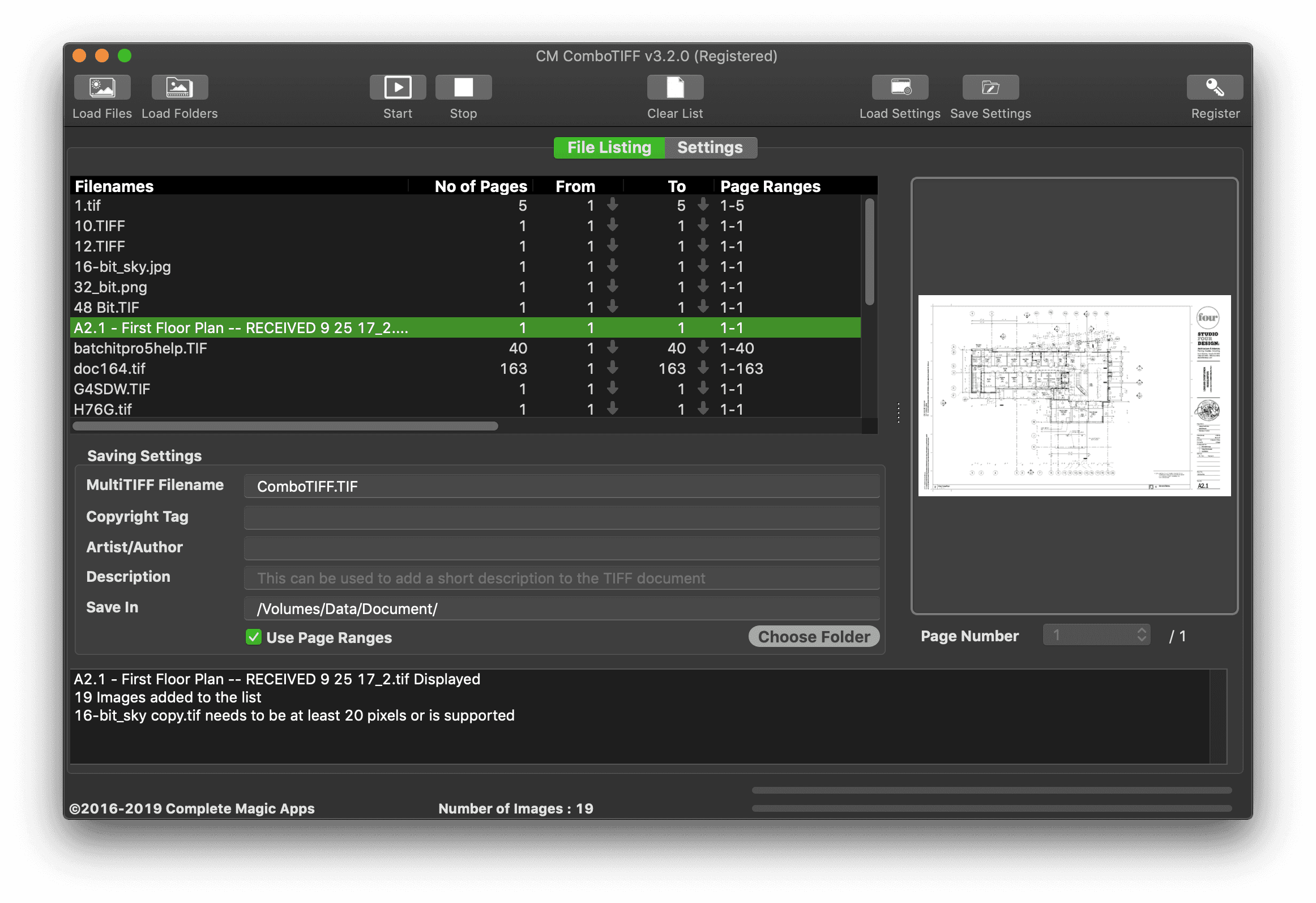
CM ComboTIFF is a macOS App allows you to
– Create Multi-Page TIFF by Combining TIFF, JPG and PNG Images together
– Extract Multi-Page TIFF into Single Page TIFF, JPG or PNG Images.
– Resize Images by Ratio, Percentage or Pixels
– Supports TIFF Compression – JPEG, LZW, Packbits, CCITT G3, CCITT G4, CCITT RLE and Deflate
– Supports 48 Bit Color Depth TIFF Output
CM PDF & TIFF Page Extractor
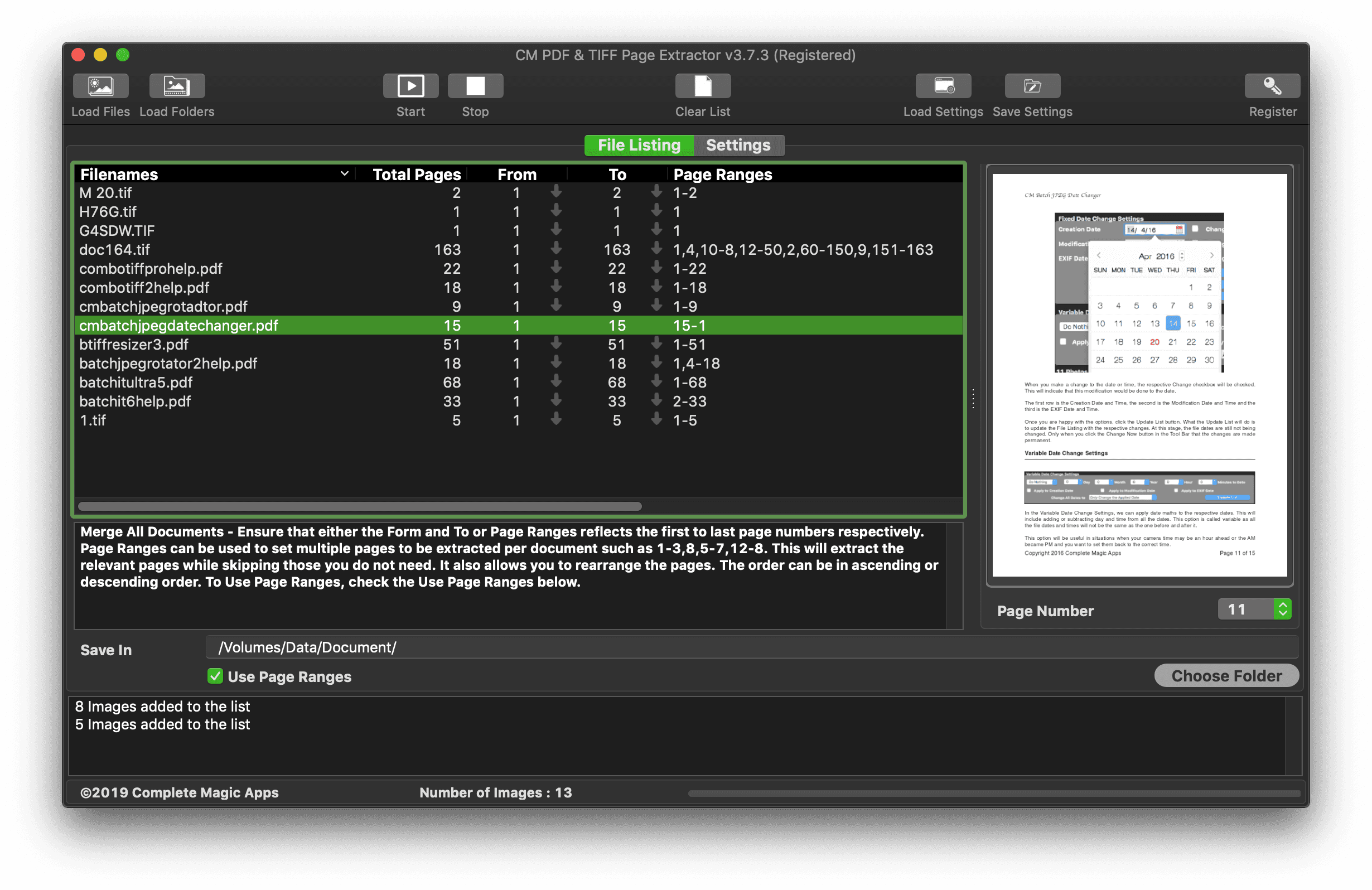
CM PDF & TIFF Page Extractor is an efficient tool to help you
- Load TIFF and PDF files from a single folder or from Folders and Sub folders
- Extract a Page or Pages from a PDF or Multi-Page TIFF File
- Extract Text from a PDF and TIFF Images
- Save Extracted Pages as PDF, Multi-Page TIFF, PNG or JPG
- Option to Extract Pages to their own sub-folder
- Works with Password Protected PDF
- Set Dots Per Inch of Extracted Pages
- Convert PDF to Multi-Page TIFF and Multi-Page TIFF to PDF
- Supports the following TIFF Compressions – None, Packbits, LZW, CCITT G3, CCITT G4, JPEG, Deflate, CCITT RLE
- Flatten PDF Forms and Annotations
- Perform the entire process in one quick batch
- Extract Pages from a Range (From Page .. To Page)
- Supports Extraction via Page Ranges
- Support PDF Version number Compliance
- Merge Extracted PDF from Different Files into a Single PDF File
- Merge Extracted MultiPage TIFF to a Single TIFF Multipage Document
- Create Password Protected PDF Files
- Add Restrictions to the PDF Files
- One Core feature is the ability to extract multiple pages which saves you the trouble from doing it page by page in Preview.
CM PDF Merge NX
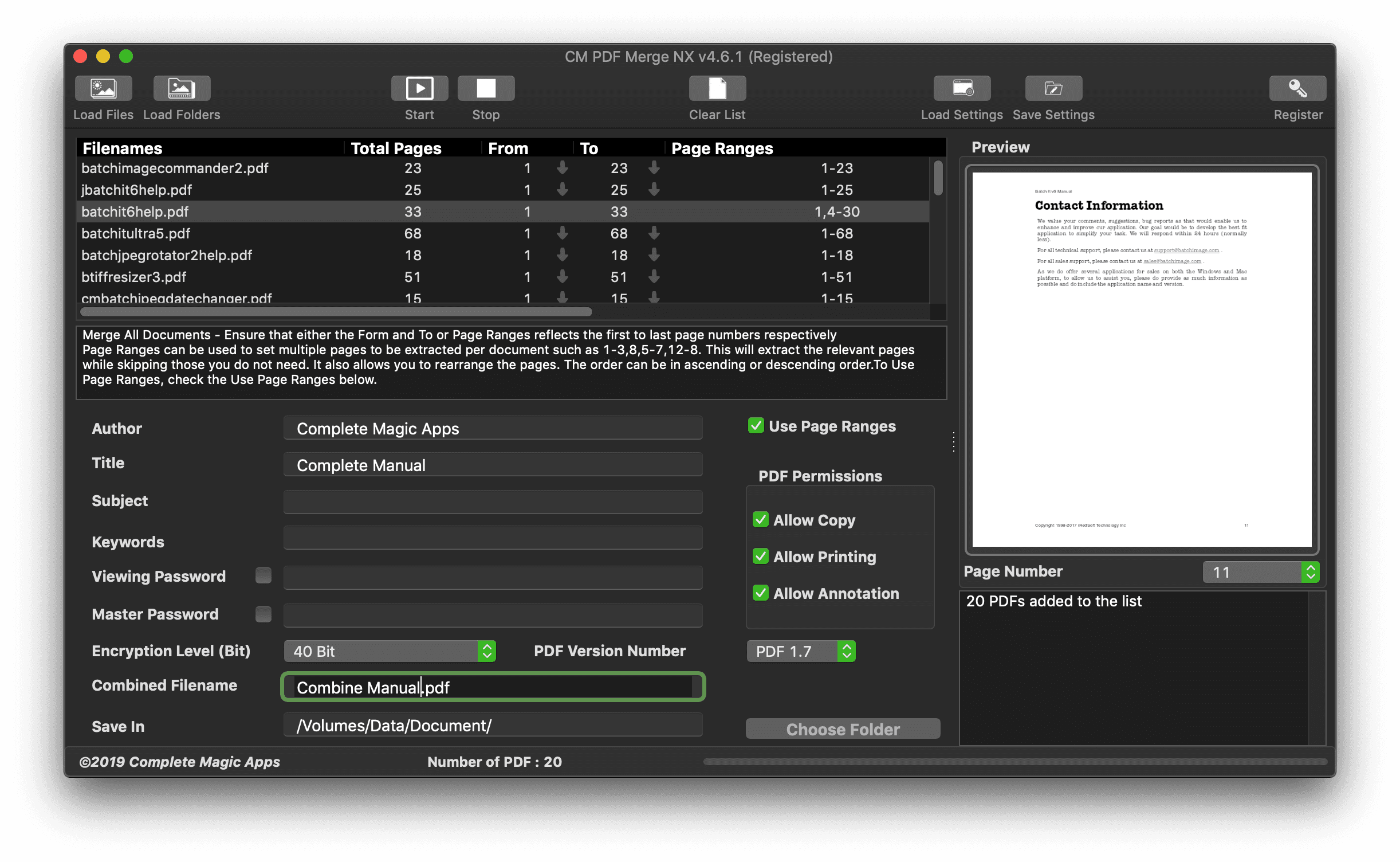
CM PDF Merge NX is a macOS app which helps you merge two or more PDF documents together. You can rearrange the pages within the file or extract from one or more documents to create a new one.
CM PDF Compress
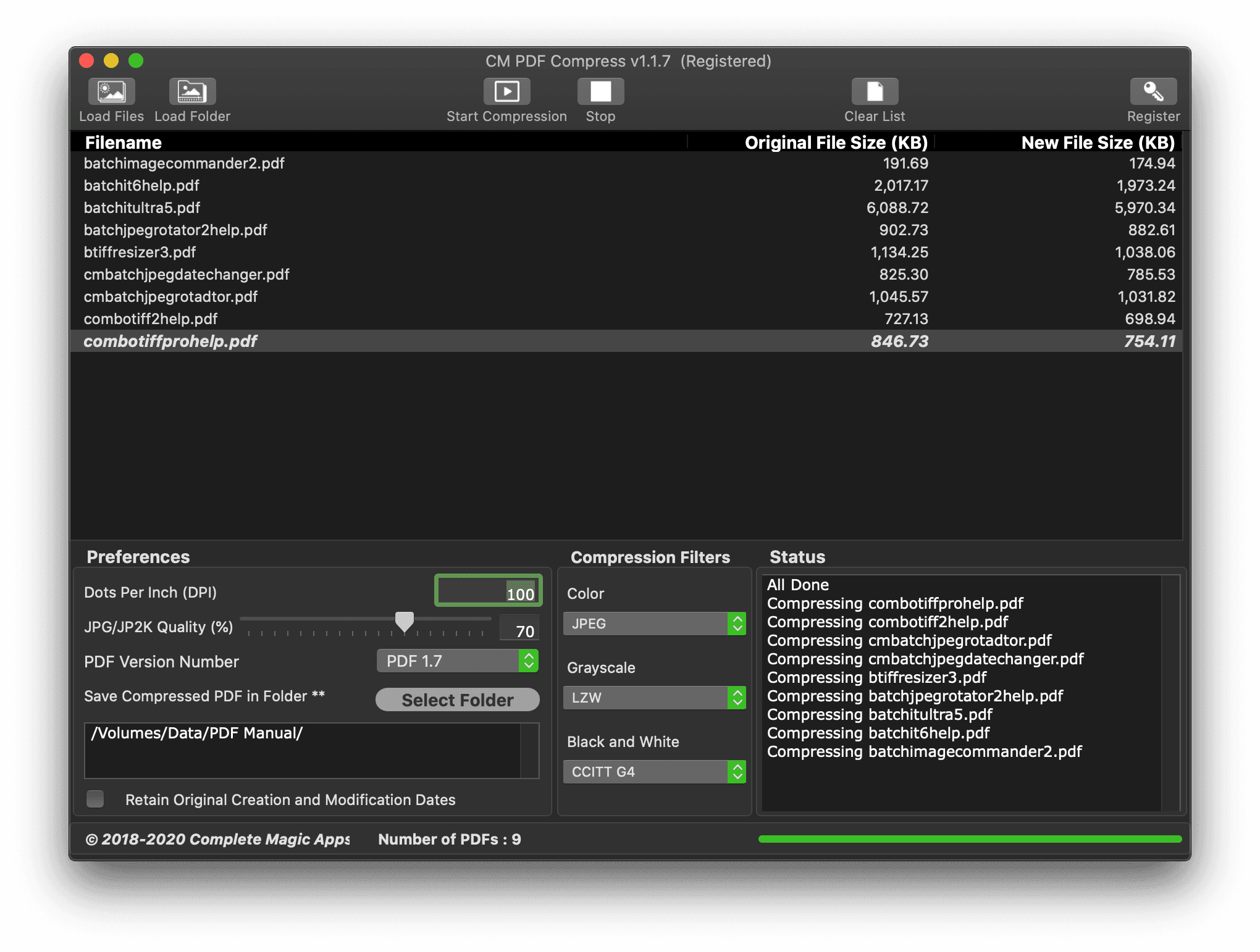
CM PDF Compress is a simple to use yet powerful macOS app which can compress existing PDF documents to reduce their file size.
There are several online sites which can perform the PDF compression but it requires you to upload your documents to them. CM PDF Compress does the compression on your Mac and thus ensuring that your documents remain private to you and you only.
It also provides several customizable settings including
Two Simple Settings – PDF Version Number and PDF Compression Levels. The rest of the settings will be handle internally to ensure the best results Provides the option to retain the original PDF Creation and Modification File Dates Change PDF Version Works with Password Protected PDF files (You will be prompted to enter the password of the protected PDFs which will be used to unlock the PDF files so it can perform the compression and CM PDF Compress will lock the compressed files with the same password) Retain PDF header information and Permissions For a quick compression, drag and drop your PDF File to the App Icon and it will compress it based on the current settings automatically. Included 2 threads to improve performance. This is activated when there is more than 5 files on the list
Batch TIFF & PDF Converter
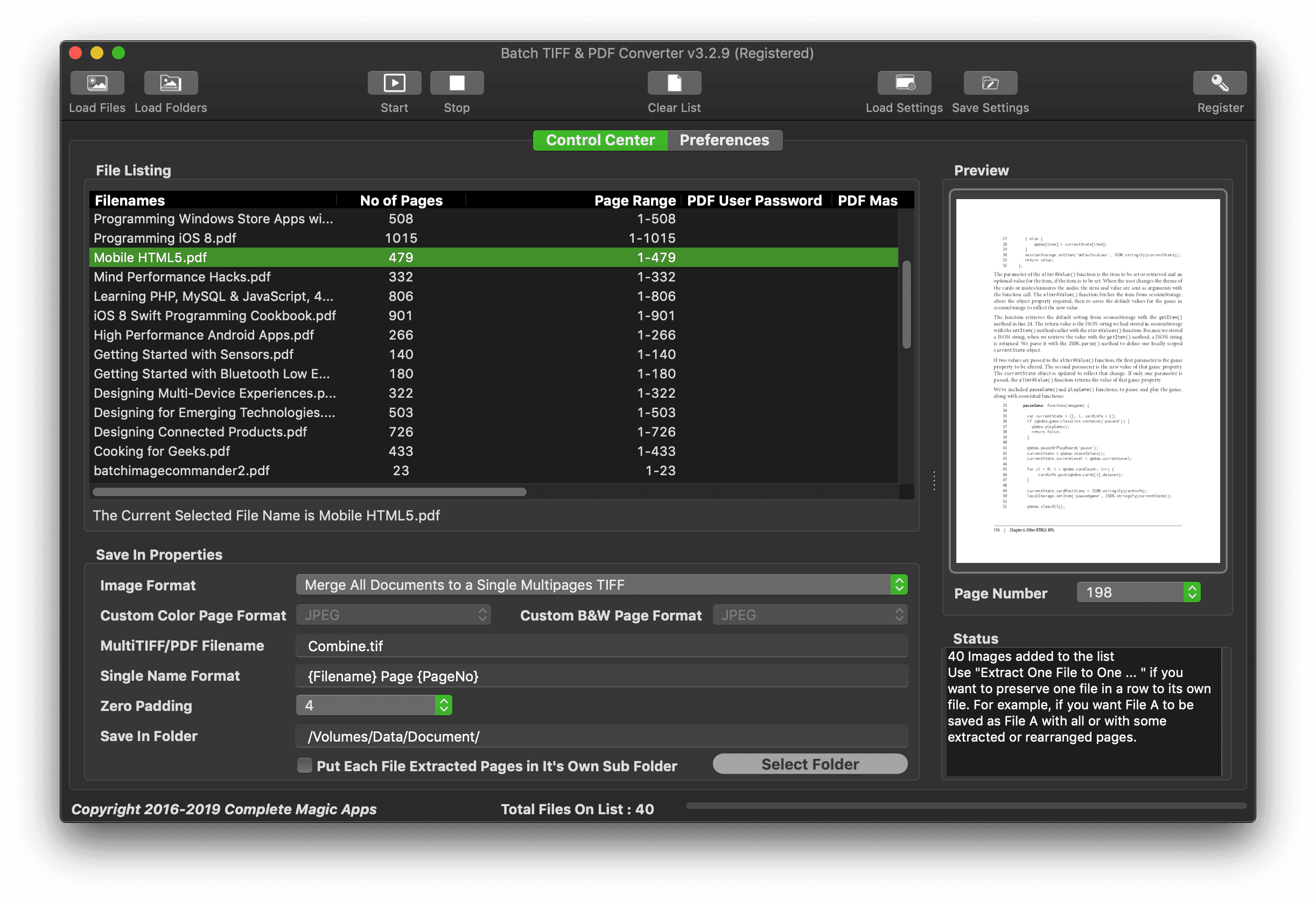
Batch TIFF & PDF Converter is a macOS All-In-One Toolkit made to handle all your TIFF and PDF needs. It has both TIFF and PDF multi-page support, it is increasingly use to store scanned documents such as architecture plans, contracts, invoices and the likes. This program is designed with these uses in mind. It is suitable for anyone who handles TIFF and PDF files and require support to edit, merge or convert them. Typically it is used in the legal, architectural businesses and the administrative and accounting departments.
What Batch TIFF & PDF Converter can do includes
- Open and Save with Single Page TIFF, Multi-Page TIFF, PDF, JPG and PNG Files
- Merge all files in the listing into a single Multi-Page TIFF file or PDF File
- Supports Fast Merge of all the PDF files to a single PDF file(**)
- Compress PDF files using the App-in-App PDF Optimizer which would help reduce your PDF file size
- Can work with Password Protected PDF File as the application will prompt for the unlock password
- Extract Pages from the Multi-Page TIFF and PDF files into TIFF, PDF, HEIC, PNG or JPG files
- Extract Pages and save them into different specific file formats based on whether they are color or black and white pages
- Extract Text from PDF File using Text Extraction or OCR Support.
- Extract Text from supported images using the Vision Framework found in macOS 10.15 and above
- Group and save pages extracted from each multipage files and save them into its own specific folder
- Rearrange Pages within the TIFF and PDF documents using Page Ranges
- Remove Pages from the TIFF and PDF which is undesired
- Remove or Add Password Protections to the PDF file (Only if you have the master password to unlock the file)
- Add Various Password Options which includes “None”, “Use Original Passwords”, “Use Default Passwords” and “Use Per File Entry Passwords”
- “Use Per File Entry Passwords” will use the unique passwords for each single file set in the File Listing.
- Insert Pages into the TIFF and PDF files
- Resize Pages using Downsizing by Pixels, Percentages, Ratio or even Paper Size. Resizing by Percentages and Ratio provides option to resize up to 5x the original dimensions.
- Add Text Caption (with transparency) such as Copyright tags to the pages. You can pick from the 10 locations where text caption can be included as such Diagonal, Top Left, Top Middle, Top Right, Center Left, Center Middle, Center Right, Bottom Left, Bottom Middle and Bottom Right. You can even determine on which page such as All Pages, Even Pages, Odd Pages, Every Page except First and Odd Pages except First.
- Add PNG Watermark Picture to the pages with transparency to 9 locations which includes Top Left, Top Middle, Top Right, Center Left, Center Middle, Center Right, Bottom Left, Bottom Middle and Bottom Right. Supports PNG with Alpha Channel for background transparency.
- Finetune the Text Caption and Watermark Alignment by applying the X and Y Padding.
- Retain Image and Document Header including EXIF Header such as Author/Artist, PDF Title/ TIFF & JPEG Description, PDF Subject, PDF Keywords and TIFF/JPEG Copyright.
- Support Exported JPEG and PNG Color and Grayscale Colorspace
- Option to Include or Exclude EXIF Header details
- Perform Batch Filename Changing for your files using the built-in Filename Builder which lets you tag file date, running number, static text and filename to your files. Did we say any type of files ?
- Supports Bates Numbering for PDF with the page manipulation option to pad the page so that the bates numbers do not block existing text
- Supports automated conversion from PDF to TIFF using the PDF to TIFF Automator which will monitor a hot folder for incoming PDF documents, convert them to Multipage TIFFs in the background.
CM Batch MMedia Date Changer
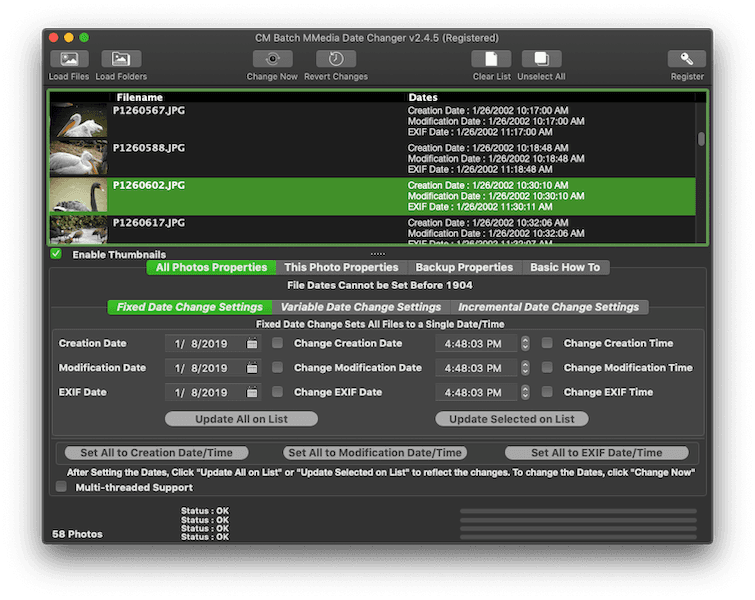
Have you been in a situation when you replaced the camera batteries and forgot to change the camera clock to the current date and time or set the wrong date or time like when you wanted to take photos and videos in the new year and set it to the year before ? Happily taking the photos and when you go back and checked, all the dates and or time are wrong. Arrgh! I’ve been there several times.
There are applications out there which let you batch change all the file dates to a single date time which would not make much sense. Moreover, those only change the creation and modification date but the Digitized Date and Time in the EXIF header remains unchanged. The EXIF Date is important when uploading to the web especially one of the many cloud based photo storage services.
The Batch processing will let you perform the date change to one or more photos and videos at one go.
CM Bath MMedia Date Changer supports JPEG, JPEG 2000, JPEG XL (JXL), HEIC, HEIF, HIF, AVIF, PNG, DNG, Canon RAW (CR2 & CR3), Fujifilm RAW (RAF), Mamiya RAW (MEF), Minolta RAW (MRW), Nikon RAW (NEF), Olympus RAW (ORF), Panasonic RAW (RW2), Pentax RAW (PEF), Samsung RAW (SRW), Sony RAW (SR2 & ARW), TIFF, MP4, MAV, MOV, MQV, 3GP and 3G2
CM Batch MMedia Date Changer is a Mac Based App which works on macOS 10.14 and above and supports both Apple Silicon and Intel based Macs.