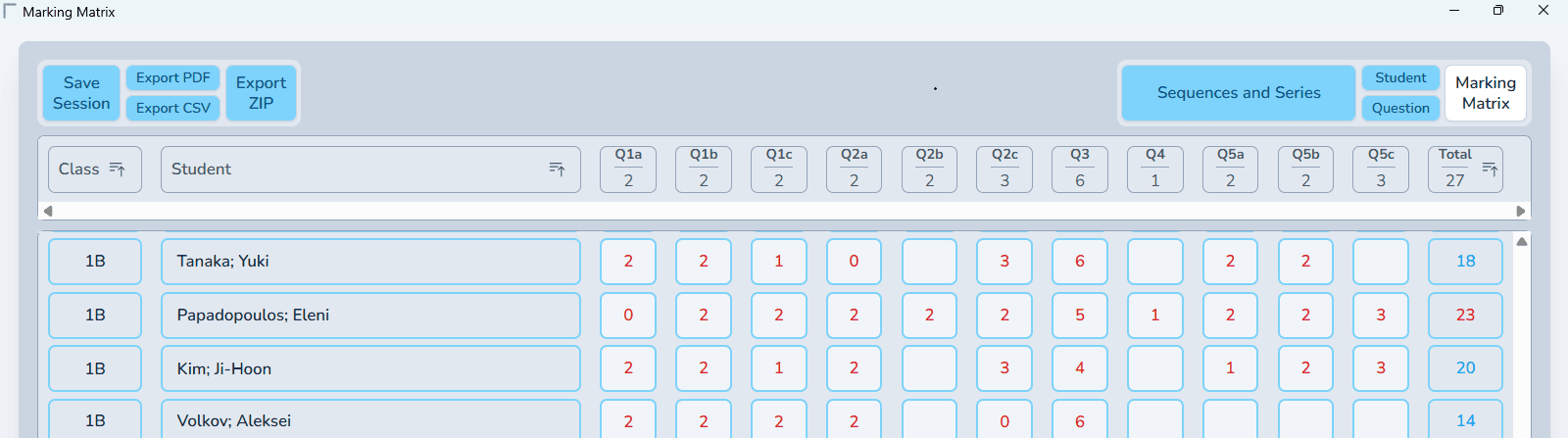

Products
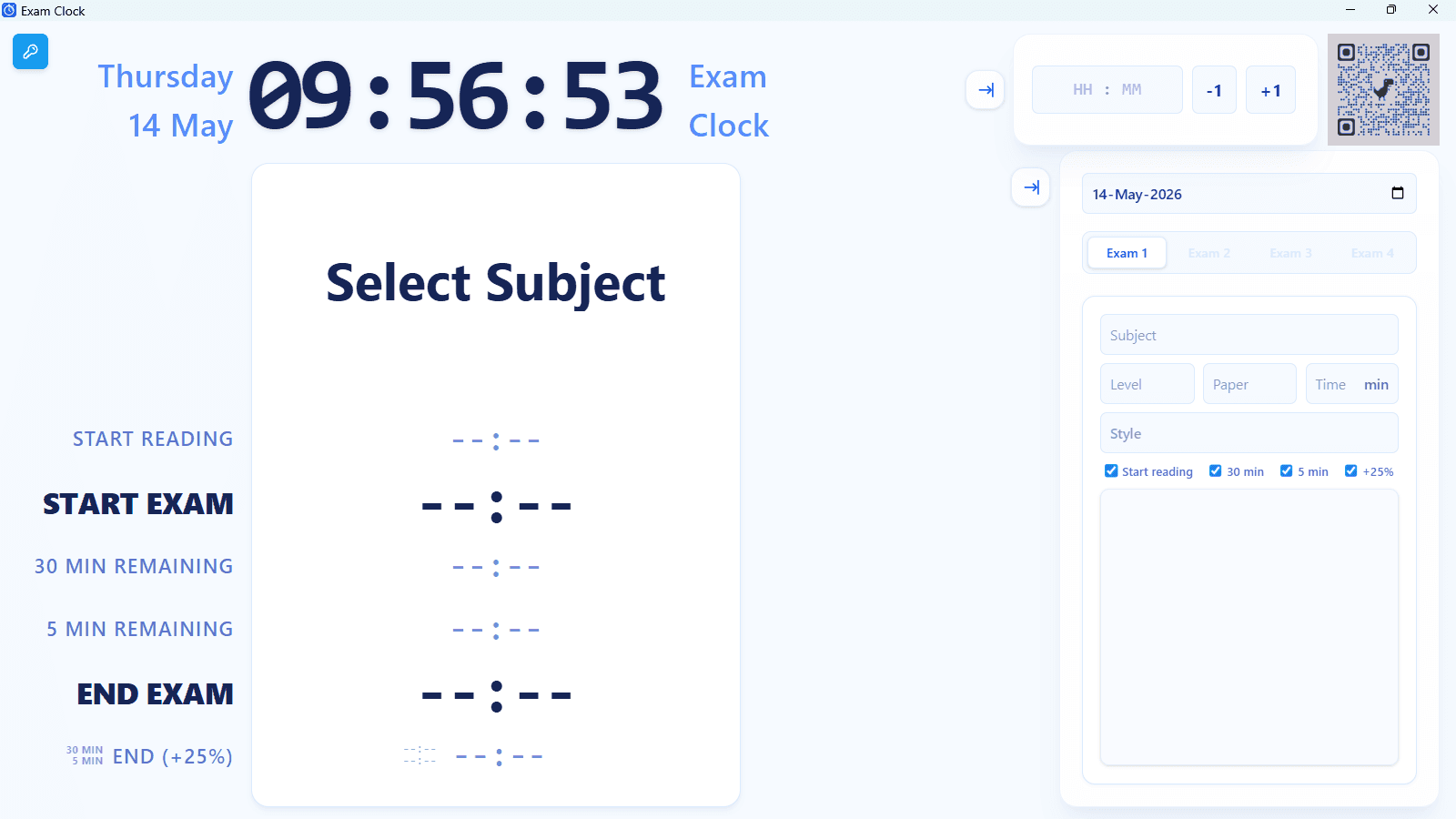
Matrix Exam Clock - Year Pass
Matrix Exam Clock
Matrix Exam Clock is a user-friendly exam information and clock system that can be set up in seconds. It supports up to four exams running simultaneously in the same room and provides a clear, professional display for students and invigilators.
It runs fully offline after activation and does not require an internet connection during use.
Important Note for IB Schools
Matrix Exam Clock uses the same clear layout and style as the IB version of Matrix Exam Clock, making it a great way for teachers and students to become familiar with the format before official examinations.
It can be used for mock exams, internal tests, or any other examination. Matrix Exam Clock is not limited to IB examinations and works as a standalone exam display system for any school or examination setting.
If the IB version of Matrix Exam Clock for the relevant session is already available, you can even use that for a mock exam. Just cheat a little with the date and select the date of the corresponding official IB examination, so the correct subject and exam information are displayed. Or simply use Matrix Exam Clock for the mock — it's entirely up to you.
For full features and a step-by-step guide on how it works, please visit our website: https://sites.google.com/view/marking-matrix/exam-clock
GET STARTED WITH A YEAR PASS Last updated: 17 August 2026
Get full access for a year. The Year Pass is a one-time payment with no hidden subscriptions or recurring charges. Once activated, your installed applications stay yours to use permanently—they never lock you out after the year ends. Prices include all applicable taxes.
Delivery & Platforms
■ Instant Delivery: Your unique License Key, software download links and Web App link are delivered to your email immediately after purchase. ■ Windows Application: Available as a standalone executable (.exe), providing a highly robust and reliable standalone experience for extended offline use. ■ macOS Application: Available as a standalone desktop application (.dmg). It provides the exact same robust and reliable offline experience for Mac users. Note: As an independently distributed app, macOS may require a quick one-time approval (right-click and select "Open") the very first time you launch it. ■ Web Application: No installation required. Open the app in a supported modern web browser on Windows, macOS, Chromebooks, iPads, or Android tablets. For a full-screen experience and to permanently save your license key on mobile devices, we highly recommend using your browser's "Install" or "Add to Home Screen" option. ■ Offline Operation: Once activated online, the desktop and web applications save the required verification data locally, allowing them to operate fully offline.
Activations & License Management
■ Multiple Device Activations: Your Year Pass includes 4 activations. This gives you flexibility to use the application across different work computers, personal laptops, and classroom devices. It also accommodates re-activation if browser or local application data is cleared. ■ Permanent Local Access (Install Deadline): The "New Installs Allowed Until" date only limits when you can activate the License Key on new devices. It will never expire, lock out, or disable the application on devices that are already activated. ■ Viewing & Updating License Details: Click the License Information icon at any time to view your License Key, Device ID, and activation count (e.g., “1 out of 4”). Click Update to securely refresh this information. If you have activated the license on additional devices, the count will update accordingly (e.g., from “1 out of 4” to “3 out of 4”). ■ License Storage & Re-Activation: Desktop applications (Windows and macOS) save your license permanently. The Web Application stores your activation in your browser's local storage. If you manually clear your browser cookies, use Incognito/Private mode, or switch to a different browser, the Web App will forget your device. Re-entering your License Key to reactivate will create a new session and consume an additional activation.
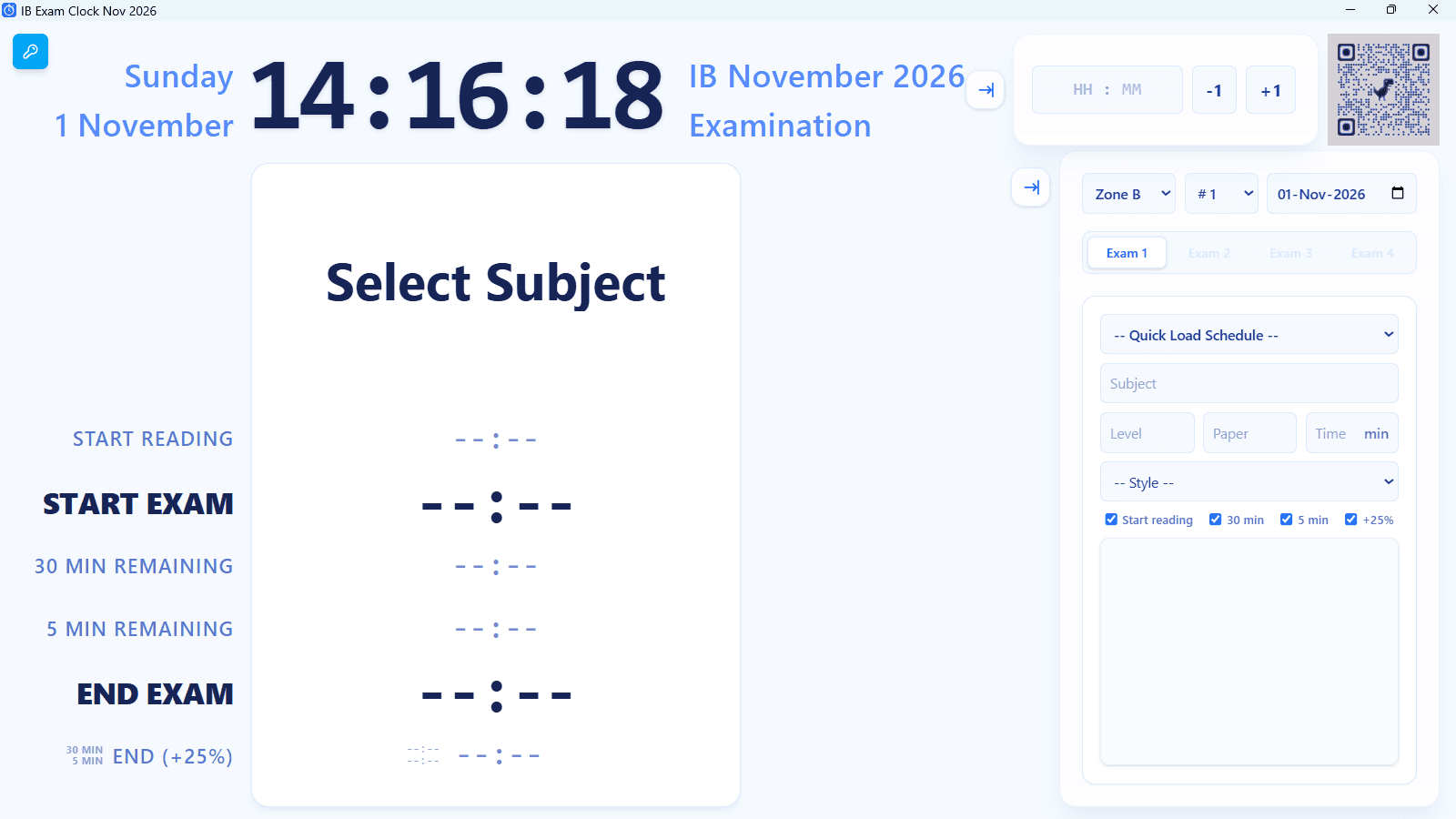
Matrix Exam Clock - IB Nov 2026 - Year Pass
Matrix Exam Clock - IB Nov 2026
Matrix Exam Clock - IB Nov 2026 is a specialised exam information and clock system designed for the November 2026 IB examination session. It supports up to four exams running simultaneously in the same room and includes a built-in IB examination database, making setup almost automatic.
It runs fully offline after activation and does not require an internet connection during examinations.
The Matrix Exam Clock has been improved based on real-world use and feedback. The latest version includes usability improvements, clearer exam setup, and enhanced control over the examination clock.
For full features and a step-by-step guide on how it works, please visit our website: https://sites.google.com/view/marking-matrix/ib-exam-clock
GET STARTED WITH A YEAR PASS Last updated: 12 September 2026
Get full access for a year. The Year Pass is a one-time payment with no hidden subscriptions or recurring charges. Once activated, your installed applications stay yours to use permanently—they never lock you out after the year ends. Prices include all applicable taxes.
Delivery & Platforms
■ Instant Delivery: Your unique License Key, software download links and Web App link are delivered to your email immediately after purchase. ■ Windows Application: Available as a standalone executable (.exe), providing a highly robust and reliable standalone experience for extended offline use.
■ macOS Application: Available as a standalone desktop application (.dmg). It provides the exact same robust and reliable offline experience for Mac users. Note: As an independently distributed app, macOS may require a quick one-time approval (right-click and select "Open") the very first time you launch it. ■ Web Application: No installation required. Open the app in a supported modern web browser on Windows, macOS, Chromebooks, iPads, or Android tablets. For a full-screen experience and to permanently save your license key on mobile devices, we highly recommend using your browser's "Install" or "Add to Home Screen" option. ■ Offline Operation: Once activated online, the desktop and web applications save the required verification data locally, allowing them to operate fully offline.
Activations & License Management
■ Multiple Device Activations (School-Wide Allowance): Your pass includes 24 activations. This generous allowance is specifically designed for schools and IB Coordinators, allowing you to confidently run the clock across multiple examination halls, extra-time rooms, and shared Smartboards simultaneously. It also safely accommodates any necessary re-activations if browser or local application data is cleared on shared devices. ■ Permanent Local Access (Install Deadline): The "New Installs Allowed Until" date only limits when you can activate the License Key on new devices. It will never expire, lock out, or disable the application on devices that are already activated. ■ Viewing & Updating License Details: Click the License Information icon at any time to view your License Key, Device ID, and activation count (e.g., “1 out of 24”). Click Update to securely refresh this information. If you have activated the license on additional devices, the count will update accordingly (e.g., from “1 out of 24” to “3 out of 24”). ■ License Storage & Re-Activation: Desktop applications (Windows and macOS) save your license permanently. The Web Application stores your activation in your browser's local storage. If you manually clear your browser cookies, use Incognito/Private mode, or switch to a different browser, the Web App will forget your device. Re-entering your License Key to reactivate will create a new session and consume an additional activation.
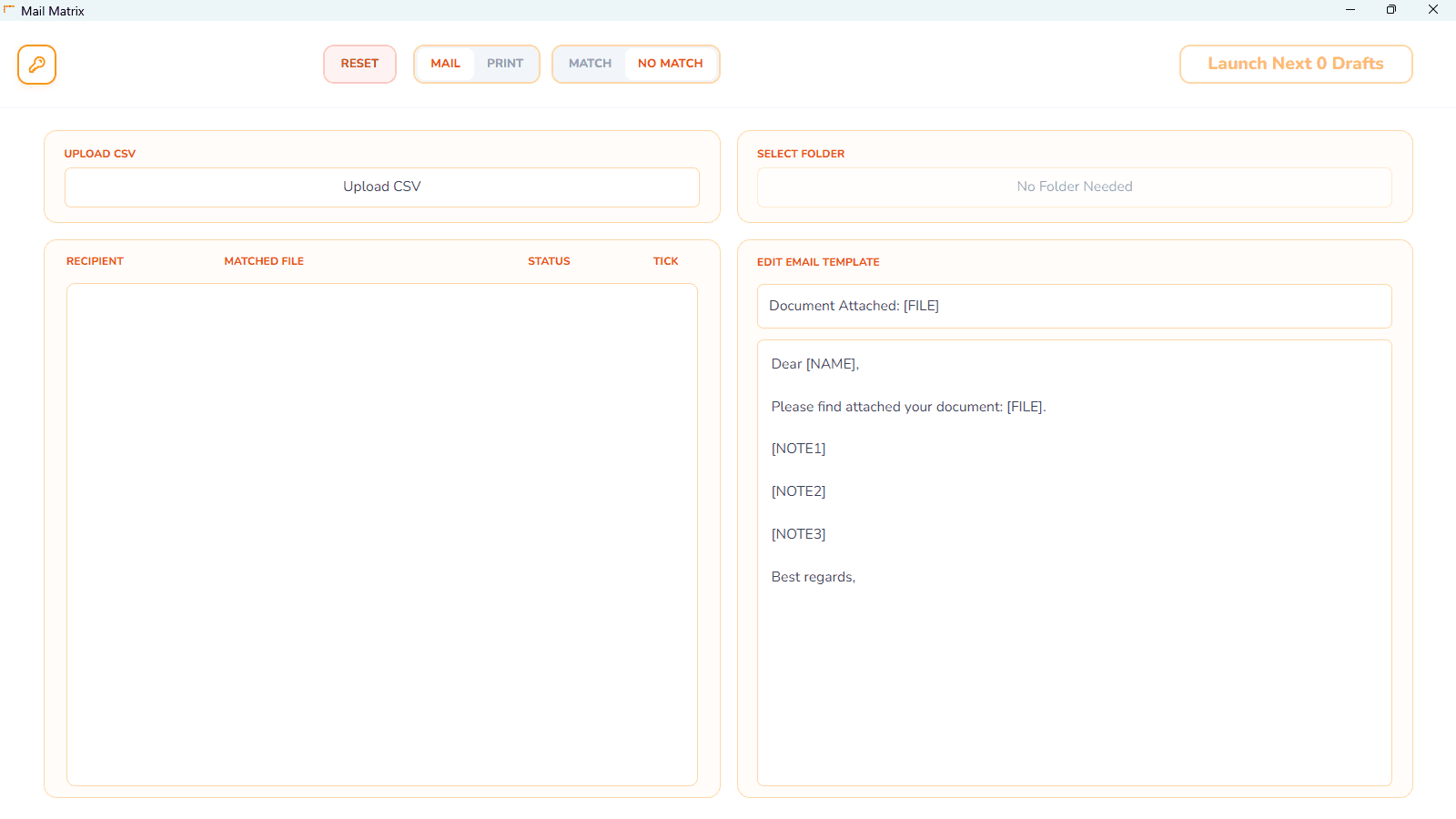
Mail Matrix - Year Pass
Mail Matrix is a lightweight utility designed to make distributing your work simpler and more organised. It is a fully capable standalone tool, though it works seamlessly with Marking Matrix files. There is no requirement to use it—it is simply there if you want a better overview and more control over your sending process.
While the "wonder" of marking and feedback happens in Marking Matrix, this tool serves as a dedicated command centre for the final mile. It provides a clean dashboard to manage the logistics, ensuring you stay in control of what has been sent and what is still pending.
For full features and a step-by-step guide on how it works, please visit our website: https://sites.google.com/view/marking-matrix/mail-matrix
GET STARTED WITH A YEAR PASS Last updated: 17 August 2026
Get full access for a year. The Year Pass is a one-time payment with no hidden subscriptions or recurring charges. Once activated, your installed applications stay yours to use permanently—they never lock you out after the year ends. Prices include all applicable taxes.
Delivery & Platforms
■ Instant Delivery: Your unique License Key, software download links, Web App link, and the guide are delivered to your email immediately after purchase. ■ Windows Application: Available as a standalone executable (.exe), providing a highly robust and reliable standalone experience for extended offline use. ■ macOS Application: Available as a standalone desktop application (.dmg). It provides the exact same robust and reliable offline experience for Mac users. Note: As an independently distributed app, macOS may require a quick one-time approval (right-click and select "Open") the very first time you launch it. ■ Web Application: No installation required. Open the app in a supported modern web browser on Windows, macOS, Chromebooks, iPads, or Android tablets. For a full-screen experience and to permanently save your license key on mobile devices, we highly recommend using your browser's "Install" or "Add to Home Screen" option. ■ Offline Operation: Once activated online, the desktop and web applications save the required verification data locally, allowing them to operate fully offline.
Activations & License Management
■ Multiple Device Activations: Your Year Pass includes 4 activations. This gives you flexibility to use the application across different work computers, personal laptops, and classroom devices. It also accommodates re-activation if browser or local application data is cleared. ■ Permanent Local Access (Install Deadline): The "New Installs Allowed Until" date only limits when you can activate the License Key on new devices. It will never expire, lock out, or disable the application on devices that are already activated. ■ Viewing & Updating License Details: Click the License Information icon at any time to view your License Key, Device ID, and activation count (e.g., “1 out of 4”). Click Update to securely refresh this information. If you have activated the license on additional devices, the count will update accordingly (e.g., from “1 out of 4” to “3 out of 4”). ■ License Storage & Re-Activation: Desktop applications (Windows and macOS) save your license permanently. The Web Application stores your activation in your browser's local storage. If you manually clear your browser cookies, use Incognito/Private mode, or switch to a different browser, the Web App will forget your device. Re-entering your License Key to reactivate will create a new session and consume an additional activation.
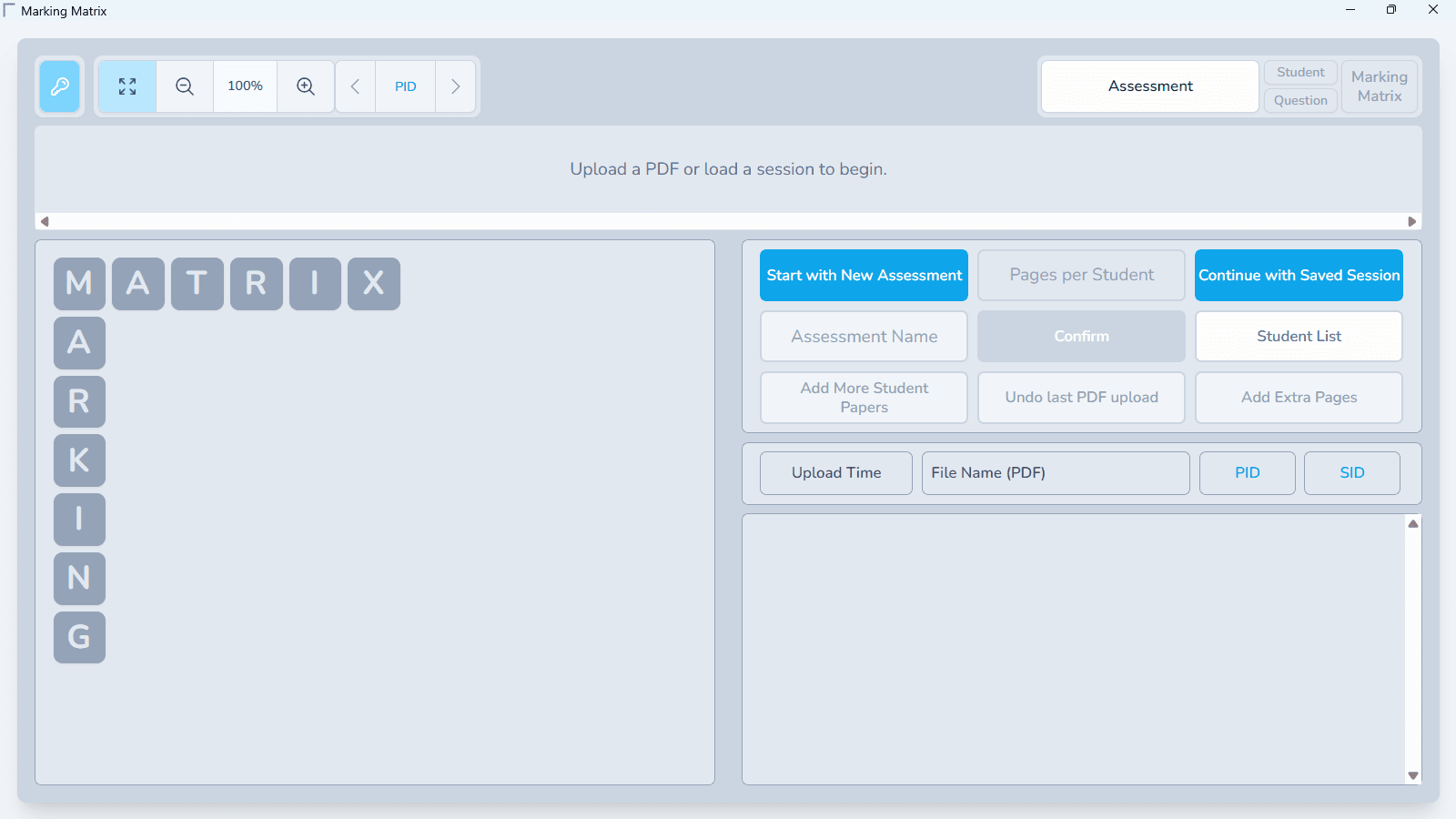
Marking Matrix - Month Pass
Marking Matrix is the simplest, cleanest, and most dependable way to mark physical exam papers — without ever losing the control or tradition teachers value. It preserves everything that matters: your red pen, your judgement, and your workflow — simply made faster, tidier, and stress-free.
No AI. No auto-marking. You stay fully in charge.
Upload Once. Stay Organised Always
■ Batch Processing: Upload your full batch of scanned exams, and the Matrix instantly organises them by student.
■ Flexible Submissions: If a student uses extra pages or joins late, you can add their papers at any time — even after marking has begun.
■ Easy Management: Upload a student list to name papers automatically.
■ Privacy and Portability: All work stays stored locally on your own computer. Work 100% offline for up to 7 days between check-ins.
Marking that Feels Natural
■ Guided Marking Zones: Define your marking zones once, and the Matrix automatically focuses on the relevant answer area.
■ Natural Tools: Your tools feel exactly like real stationery — red pen, highlighter, eraser — but cleaner, undoable, and consistently precise.
■ Teacher-Designed: Created by a teacher to solve the real-world frustrations of high-stakes marking.
The Matrix: Fast, Clear, Controlled
■ The Matrix is a dynamic grid that gives you a complete overview of every student and every question at a glance.
■ Simply click any cell to open a focused marking popup, then navigate seamlessly using taps or keyboard shortcuts.
■ Built for Interruptions: Whether you get interrupted or the Matrix closes unexpectedly, your recovery point is always waiting.
Effortless Exports
■ Fully annotated PDFs ready to return to students.
■ A clean CSV spreadsheet for your mark book.
■ Individual student files exported in one click.
For full features and a step-by-step guide on how it works, please visit our website: https://sites.google.com/view/marking-matrix/marking-matrix
GET STARTED WITH A PASS Last updated: 17 August 2026
Choose the pass that fits your marking season. Both options are strict one-time payments—there are no hidden subscriptions or auto-billing. When your pass period ends, the software will automatically expire until a new pass is purchased. Prices include all applicable taxes.
Delivery & Platforms
■ Instant Delivery: Your unique License Key, software download links, Web App link, and complete documentation are delivered to your email immediately after purchase. ■ Windows Application: Available as a standalone executable (.exe). This provides a highly robust, reliable experience for heavy marking workloads. ■ macOS Application: Available as a standalone desktop application (.dmg). Equally robust for heavy workloads and large PDF files. Note: As an independently distributed app, macOS may require a quick one-time approval (right-click and select "Open") the very first time you launch it. ■ Web Application: No installation required. Open the app in a supported modern web browser on Windows, macOS, Chromebooks, iPads, or Android tablets. For a full-screen experience and to permanently save your license key on mobile devices, we highly recommend using your browser's "Install" or "Add to Home Screen" option.
Activations & Offline Operation
■ Flexible Device Activations: Your Month Pass includes 4 activations, and your Year Pass includes 8 activations. This gives you the freedom to set up your workspace across your work computer, home laptop, and tablet. It also generously accommodates re-activation if your browser data is accidentally cleared. ■ Viewing License Details: Click the License Information icon inside the app at any time to check your License Key, view your remaining activations (e.g., “1 out of 8”), and see the exact expiry date of your pass. ■ 7-Day Offline Operation: Desktop applications provide the ultimate offline stability. Once activated, they can operate fully offline for 7 days before requiring a brief, automatic background internet connection to verify your license. (You can check your Offline Status deadline in the License Information window). ■ License Storage & Re-Activation: Desktop applications (Windows and macOS) save your license permanently. The Web Application stores your activation in your browser's local storage. If you manually clear your browser cookies, use Incognito/Private mode, or switch to a different browser, the Web App will forget your device. Re-entering your License Key to reactivate will consume an additional activation slot.
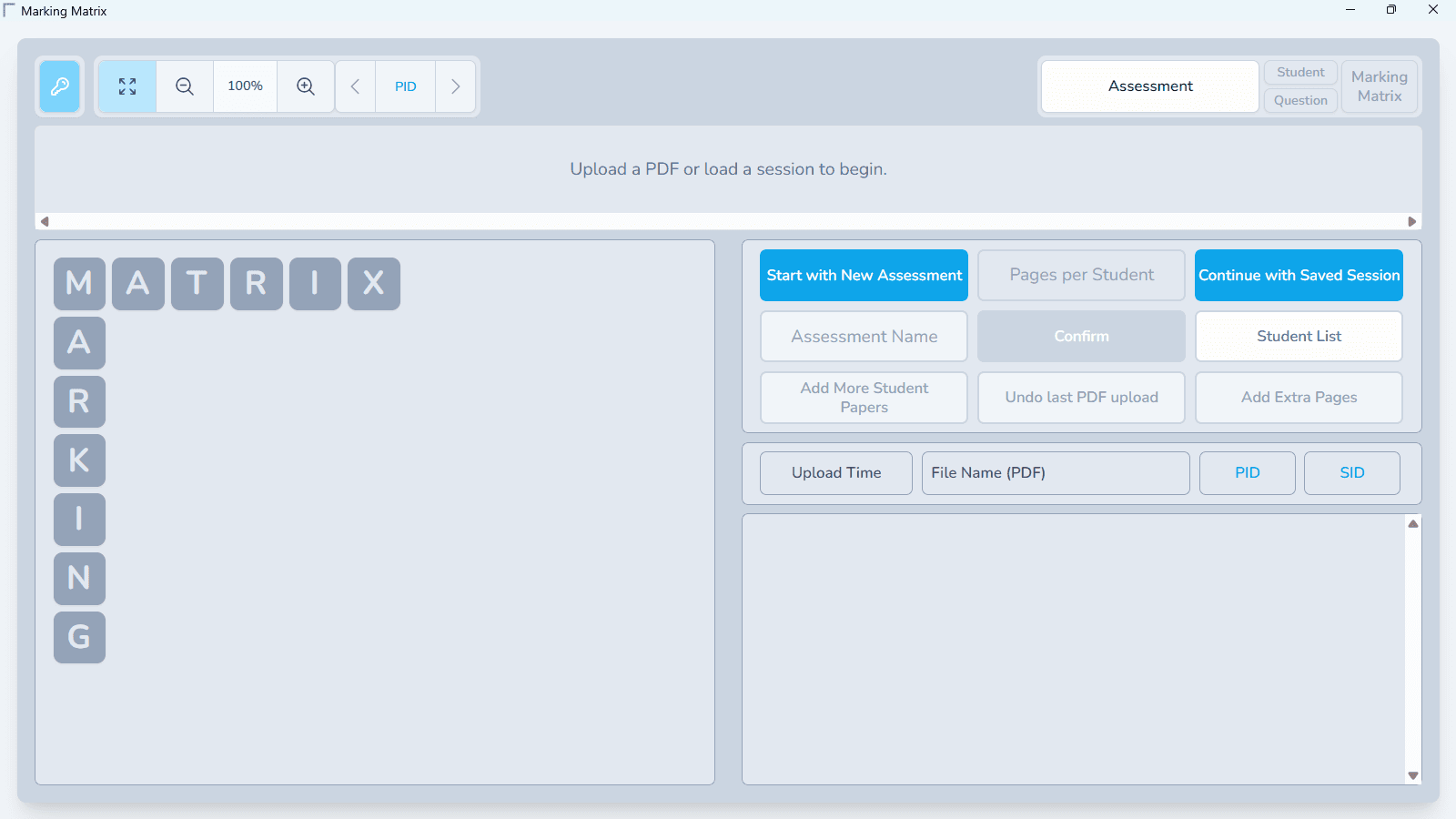
Marking Matrix - Year Pass
Marking Matrix is the simplest, cleanest, and most dependable way to mark physical exam papers — without ever losing the control or tradition teachers value. It preserves everything that matters: your red pen, your judgement, and your workflow — simply made faster, tidier, and stress-free.
No AI. No auto-marking. You stay fully in charge.
Upload Once. Stay Organised Always
■ Batch Processing: Upload your full batch of scanned exams, and the Matrix instantly organises them by student.
■ Flexible Submissions: If a student uses extra pages or joins late, you can add their papers at any time — even after marking has begun.
■ Easy Management: Upload a student list to name papers automatically.
■ Privacy and Portability: All work stays stored locally on your own computer. Work 100% offline for up to 7 days between check-ins.
Marking that Feels Natural
■ Guided Marking Zones: Define your marking zones once, and the Matrix automatically focuses on the relevant answer area.
■ Natural Tools: Your tools feel exactly like real stationery — red pen, highlighter, eraser — but cleaner, undoable, and consistently precise.
■ Teacher-Designed: Created by a teacher to solve the real-world frustrations of high-stakes marking.
The Matrix: Fast, Clear, Controlled
■ The Matrix is a dynamic grid that gives you a complete overview of every student and every question at a glance.
■ Simply click any cell to open a focused marking popup, then navigate seamlessly using taps or keyboard shortcuts.
■ Built for Interruptions: Whether you get interrupted or the Matrix closes unexpectedly, your recovery point is always waiting.
Effortless Exports
■ Fully annotated PDFs ready to return to students.
■ A clean CSV spreadsheet for your mark book.
■ Individual student files exported in one click.
For full features and a step-by-step guide on how it works, please visit our website: https://sites.google.com/view/marking-matrix/marking-matrix
GET STARTED WITH A PASS Last updated: 17 August 2026
Choose the pass that fits your marking season. Both options are strict one-time payments—there are no hidden subscriptions or auto-billing. When your pass period ends, the software will automatically expire until a new pass is purchased. Prices include all applicable taxes.
Delivery & Platforms
■ Instant Delivery: Your unique License Key, software download links, Web App link, and complete documentation are delivered to your email immediately after purchase. ■ Windows Application: Available as a standalone executable (.exe). This provides a highly robust, reliable experience for heavy marking workloads. ■ macOS Application: Available as a standalone desktop application (.dmg). Equally robust for heavy workloads and large PDF files. Note: As an independently distributed app, macOS may require a quick one-time approval (right-click and select "Open") the very first time you launch it. ■ Web Application: No installation required. Open the app in a supported modern web browser on Windows, macOS, Chromebooks, iPads, or Android tablets. For a full-screen experience and to permanently save your license key on mobile devices, we highly recommend using your browser's "Install" or "Add to Home Screen" option.
Activations & Offline Operation
■ Flexible Device Activations: Your Month Pass includes 4 activations, and your Year Pass includes 8 activations. This gives you the freedom to set up your workspace across your work computer, home laptop, and tablet. It also generously accommodates re-activation if your browser data is accidentally cleared. ■ Viewing License Details: Click the License Information icon inside the app at any time to check your License Key, view your remaining activations (e.g., “1 out of 8”), and see the exact expiry date of your pass. ■ 7-Day Offline Operation: Desktop applications provide the ultimate offline stability. Once activated, they can operate fully offline for 7 days before requiring a brief, automatic background internet connection to verify your license. (You can check your Offline Status deadline in the License Information window). ■ License Storage & Re-Activation: Desktop applications (Windows and macOS) save your license permanently. The Web Application stores your activation in your browser's local storage. If you manually clear your browser cookies, use Incognito/Private mode, or switch to a different browser, the Web App will forget your device. Re-entering your License Key to reactivate will consume an additional activation slot.