Products
Solution to Resolve SWUpdate Status Reporting Problem After Download and Installation in SWUpdate+hawkBit OTA
This product provides a solution to the following problem. I promise that this is actually verified and works by me; in fact, I spent a week solving this problem. However, please carefully read the problem symptom description below and confirm before purchasing that it is the same as the problem you are currently trying to solve. By continuing with the purchase, you agree that, due to differences in hardware and system environment, software versions, and configuration parameters, this solution may not solve your specific problem. Due to the special nature of digital goods, refunds are no longer accepted after the file is downloaded.
Problem Symptoms Description
-
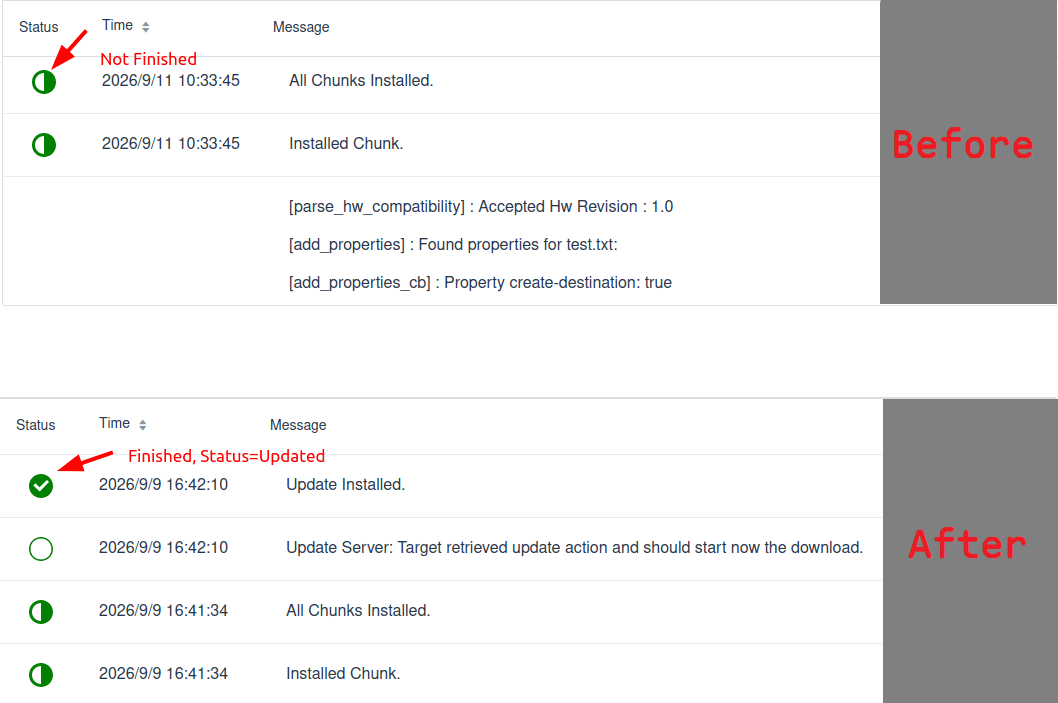
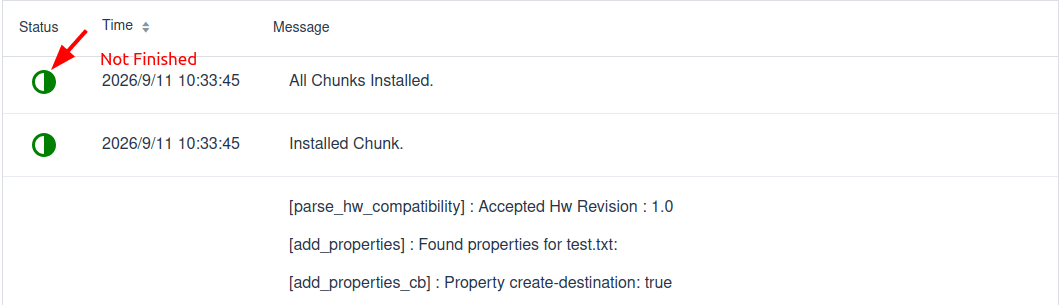
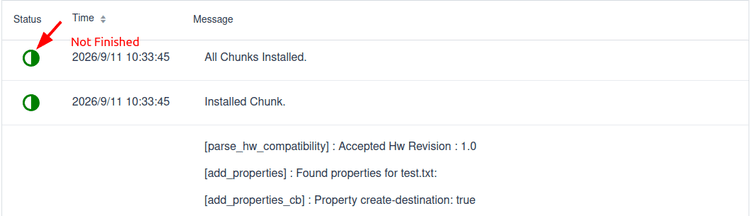
After creating a Software module and distribution set on the hawkBit server and Assigning them to the target device Target, the SWUpdate client on the target device successfully received this OTA upgrade signal, downloaded and installed it to the specified location, and successfully executed the postinstall script. see image 2.
-
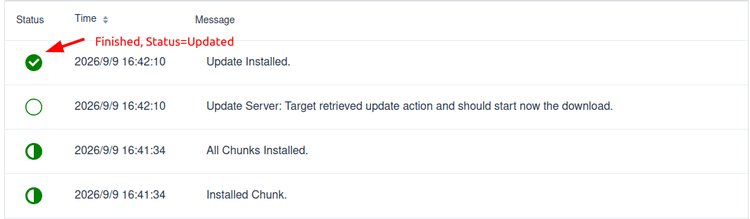
But the problem is: ① The server did not receive feedback that the client upgrade was complete, and the hawkBit update progress is still Pending Update, and has not changed to Updated. ② The client SWUpdate repeatedly reports a warning saying pending testing, ignores other updates, and requires restarting SWUpdate to report the test result. The log is as follows:
[TRACE] : SWUPDATE running :  [server_get_deployment_info] : Associated Action ID for Update Action is 21
[TRACE] : SWUPDATE running :  [do_get_state] : Read state=1 from persistent storage.
[WARN ] : SWUPDATE running :  [server_has_pending_action] : An already installed update is pending testing, ignoring available update action.
[INFO ] : SWUPDATE running :  [server_has_pending_action] : Please restart SWUpdate to report the test results upstream.
However, after rerunning SWUpdate, this warning is still reported, and restarting the system does not help either.
-
Software versions & system environment
- hawkBit: 1.1.0
- SWUpdate: 2024.04.1, 2026.05.1 both have this problem
- The Target device system is Ubuntu Linux, using grub boot.
Cause
Pay and download the markdown document to checkout the cause to the problem.
Solution
Pay and download the markdown document to checkout the solution to the problem.
After the problem resolved, hawkBit server should receive OTA conclusion and turn status into Updated after SWUpdate download and install, see image 3.
SSH Config Manager
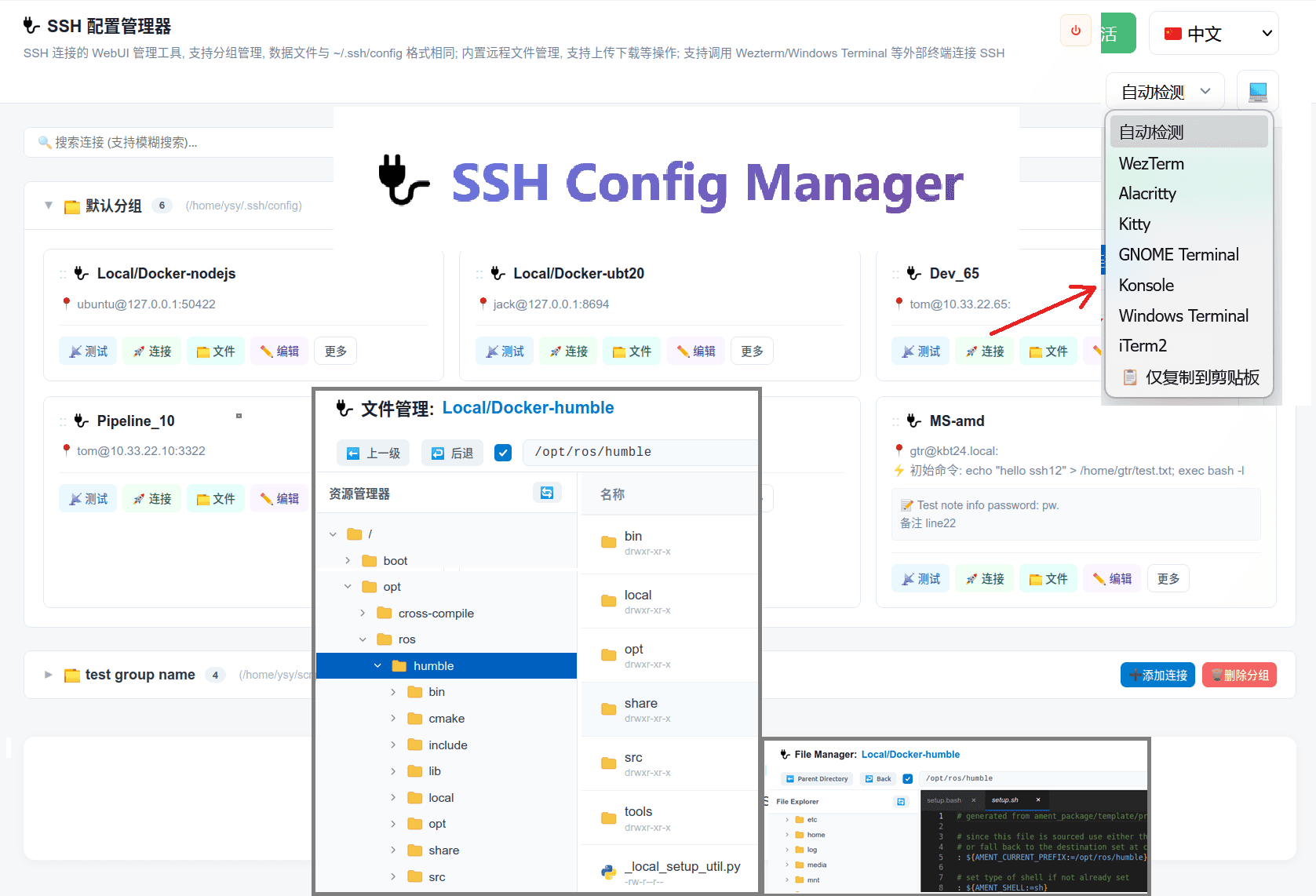
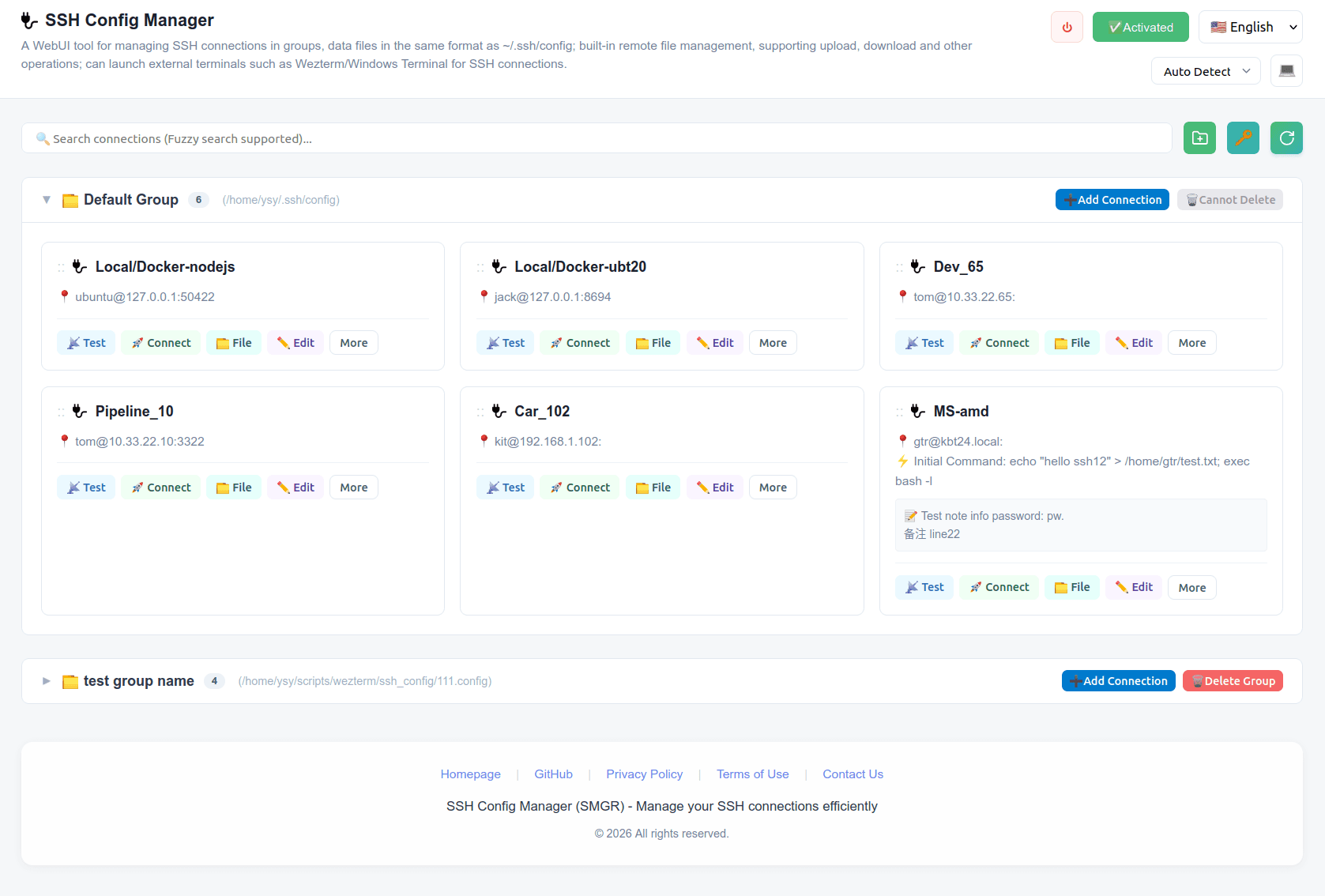
SSH Config Manager (SMGR): A cross-platform tool for group-based visual management of SSH configs, capable of integrating with modern terminal emulators and system built-in terminals, eliminating the need to memorize connection host names/addresses/shortcuts.
Key Features
-
Group-based visual SSH management, no need to memorize SSH names/addresses/shortcuts in the terminal.
- Add/edit SSH connection information and create groups through webui, click to connect and establish SSH connections in local terminal emulator.
- ~/.ssh/config is the default group, other group configuration files follow the exact same format, enabling easy migration and reuse in other tools, such as manual use with ssh command:
ssh -F ~/my_ssh_config/test_group.config my_host.
-
Cross-platform & Supports multiple terminal emulators without changing your terminal usage habits.
| Terminal Emulator | Windows | Linux | macOS | | :------------------ | :-------: | :-----: | :-----: | | Wezterm | ✅ | ✅ | ❔ | | Alacritty | ✅¹ | ✅¹ | ❔ | | Kitty | ➖ | ✅¹ | ❔ | | Windows Terminal | ✅ | ➖ | ➖ | | Konsole | ✅¹ | ✅² | ❔ | | GNOME Terminal | ➖ | ✅¹ | ➖ | | iTerm2 | ➖ | ➖ | ❔ |
- ✅: Tested and fully supports designed features. Automatically establishes SSH in a new tab if window exists, or creates a new window.
- ✅¹: Tested, can successfully launch terminal, but only supports creating connections in new windows.
- ✅²: Tested, defaults to creating connections in new windows only. (Konsole: Enable "Run all Konsole windows in a single process" in Settings to use tabs).
- ❔: Not tested.
- ➖: Not supported on this platform.
-
Built-in remote file manager for seamless file operations over SSH.
- Eliminates the need for external SFTP/SCP clients by allowing you to upload, download, rename, and delete files and folders directly through the WebUI.
- Features a built-in code editor to directly edit remote files, supporting syntax highlighting, multi-line editing, and more.
- Includes a built-in image viewer to preview images on remote servers without downloading them.
-
Security & Privacy First: Supports fully offline operation, no worries about data leaks or trackers.
- All SSH configurations and file transfers are conducted directly between your local machine and your servers, without any third-party cloud relay.
- The WebUI runs entirely in your local environment, eliminating any form of data collection, telemetry, or ad tracking.
-
High performance: Compared to Electron applications, the backend service of this software has lower memory usage, comparable to C++ software.
- Win11 (24GB RAM): 39.1MB
- Ubuntu 20.04 (32GB RAM): 84.2MB
see more: https://www.mctek.site/ssh-config-manager-artifact/