Products
Welcome + Day-3 Email Kit for Gumroad Sellers
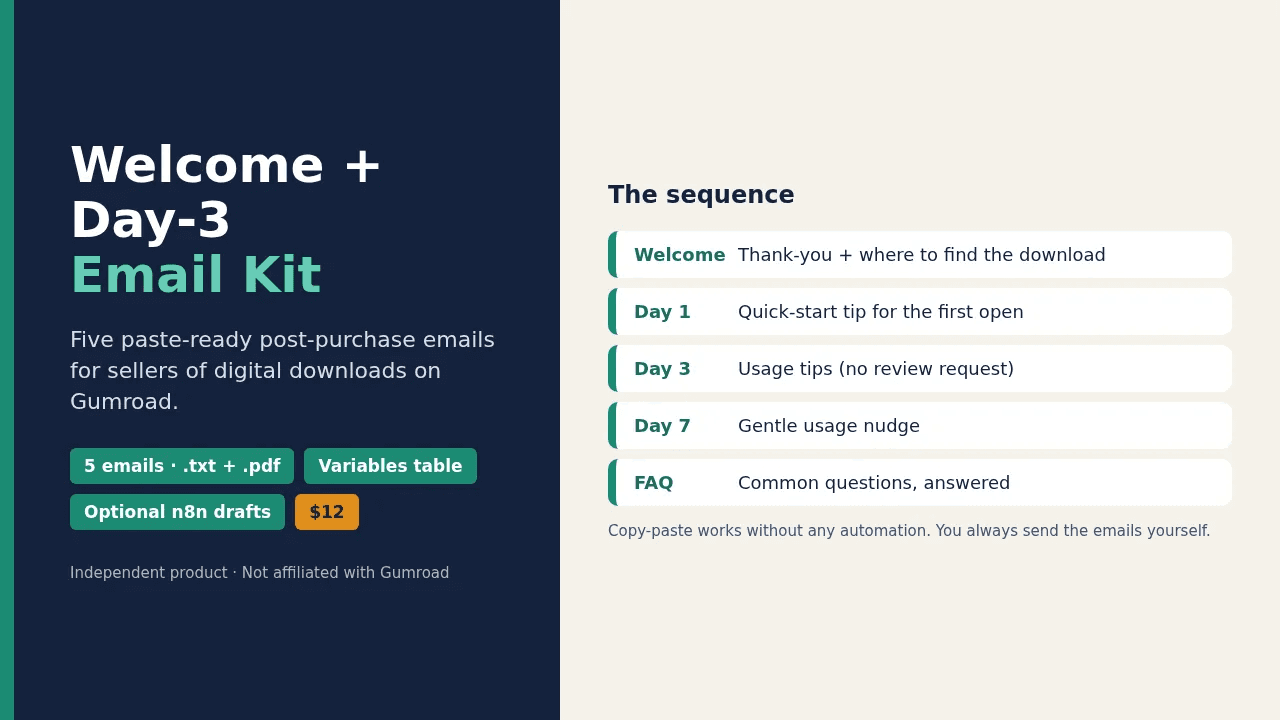
Five paste-ready post-purchase emails (Welcome, Day 1, Day 3, Day 7 and FAQ tips) to help your buyers open and use what they bought.
Independent product: This kit is not affiliated with, endorsed by or sponsored by Gumroad. The name Gumroad is used only to describe the platform the emails were written for. The templates are plain text, so you can adapt them to other platforms.
Overview Buyers pay, receive the default receipt, and often go quiet because they never opened the download. A short, clear email sequence fixes that.
Five ready-to-send emails written for digital downloads: they get your buyer to open the file, reach one quick win by Day 3, and know where to ask for help.
Send them from your own inbox, starting with your very first sale — no email service, API key, or paid automation plan required.
Works with any tool that can send an email a set number of days after a sale: paste each email in and set the delay.
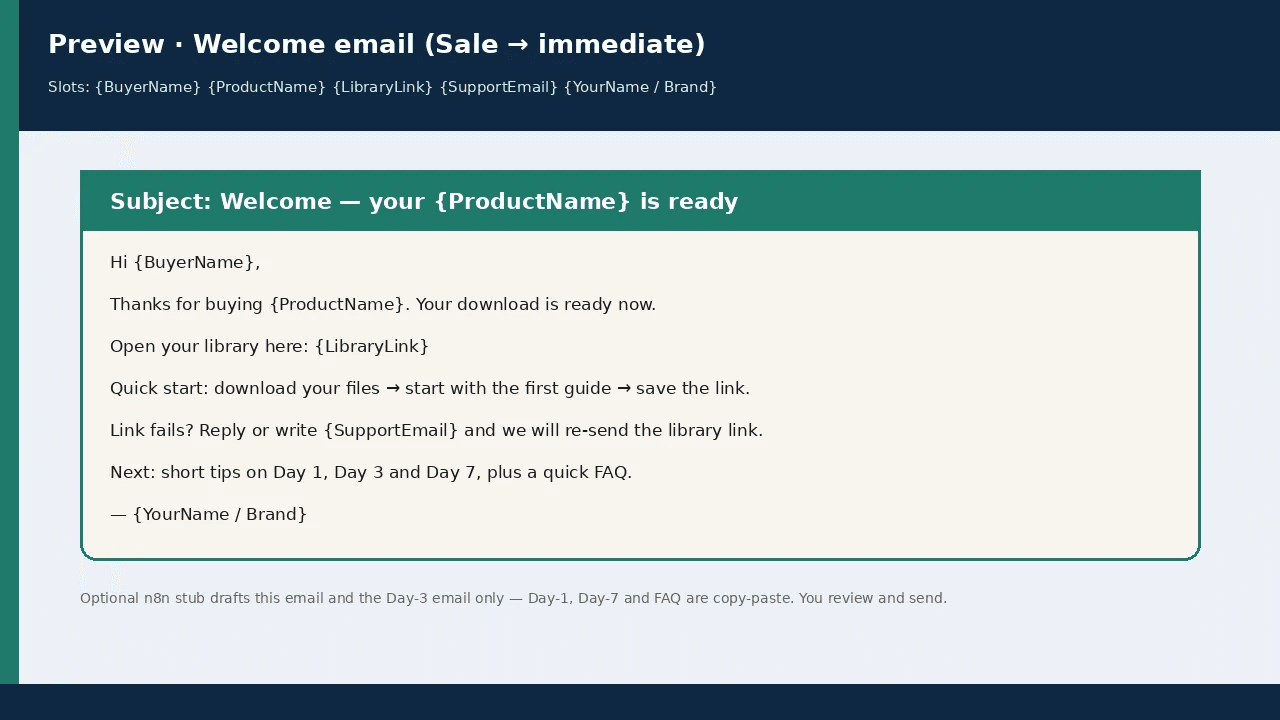
This kit gives you five plain-text emails with matching PDFs and a variables table. Paste them into your platform's custom receipt or your own email tool. An optional n8n workflow drafts the Welcome email on the day of the sale and the Day-3 email about three days later; you review and send both yourself. On the day of the sale, open the workflow's Executions list in n8n and click the paused run to copy the Welcome draft. The other three emails are copy-paste.
What's inside
- Start-Here.pdf — How to use the kit with or without automation.
- emails/ (5 emails, each as .txt and .pdf) — 01 Welcome, 02 Day-1 quickstart, 03 Day-3 tips, 04 Day-7 nudge, 05 FAQ tips.
- variables.csv — Placeholders such as product name, library link and support email.
- boundary/NOT-in-this-pack.pdf — What the kit deliberately does not cover.
- optional/n8n-gumroad-welcome-day3.workflow.json — Optional draft-only workflow.
- LICENSE-and-disclaimer.txt — License terms and disclaimer.
How it works
- Fill in variables.csv for your product.
- Paste the emails into your custom receipt or email tool and schedule them.
- Optionally import the n8n workflow to prepare drafts; you always send them yourself.
Who it's for
- Sellers of downloadable products on Gumroad who want a short post-purchase sequence
- Creators who want buyers to actually open and use the files
What it is not
- No review-request emails, support macros, refund handling or invoice chasing
- Not a full automation suite and not a buyer database
- No guaranteed open rates, sales or refund reduction
Format & delivery Delivery: instant digital download. After payment, the checkout confirmation page and your receipt email contain the download link. Nothing is shipped. Format: ZIP file (about 293 KB) with 15 files: PDF, TXT, CSV and JSON (optional n8n workflow). No software required for the copy-paste path. The optional workflow needs your own n8n instance (self-hosted, or n8n Cloud billed separately by n8n). Language: English. License: personal and internal business use; you may not resell or redistribute the files (see Terms).
Important You are responsible for following email and privacy rules and your platform's terms when contacting buyers. No guaranteed results. Not legal advice. Refunds: see our Refund Policy.
Review Collector — Permissioned Reviews to Display Assets
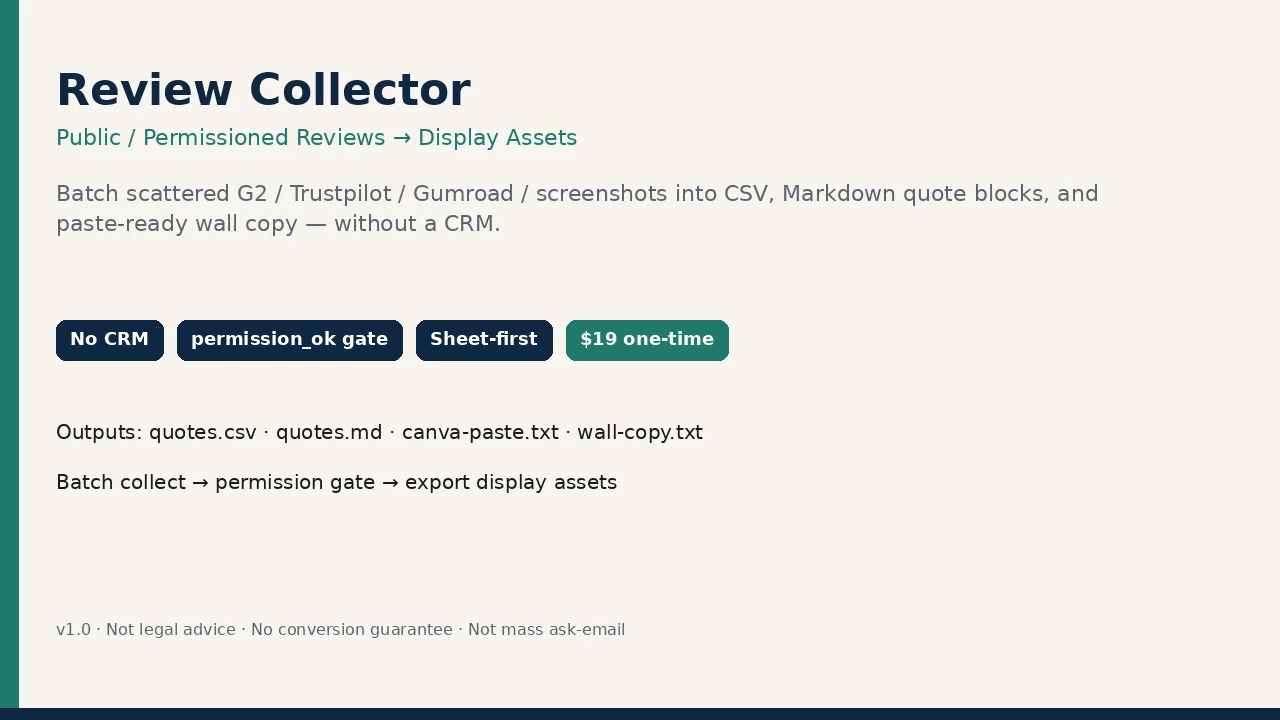
Gather real reviews your customers have shared publicly or approved, record permission for each one, and export only approved quotes as CSV, Markdown and paste-ready copy.
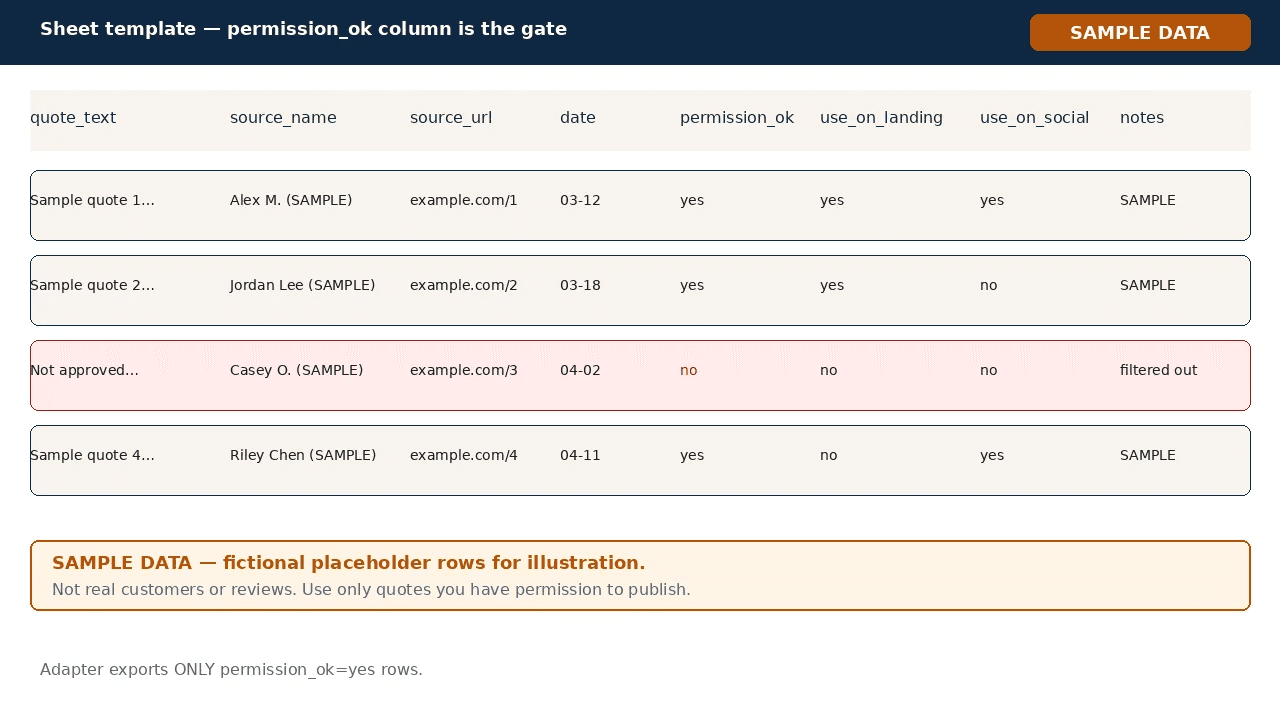
Real feedback only: This is a tool for collecting and displaying REAL customer feedback with permission. It does not create reviews. Example files use clearly labelled fictional SAMPLE rows for practice only and must be replaced with your own customers' approved reviews.
Overview After a sale, genuine reviews end up scattered across public pages, screenshots and old emails. When you update a landing page, the clean quote with its source and permission record is often missing. Review Collector gives you a normalized sheet for real reviews with a required permission column. An offline script exports only rows marked permission_ok=yes into CSV, Markdown quote blocks and paste-ready card and wall copy that you keep on your own computer. Which one do I need? The Social Proof Starter Pack ($7) is a set of starter display layouts with a simple tracker. Review Collector ($19) adds a batch sheet, a hard permission filter and an export script for larger sets of reviews. View Social Proof Starter Pack.
What's inside
- Start-Here.pdf — Setup steps and the permission checklist.
- templates/Review-Collector-Template.csv — Empty sheet: quote text, source, URL, date, permission_ok, where to use, notes.
- examples/ (8 files) — Fictional SAMPLE input and the matching exports (CSV, Markdown, Canva paste text, wall copy, run log) plus a sample-data notice.
- tools/adapter.py + tools/README.txt — Offline Python script that filters to permission_ok=yes and writes the export files.
- optional/n8n-workflow-stub.json — Optional minimal n8n starting point for teams that already use n8n.
- LICENSE-and-disclaimer.txt — License terms and disclaimer.
How it works
- Add each real review to the sheet with its source, link and date.
- Set permission_ok to yes only after you have confirmed the person agreed to be quoted; if unsure, set no.
- Run tools/adapter.py; rows without permission are filtered out and the rest are exported as display assets.
Who it's for
- Sellers, coaches and freelancers with genuine reviews spread across several places
- Anyone who needs a source link and permission record next to every quote they publish
- Sellers who have outgrown a simple starter layout and want a repeatable export step
What it is not
- Not a CRM or customer email database
- Does not send review-request emails in bulk
- Does not scrape private inboxes or admin panels
- Not a hosted testimonial service; no conversion guarantee; not legal advice
Format & delivery Delivery: instant digital download. After payment, the checkout confirmation page and your receipt email contain the download link. Nothing is shipped. Format: ZIP file (about 56 KB) with 14 files: PDF, CSV, Markdown, TXT, JSON and one Python 3 script. Running the export script requires Python 3; you can also filter the sheet manually. Language: English. License: personal and internal business use; you may not resell or redistribute the files (see Terms).
Important This pack helps you organize public or already-permissioned reviews into display assets. You are responsible for confirming display permission, attribution and platform terms. It does not store customer data, does not send emails, does not guarantee sales or conversions and is not legal advice. Refunds: see our Refund Policy.
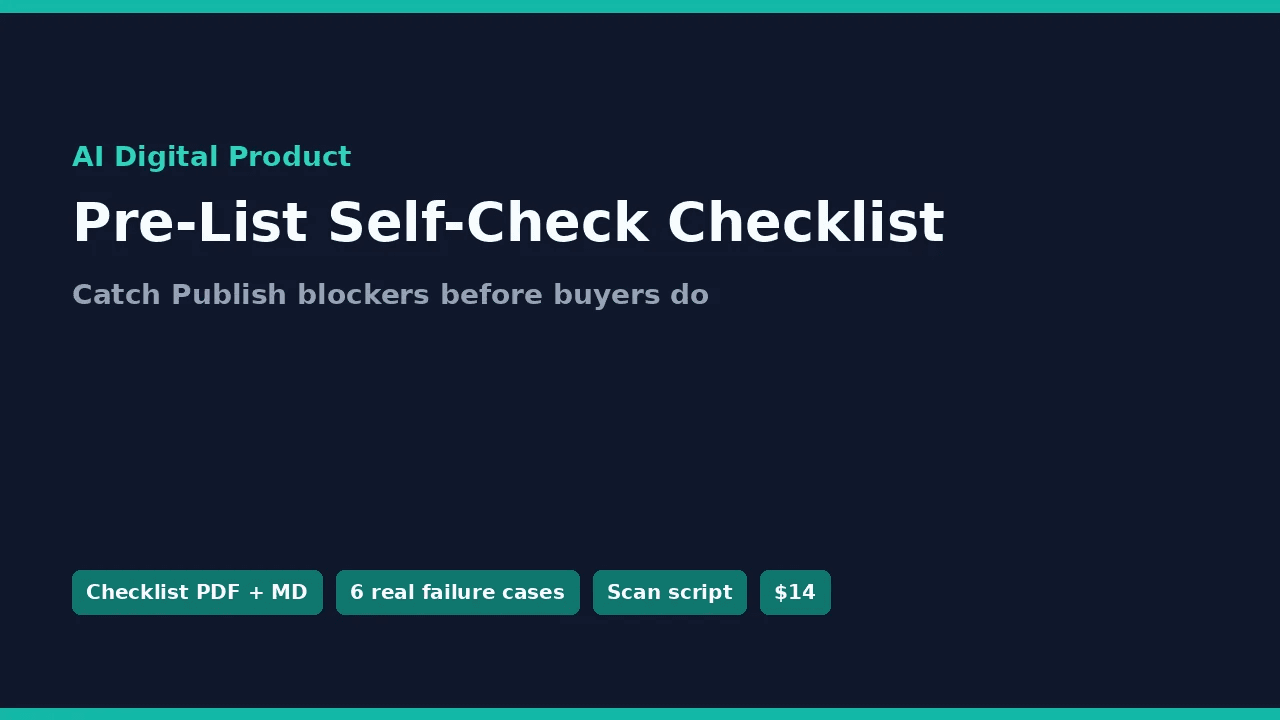
AI Digital Product Pre-List Self-Check Checklist
A printable pre-publish checklist, six documented failure cases and a small scanner script to catch listing mistakes before your buyers do.
About the case studies: The six cases summarize real packaging mistakes found during an earlier listing review cycle and are used for teaching. They contain no sales figures and no customer reviews.
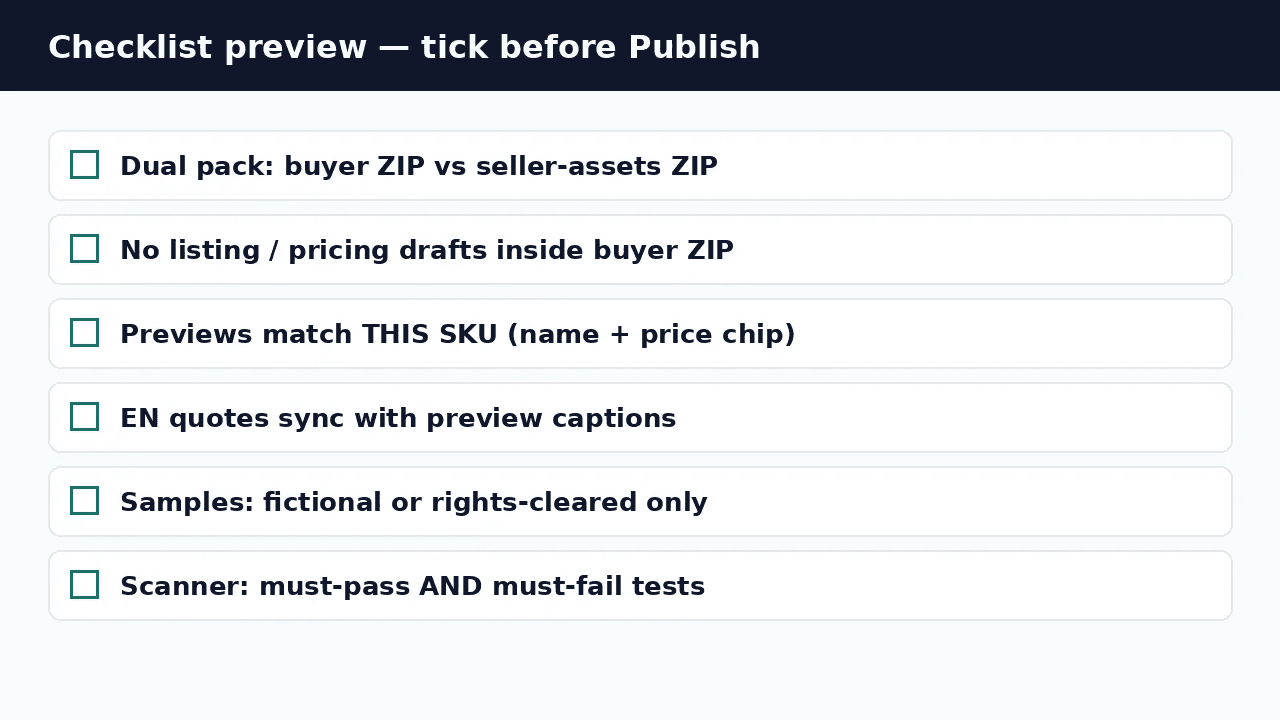
Overview You can build a useful digital product and still trip at the listing stage: an internal draft left inside the buyer ZIP, preview images from a different product, missing cover art, or sample quotes you do not have the rights to use. This pack covers file hygiene, storefront images, language consistency, scanner reliability and usage rights. Tick the checklist, read the six case write-ups (what went wrong, what it cost, how it was found, how to fix it), then run the included scanner on the ZIP you are about to upload.
What's inside
- Start-Here.pdf / Start-Here.md — How to use the pack in a few minutes.
- Pre-List-Self-Check-Checklist.pdf / .md — The printable checklist: buyer vs. seller files, storefront art, locale sync, scanner checks, rights.
- Six-Real-Failure-Cases.pdf — All six case write-ups in one document.
- cases/ (6 case files + README + CASE-INDEX) — Each case as a separate Markdown file.
- tools/prelist_scan.py + tools/README.md — Local Python 3 script that flags draft-looking filenames, internal-file leaks and CSV files missing a UTF-8 BOM.
- LICENSE-and-disclaimer.txt — License terms and disclaimer.
How it works
- Print or open the checklist before you package a product.
- Read the case write-ups to see what each mistake looks like in practice.
- Run prelist_scan.py on your buyer ZIP, fix anything it flags, re-zip and upload.
Who it's for
- Indie makers selling PDFs, templates, prompt packs or workflow files on any digital-download platform
- Sellers who build products with AI assistance and want a final human check before publishing
- Small teams who want a repeatable pre-publish routine
What it is not
- Not legal advice or marketplace counsel
- Does not guarantee sales, compliance or marketplace approval
- Not a scraper, CRM or automatic publisher; the scanner runs locally and uploads nothing
Format & delivery Delivery: instant digital download. After payment, the checkout confirmation page and your receipt email contain the download link. Nothing is shipped. Format: ZIP file (about 150 KB) with 16 files: PDF, Markdown, TXT and one Python 3 script. Running the optional scanner requires Python 3. Written in English; Start-Here also contains a short appendix for Chinese-speaking sellers. Language: English. License: personal and internal business use; you may not resell or redistribute the files (see Terms).
Important You remain responsible for your own files, rights clearances, platform rules and the decision to publish. This product is not legal advice and does not guarantee sales, compliance outcomes or marketplace approval. Public visibility of content is not a license to redistribute it. Refunds: see our Refund Policy.
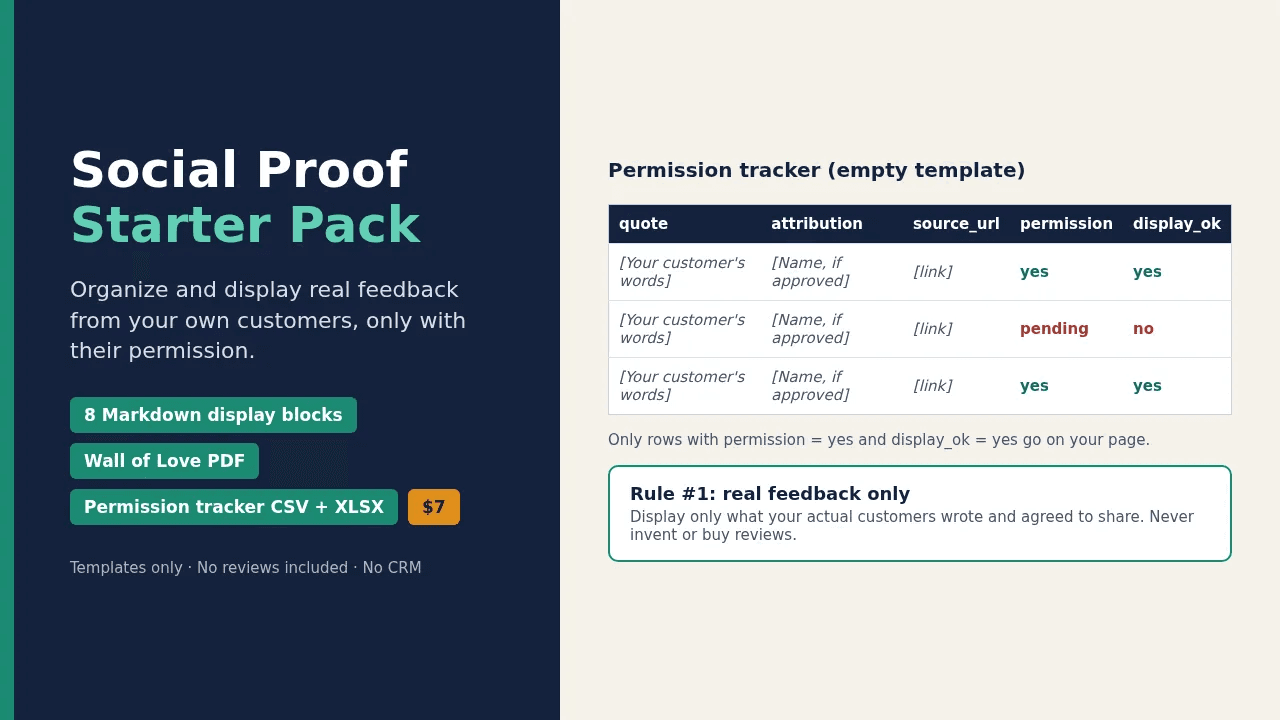
Social Proof Starter Pack
Templates and a permission tracker to organize and display real feedback from your own customers, only with their permission.
Real feedback only: Use this pack to display reviews that your actual customers wrote and agreed to share. The layout examples contain clearly labelled SAMPLE placeholder text that must be replaced before use. Do not invent reviews, change their meaning, or pay for them. Fake testimonials mislead buyers and break most platforms' rules and consumer-protection laws.
Overview You probably already have kind words from real customers in emails, messages and screenshots, but no tidy way to record who said what, where it came from, and whether they agreed to be quoted. This pack gives you a simple permission-tracking sheet and ready-made display layouts, so you can publish genuine feedback from your own customers with their consent. It does not write, generate or supply reviews for you.
What's inside
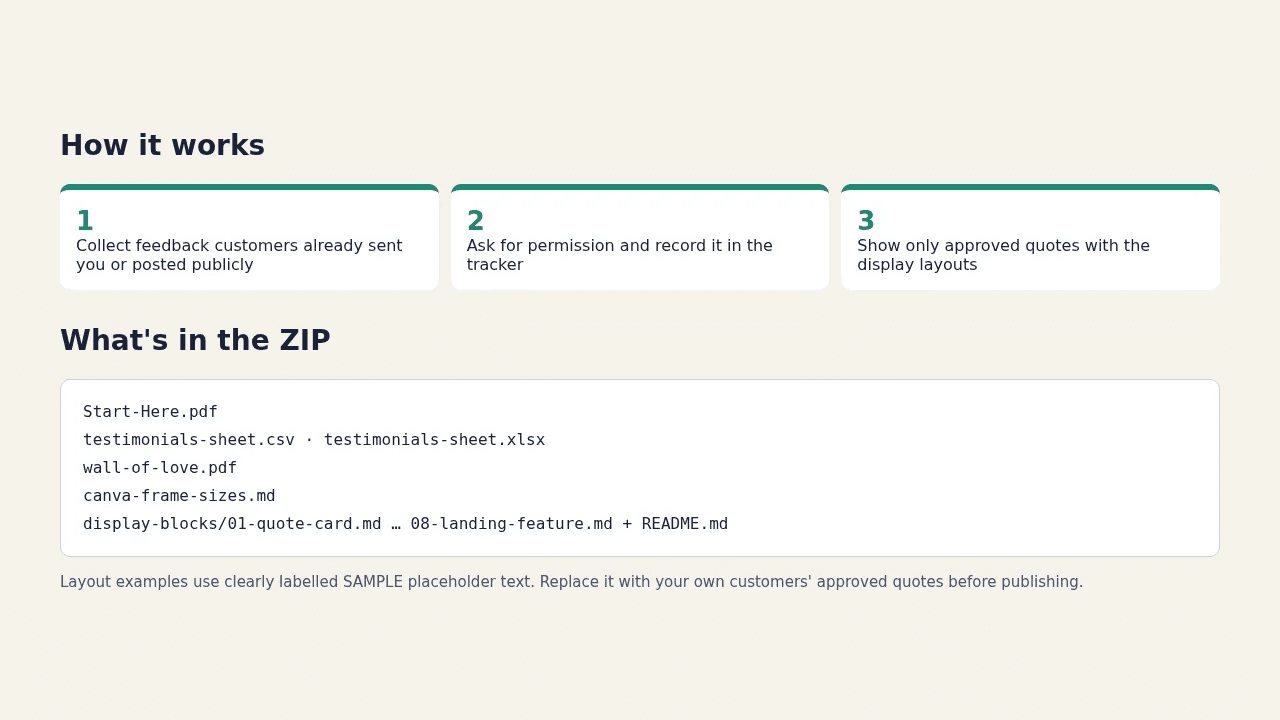
- Start-Here.pdf — Quick-start guide, including what the pack does not do.
- testimonials-sheet.csv + testimonials-sheet.xlsx — Excel-safe tracker with columns for quote, attribution, source URL, permission flag and display_ok.
- wall-of-love.pdf — One-page A4 Wall of Love sample layout (PDF) to use as a reference. No editable source file is included; rebuild it with your own approved quotes in Canva or Docs at the A4 size listed in the cheat sheet.
- display-blocks/ (8 files + README) — Paste-ready Markdown blocks: quote cards, inline quotes, star badges and landing-page features.
- canva-frame-sizes.md — Exact pixel sizes for Instagram post, Story and landing-page quote cards.
How it works
- Collect feedback your customers have already sent you or posted publicly.
- Ask each person for permission and record it in the tracker (permission flag + display_ok).
- Copy only approved quotes into the display blocks or your own design (use the Wall of Love PDF as a layout reference).
Who it's for
- Indie sellers, course creators and coaches who already receive genuine feedback
- Digital-product makers who want a clean way to show approved quotes on a landing page, Notion page or social post
- Anyone who wants a written record of which quotes they have permission to use
What it is not
- Not a CRM or customer database; it does not connect to any account or collect data for you
- Does not include real or ready-to-use testimonials; all examples are fictional SAMPLE placeholders
- Not a review-generation, review-buying or engagement service
- Not legal advice
Format & delivery Delivery: instant digital download. After payment, the checkout confirmation page and your receipt email contain the download link. Nothing is shipped. Format: ZIP file (about 80 KB) with 14 files: PDF, CSV, XLSX and Markdown. Opens with any spreadsheet app, text editor or PDF reader. Language: English. License: personal and internal business use; you may not resell or redistribute the files (see Terms).
Important You are responsible for getting permission from each person before displaying their words and for following the rules of any platform you quote from. This product does not collect, store or sync customer data. Not legal advice. Refunds: see our Refund Policy.
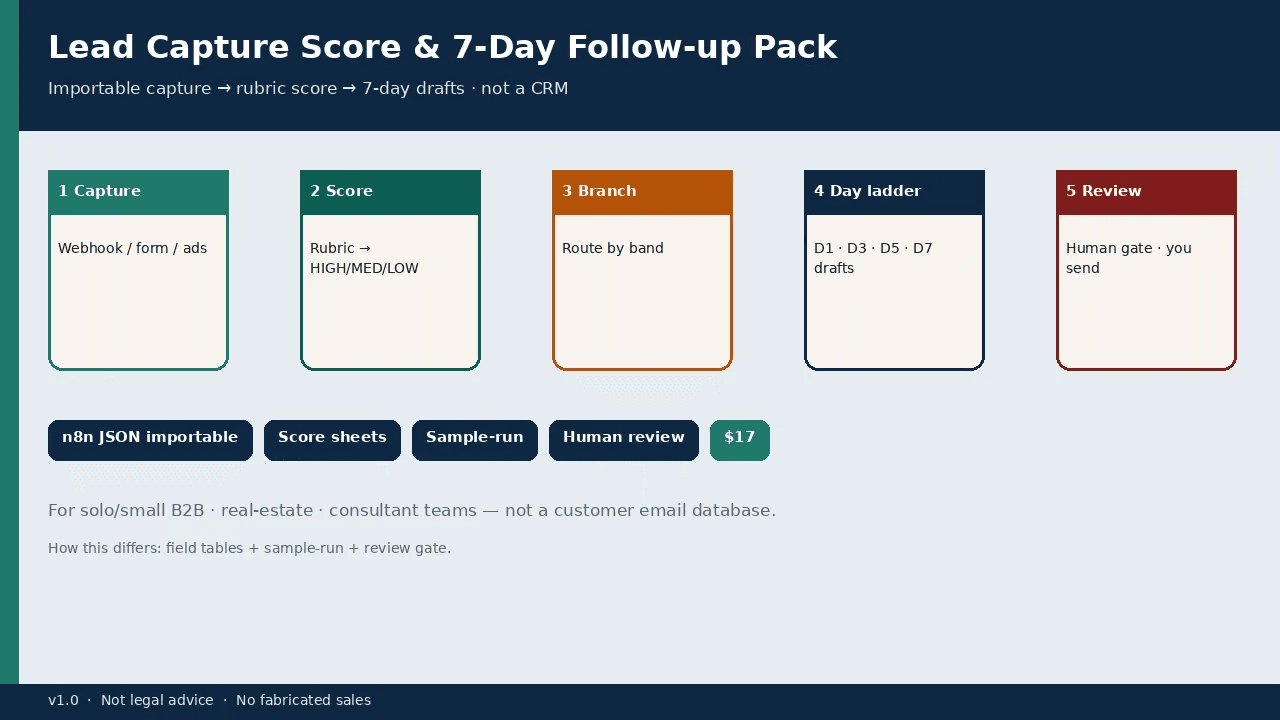
Lead Capture Score & 7-Day Follow-up Pack
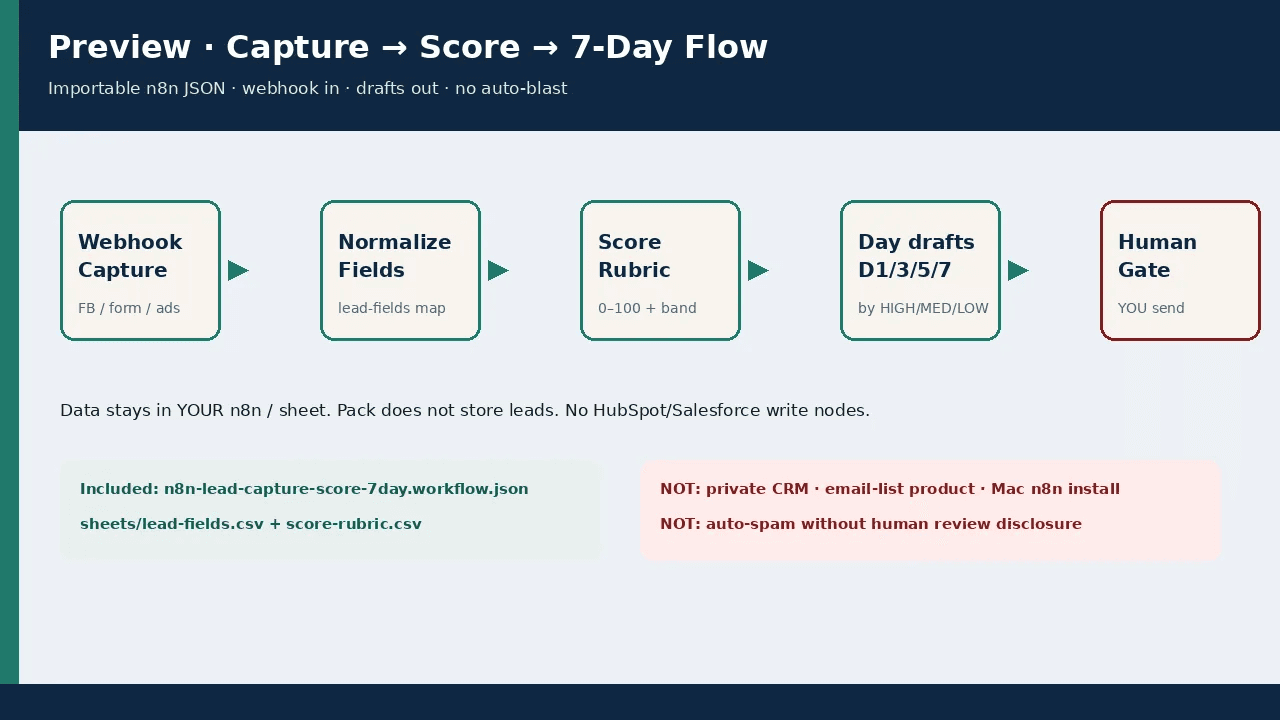
An importable n8n workflow plus reference scoring sheets, a Notion field map and a sample run to score new leads and draft a Day 1/3/5/7 follow-up sequence. You approve every send.
Overview New leads land in a sheet, nobody scores them, nobody follows up on schedule, and they go cold within a week. This pack gives you a capture → score → follow-up workflow for n8n together with the pieces around it: a lead-field table, a scoring rubric (budget, timeline, source, role, pain note → high, medium or low), a Notion field map and a fictional sample run, so you can see the whole sequence before connecting your own tools. One run scores the lead and drafts all four follow-ups at once, labelled Day 1 / 3 / 5 / 7. There is no scheduler or wait step: you send each draft on its day from your own email tool. Scoring points and the high/medium/low thresholds live in the n8n Code node “3 Score + Band HIGH/MED/LOW”; the CSV files are a reference copy and are not read by the workflow. Results are output as JSON inside n8n; add your own Google Sheets or Notion node if you want to save them. The workflow stops at drafts; you review every message.
What's inside
- Start-Here.pdf — Setup steps and boundaries.
- n8n-lead-capture-score-7day.workflow.json — Importable n8n workflow: capture → score → Day 1/3/5/7 drafts.
- sheets/lead-fields.csv + sheets/score-rubric.csv — Reference field list and scoring rubric (the same points the workflow uses; to change scoring, edit the Code node “3 Score + Band HIGH/MED/LOW”).
- notion/Notion-field-map.md — How to map the fields into a Notion database.
- sample-run/ (3 files) — Fictional demo lead, scored output and the follow-up drafts.
- LICENSE-and-disclaimer.txt — License terms and disclaimer.
How it works
- Import the workflow into your own n8n and recreate the fields from sheets/.
- Run the sample once to check scoring and drafts.
- Adjust the wording in the Code node “4 Build Day1/3/5/7 Drafts (by band)” if you like, then review and send each follow-up on its day from your own email tool.
Who it's for
- Consultants, agencies and B2B freelancers who collect leads from forms or landing pages
- Anyone who already uses n8n and wants scoring tables and follow-up structure ready-made
What it is not
- Not a CRM or hosted lead database; we never see your leads
- Not an email list and contains no contact data
- Does not send emails automatically
- Sheets and email are not pre-wired — you connect Google Sheets (or Notion) and your own mail yourself; the workflow only scores the lead and drafts the follow-ups
- No guaranteed conversions; not legal advice
Format & delivery Delivery: instant digital download. After payment, the checkout confirmation page and your receipt email contain the download link. Nothing is shipped. Format: ZIP file (about 56 KB) with 9 files: PDF, JSON (n8n workflow), CSV, Markdown and TXT. Requires your own n8n instance (self-hosted, or n8n Cloud billed separately by n8n). Language: English. License: personal and internal business use; you may not resell or redistribute the files (see Terms).
Important This pack creates draft follow-ups. You are responsible for consent, anti-spam and privacy rules where you operate, and for every message you send. We do not store your leads and do not guarantee sales. The sample run uses fictional data. Not legal advice. Refunds: see our Refund Policy.
Digital Seller Inbox Macros — Download Problems, Order Questions & Refund Requests
Three one-page decision trees and 18 paste-ready reply templates for the support emails digital-download sellers get most.
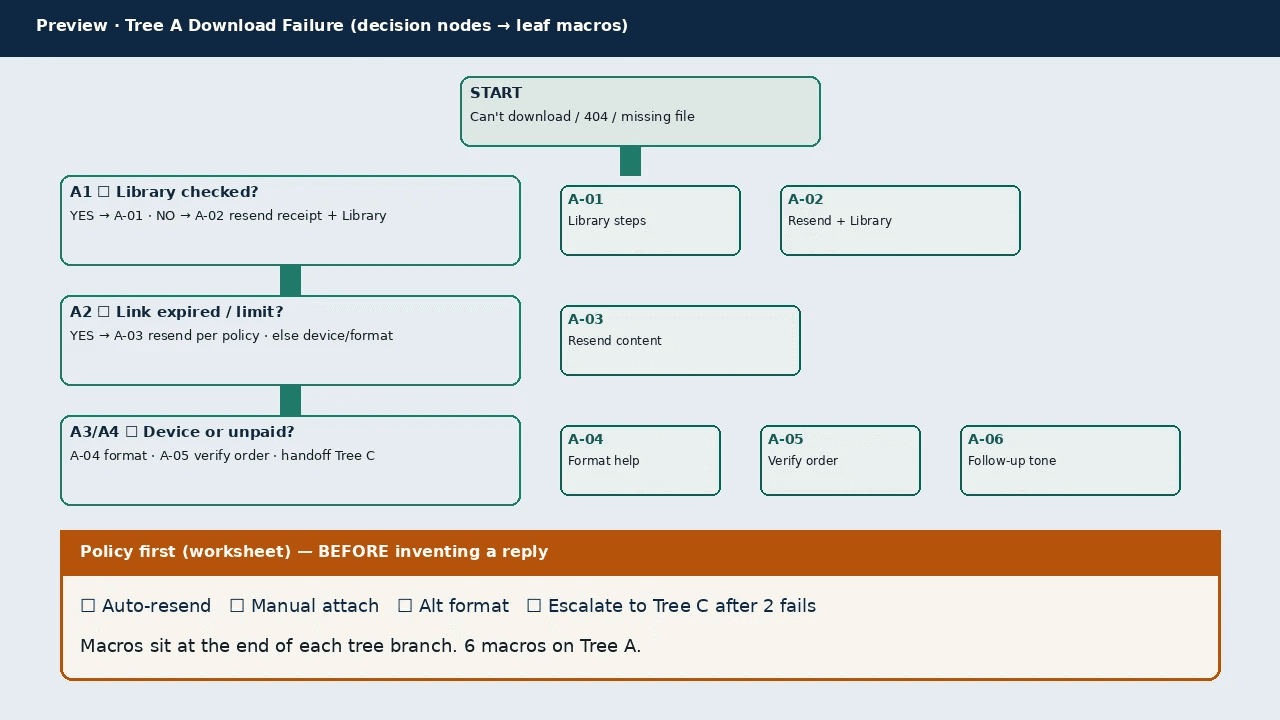
Overview Digital sellers get the same three emails again and again: "I can't download it", "where is my order?" and "can I get a refund?". Rewriting replies each time makes tone and decisions drift. This pack gives you three printable decision trees (Download Failure, Where-Is-My-Order for digital goods, and Refund). Each branch ends in a short reply template with placeholders such as {BuyerFirst} and {ProductName}. You fill in a policy worksheet first, so your own refund and resend rules decide the answer.
What's inside
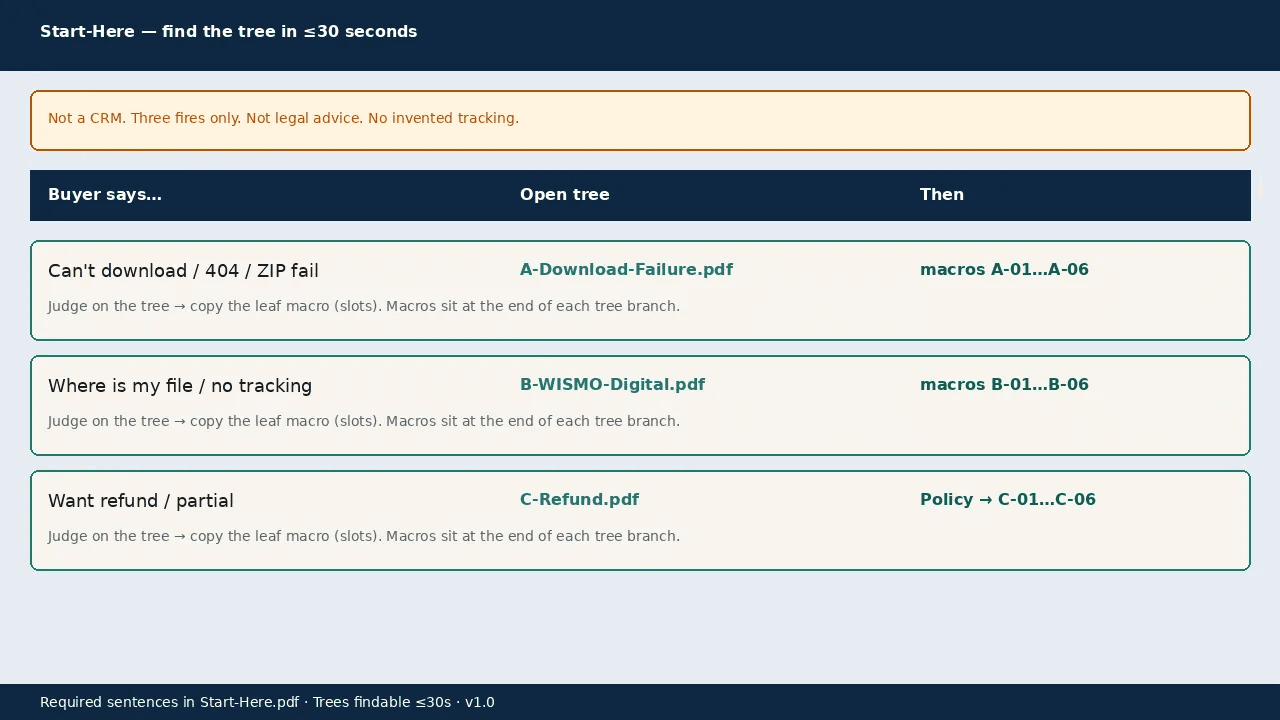
- Start-Here.pdf — Which tree to open for which email.
- trees/A-Download-Failure.pdf, B-WISMO-Digital.pdf, C-Refund.pdf — Three one-page decision trees.
- worksheets/policy-checkboxes.pdf — Set your resend and refund rules before replying.
- macros/ (18 .txt files: A-01 to A-06, B-01 to B-06, C-01 to C-06) — Paste-ready replies with placeholders. Every reply is already written — no ChatGPT account or prompts needed.
- LICENSE-and-disclaimer.txt — License terms and disclaimer.
How it works
- Fill in the policy worksheet once.
- When an email arrives, open the matching tree and follow the questions.
- Paste the reply template at the end of the branch and fill in the placeholders.
Who it's for
- Anyone selling digital downloads who answers their own support inbox
- Small teams that want consistent replies without a ticketing system
What it is not
- Not a CRM, ticket queue or customer database
- Does not decide refunds for you; your store's refund policy always applies
- Digital goods only: no shipping-tracking replies; not legal advice
Format & delivery Delivery: instant digital download. After payment, the checkout confirmation page and your receipt email contain the download link. Nothing is shipped. Format: ZIP file (about 224 KB) with 24 files: PDF and plain-text (.txt) templates. No software required. Language: English. License: personal and internal business use; you may not resell or redistribute the files (see Terms).
Important These templates help you reply consistently. Your own store refund policy always takes priority. Do not invent tracking numbers for digital goods. Not legal advice; no guarantee of outcomes. Refunds: see our Refund Policy.