Products

Smart Light Rays - volumetric light, haze and dust for DaVinci Resolve
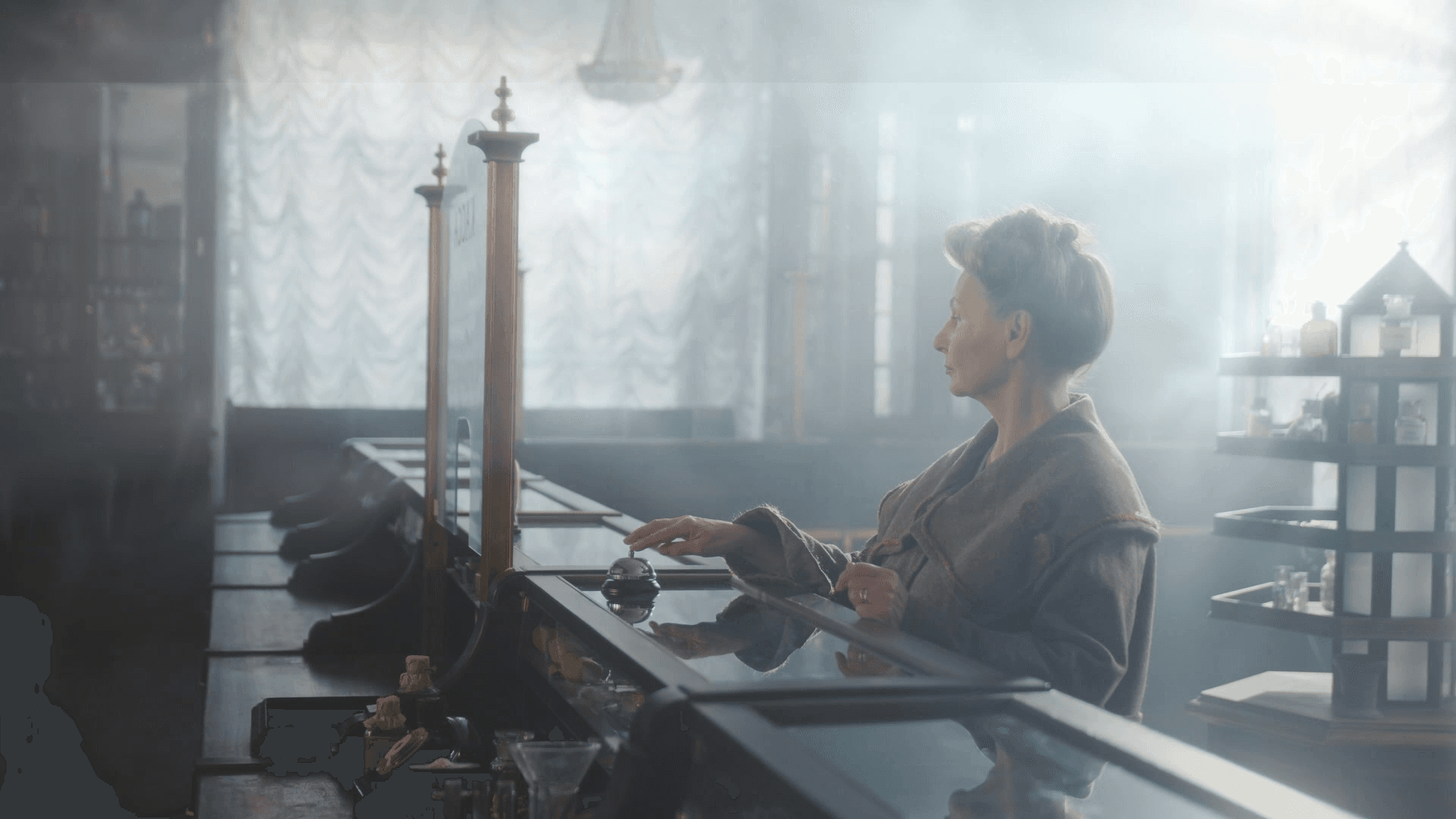
Light rays that come only from the real light. Smart Light Rays adds volumetric beams, haze and floating dust to a shot in one effect. A built-in depth model tells the window from a white dress, so the rays come out of the window, not out of clothes or skin. People stand in front of the light, cast shadows into the beams, and the light carries on behind them. Drop it on a clip, place the light, and it already looks good. A Look gives you the base, a few clear controls do the rest.
WHAT YOU GET Rays Light Position: set where the light is. Inside the frame the rays fan out from that point; far outside the frame they run almost parallel, like sunlight through a window. Controls: Amount, Length, Light Areas, Source Area, Warmth, Beams. Off-screen light: the sun or window can be out of shot, and the light keeps coming in through that edge. Level is smoothed over time, so it does not flicker. Show Guides: a checkbox that draws the direction lines into the picture while you set up. Turn it off before rendering. Atmosphere Haze, Fog, Smoke and Ground Mist over the whole picture. The air only adds light, it does not lay a grey film, and dark scenes stay dark. Controls: type, Amount, Scale, Motion. Dust Soft floating particles that light up only inside the beams. Controls: Amount, Visibility, Size, Depth. Depth (the "smart" part) Use Depth, on by default: rays do not start from white clothes, skin or other bright things that are not light sources. Subject: how clean people in front of the light stay. Off-screen Light: how strongly light enters from outside the frame (default 50). Mask edges follow the real outlines and stay stable from frame to frame. Global Look: Soft Window, Forest Sunbeams, Golden Hour, Hazy Studio, Stage Beam, Custom. Intensity: overall strength. Quality: Draft / Normal / High (default High). Footage: Normal (Rec.709) or Log (DaVinci Intermediate). All parameters can be keyframed.
BUILT FOR QUALITY Linear light, 32-bit float; highlights above 1.0 are not clipped. Rays, haze and dust only add light, shadows are not dirtied. Depth and light colour are smoothed over neighbouring frames (cut at scene changes), so the beams do not jump. Light colour comes from the light itself: warm light gives warm beams, cool light gives cool beams. GPU accelerated: CUDA for the rays, DirectML for the depth model. Speed measured in Resolve Studio 21.2 on an RTX 3060: the effect adds about 47 ms to every 1080p frame, depth included (whole render 53 ms per frame, 6 ms without the effect). Playback on a slower card may drop frames; render is not affected.
HOW IT DIFFERS FROM THE BUILT-IN LIGHT RAYS Smart Light Rays uses depth to tell light from bright objects, adds shadows in the beams and off-screen light, and brings haze and dust into the same effect.
WORKS WHERE DaVinci Resolve: Edit page (Effects > OpenFX > Smart Light Rays), Color page, Fusion. Tested on: DaVinci Resolve Studio 21.2, Windows 11, NVIDIA RTX 3060. Windows 10/11 64-bit. NVIDIA GPU recommended. Not available for macOS / Linux yet. Not affiliated with Blackmagic Design.
INSTALLATION (about 1 minute) Close DaVinci Resolve. Right-click Smart_Light_Rays_1.0.zip > Extract All... and extract it straight into C:\Program Files\Common Files\OFX\Plugins (Windows asks for administrator permission - click Continue). Or copy the SmartLightRays.ofx.bundle folder from the archive there by hand. Start DaVinci Resolve. Find the effect in Edit > Effects > OpenFX > Smart Light Rays (also in Color > OpenFX and in Fusion). To uninstall: delete the SmartLightRays.ofx.bundle folder from C:\Program Files\Common Files\OFX\Plugins. The archive is about 105 MB because the depth model is inside.
WHAT'S IN THE ARCHIVE The plugin folder SmartLightRays.ofx.bundle (includes the depth model and runtime libraries) INSTALL.txt (installation, controls, requirements, third-party licences)

Mist & Glow - premium glow, Pro-Mist diffusion and film halation for DaVinci Resolve
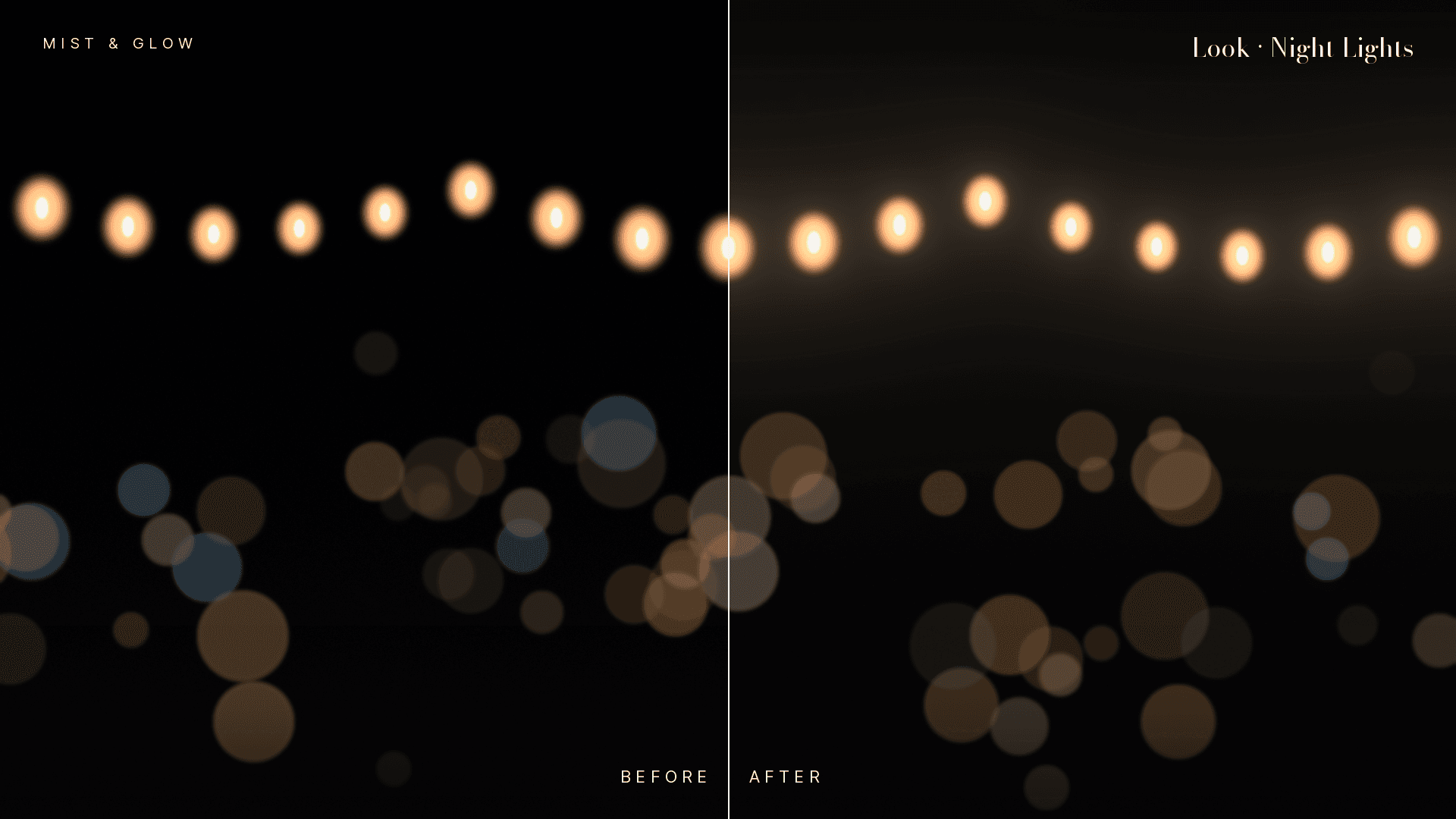
Make light look expensive. Mist & Glow adds three cinematic looks in a single effect: a natural highlight glow, Pro-Mist style diffusion and warm film halation. Drop it on a clip, pick a Look, and it already looks good.
No wall of sliders. The built-in Resolve glow gives you lots of controls and takes time to set up. Mist & Glow gives you 11 clear controls and good defaults, so you spend your time on the grade, not on the glow.
WHAT YOU GET
Glow
-
Soft bloom around bright areas with a long, natural falloff (no hard "cap" and no visible steps).
-
Keeps the colour of the light source: a red lamp glows red, not grey.
-
Controls: Amount, Size, Color (+ Tint).
Mist
-
Pro-Mist style diffusion: softens the whole image, gently lowers contrast and lifts blacks, the way a real filter does.
-
Controls: Amount, Softness, Contrast.
Halation
-
The warm red-orange halo around bright lights that you know from film.
-
Controls: Amount, Size, Warmth.
Global controls
-
Look presets: Natural, Cinematic (default), Dreamy Wedding, Film, Night Lights, Soft Pro-Mist 1/4, Soft Pro-Mist 1/2, Custom.
-
Intensity: overall strength.
-
Highlights: what counts as "light" for all three modules, with a soft knee instead of a hard threshold.
-
Quality: Draft / Normal / High (default High). Nothing is lowered automatically: what you see is what you render.
-
Footage: Normal (Rec.709) or Log (DaVinci Intermediate).
-
Every module has its own on/off checkbox. All parameters are keyframable.
BUILT FOR QUALITY
-
Works in linear light, 32-bit float, highlights above 1.0 are not clipped.
-
The effect only adds light: shadows are not dirtied.
-
Skin texture is protected in highlights.
-
Dithering where the effect changed a pixel, so smooth gradients stay free of banding.
-
Alpha channel untouched.
-
Sizes are relative to the frame height: the look stays the same in HD, 4K and in proxies / render scale.
-
GPU accelerated with CUDA on NVIDIA cards.