
The product works. But before a buyer in another country can pay for it, there is still a stack of jobs to put in order: checkout, tax, delivery, renewals and the payout.
Selling digital products comes down to thirteen steps. They run from your buyer and validation, through product, price and platform, to checkout and delivery, promotion and launch, payouts, and support and measurement.
Treat those steps as one path from your offer to money in the bank. Payment, delivery and payout records need to connect. Otherwise, a buyer who has paid can still be waiting for a file, and you can be left trying to match a deposit to your sales.
Most guides spend too little time on one decision: who is the legal seller? Make that call before your first international sale. Whoever takes that role owes the VAT and sales tax and answers the chargeback.
If your product is already finished, start at step 4. Steps 1 to 3 check that someone will pay your price before you build more.
Selling digital products at a glance
The card cleared, but the sale is not finished. The buyer still needs the file, license or login, and you need the payout, a support route and a way to see what needs fixing.
- Identify your buyer’s problem and product format.
- Test willingness to pay a stated price.
- Define what buyers receive.
- Pick a platform and decide who is the legal seller responsible for VAT, sales tax and chargebacks.
- Choose one-time, subscription, usage or credit pricing and calculate what remains after fees and running costs.
- Explain outcomes, deliverables, price and terms.
- Test payment, tax, invoices and confirmation.
- Connect payments to access and renewals.
- Find where buyers gather and give each channel its own tracked link.
- Pick one offer and one launch date, then point every channel at it.
- Check fees and affiliate or co-founder shares deducted from each sale, and when the rest reaches your bank.
- Provide support and act on recurring feedback.
- Find whether acquisition, checkout, renewals or costs need fixing.
On Creem, steps 4, 7, 8 and 11 run in one account. We are the merchant of record on each sale, so tax, checkout, delivery, payouts and partner splits sit in the same place.
1. Confirm your buyer and format
“SaaS founders” gives you little to build around. “Solo founders who rebuild the same revenue report in a spreadsheet every month” names a buyer and a problem your product could solve.
Ask a potential buyer: “Walk me through the last time you did this.” Listen for spreadsheets, custom scripts, manual work or paid services.
A compliment is nice, but it does not tell you how urgent the problem is. Time and money already spent on a workaround do. Step 2 tests whether they will pay your price.
Match the format to how they work:
- Templates provide reusable structure for work the buyer does themselves.
- Code starter kits require buyers willing and able to open the code and finish the build.
- Hosted software suits data that must stay current or tasks that run without the buyer touching them.
- An API puts functionality inside the buyer’s existing systems.
If the buyer needs a report updated automatically, a template leaves that work with them. Hosted software fits that need better.
2. Validate willingness to pay
A waitlist signup means someone wants to hear more. A paid order means they accepted a specific offer at a stated price. That is the difference you are testing. Pricing surveys can help you pick a price to try, but they cannot tell you whether someone will finish checkout.
Sell a paid beta or preorder. If the product is not finished, say so on the offer page, before the buyer enters their payment details. Be clear about what they are committing to:
- What they receive, including license rights, support and updates.
- When access or delivery is expected.
- The price and whether payment is collected immediately.
- How cancellation and refunds work.
Unfinished software with direct support is not the same purchase as a finished download with no updates. Change the package and you are testing a different offer, even if the price stays the same.
Send the offer to the people whose workarounds you heard about in step 1, and count who pays.
3. Create and package your product
Your first version needs to get the buyer from step 1 through their job. Features built for a different buyer can wait. I would keep the release narrow enough that the product and its instructions cover that job completely.
Package it so the buyer knows:
- What they get: the download, license key or login link needed to start.
- How to use it: instructions that take them from opening or installing the product to their first useful result.
- What they can do with it: personal or commercial use, how many seats or sites, and whether future updates are included.
If your app uses asymmetric offline license verification, only the public verification key ships inside it. The private signing key stays on your licensing server.
Download the package on a fresh machine, or open the app with a new account, and follow your own instructions to the first result. Anything you had to fix along the way goes into this release.
4. Choose your selling platform
An overseas buyer pays by card. Whoever is the legal seller is responsible for any VAT due on that payment, and the storefront alone does not tell you who that is.
| Platform | Legal seller, tax filing and chargebacks | Buyers come from |
|---|---|---|
| Marketplace | Set by its seller terms | Marketplace audience |
| Store builder | Depends on what it connects to | Your promotion |
| Processor alone | You | Your promotion |
| Merchant of record | Platform | Your promotion |
A store builder can connect to a processor. Before comparing templates, check how it takes payment and delivers the file or license. Ask any platform whose name appears as the seller on the invoice, and whose account a chargeback hits.
For worldwide software sales, I would start with a merchant of record. We built Creem to be that seller for you. It sells on your behalf to buyers in 190+ countries, collects and remits VAT, GST and sales tax, and handles invoices and chargebacks.
A processor’s 2.9% + $0.30 quote is not the total cost when tax, compliance and subscription tools are still yours to handle. Creem charges 3.9% + 40¢ per successful transaction, with no monthly fee.
If your catalog includes physical goods, choose a platform that accepts them.
If you would rather not carry that tax and compliance work yourself, try Creem and we become the legal seller from your first sale.
5. Price and configure your offer
Choose whether buyers pay once, monthly or by use:
- One-time purchases suit static downloads.
- Subscriptions need ongoing value: hosting or data that stays current.
- Metered billing charges for tokens or API calls, which seats do not measure.
- Prepaid credits bring cash in before you spend on compute.
A recurring Creem product can add usage pricing on top of the base price, with a unit price, a cap and a set number of units before the charge applies for each meter, or grant prepaid credits that buyers use up as your app reports usage.
Compare your price with the hours or tool bills buyers avoid. Tiers need real differences in features, usage, rights or support.
A $100 sale excluding tax leaves $95.70 after Creem’s 3.9% + 40¢ fee. Affiliate and split sales each carry an extra 2% before commissions. Without those extras, illustrative hosting, support and ad costs of $10 each leave $65.70 before payout costs and fixed expenses.
A promise of lifetime updates is unpaid work owed to buyers who paid once, so either limit updates to a defined period or price that work into the upfront charge.
6. Build your sales page
Compare “Automate your workflow” with “Stop copying customer records between your CRM and your invoicing tool.” For software that does this, the opening could read: “Every update means another export and import. Keep both tools current without moving the records yourself.”
Show a screenshot or preview of that task being completed. Buyers can see what they will use. If you have a real customer result, use it to support a claim about what they can accomplish.
Make the offer visible beside the purchase action:
- Downloads: show the one-time price beside “Buy and download.”
- Subscriptions: show the monthly or annual price beside “Subscribe.”
- Requirements: name compatible software or anything else buyers need before they can use the product.
Under the action, explain what follows payment. For a download delivered by email, “Your download link arrives by email” tells the buyer where to look without promising a delivery speed you cannot guarantee.
7. Configure and test checkout
A successful test charge is not the whole purchase. An international buyer also needs the right currency, tax treatment, invoice and confirmation.
Check these before launch:
- Mobile purchase: complete checkout on a phone, including any supported wallet handoff.
- Payment methods: test each supported card or wallet your target buyers use, rather than stopping after one successful card payment.
- International purchase: repeat the purchase with billing addresses in two target countries and compare the currency and tax lines on each.
- Business purchase: enter a VAT ID, check whether the tax line changes appropriately, and confirm the invoice shows the buyer’s business details.
- Confirmation: confirm the redirect lands on your live thank-you page, not a test URL or a 404.
On Creem, create test products in Test Mode and run every check above against the hosted checkout.
If checkout runs on your own domain, test it there too. That is what buyers will see.
At launch, replace the test key with the live key in your server-side production environment. Test keys do not work in production.
8. Connect delivery and renewals
A SaaS buyer can pay and still be locked out if payment and access are not connected. The platform takes the payment, but your app grants access, so that connection is yours to build.
Decide what each payment event does:
- Initial payment: deliver the file, unlock the account or issue a license key.
- Successful renewal: extend access.
- Failed renewal: decide how long access stays on during retries, and send reminders directing buyers to update their card in the billing portal.
- Cancellation: end access immediately or after the paid period.
- Refund: decide whether to revoke the license or close the account.
On Creem, checkout can deliver the file or issue a license key with an activation limit you set, and buyers manage their subscription and payment method in Creem’s customer portal without writing to you.
If your app grants access, Creem sends these payment events as signed webhooks, and your handler needs to do three things:
- Verify signatures before changing access so a forged event cannot unlock an account.
- Record successfully processed event IDs to prevent duplicate licenses, leaving failed attempts eligible for retry.
- Check timestamps and current state, because events can arrive out of order and an old event must not overwrite a newer cancellation.
9. Build your promotion channels
Your buyers are already looking for a fix. Start with the threads, forums or groups where they ask about the workaround you heard about in step 1. The goal is to reach people who need the product, not just people who might notice it.
Make each source identifiable:
- Newsletter: use a link named for the email campaign.
- Community post: share useful content with its own tracked link.
- Affiliates: each partner gets their own link and earns a commission on the orders it brings in.
Connect each link to completed orders through checkout tracking. A community post might bring visits while an email brings orders. Click counts alone can make the post look more useful.
Uneed, according to its case study, replaced its separate affiliate tool with Creem’s built-in program. Keep referral links and commissions alongside the payment.
Wait on paid traffic until the page and checkout work. Paying for clicks to an unproven page leaves you guessing whether the ad or the page failed.
10. Run your launch campaign
Send the problem post, the demo and the buy message in that order. Space them out, and keep the offer and use case the same in all three so buyers recognise it.
- Problem post: for software that replaces manual exports, try “Still exporting a CSV and pasting it into two tools? This keeps both tools current automatically.”
- Demo: record your screen from an empty state to the finished result, ending on the files or account access buyers receive.
- Buy message: name the package, price and billing interval, then use that channel’s tracked link from step 9.
A launch discount needs clear terms. For an illustrative one-time offer: “$40 until Friday at 23:59 CET, then $50.” That gives buyers a $10 saving and an exact expiry, provided you actually change the price then.
If your checkout supports recovery emails, capture the buyer’s email and turn on follow-up before launch. Without that address, an abandoned-checkout email has nowhere to go.
11. Reconcile sales and receive payouts
Your dashboard shows a strong launch week. Your bank balance has not moved yet.
Yesterday’s sales may still be under risk review. A small balance may need to reach the withdrawal minimum before the platform pays it out.
Here is how the deductions work on an illustrative payout of $2,000 in sales:
- Refund: $100 returned to a buyer.
- Fees: $80 deducted for selling.
- Co-founder share: $400 belonging to your partner, recorded separately from selling fees.
That leaves $1,420 before transfer costs. Currency-conversion costs come out too if your bank receives a different currency.
Creem automatically pays affiliate commissions and co-founder or collaborator revenue splits from sales. You do not have to transfer a partner share like the illustrative $400 by hand.
Keep payout records alongside refunds and renewals so reconciliation does not turn into another spreadsheet routine.
12. Support buyers and collect feedback
Buyers who can download an invoice or cancel in a customer portal do not need to email you for either. The platform’s service terms set which billing issues the merchant of record handles, including disputed charges.
Access, setup and product questions remain yours. Put your product-support email on the product page and in the purchase confirmation.
If buyers keep asking “Where is my key?”, write searchable retrieval instructions and link to them in replies. Add answers for dead download links and first-run installation problems.
Publish which refund requests you accept. When issuing a refund, apply your access policy so the billing record, license and account access stay consistent.
Ask for feedback beyond testimonials:
- Problems: what did the buyer try, and where did they get stuck?
- Improvements: what do they need the product to do?
- Cancellation: offer price, missing features, ended project and technical problems as reasons.
Make the cancellation question optional so it never blocks the cancel button. I would fix broken core workflows before adding optional features.
13. Measure and improve sales
More traffic will not fix a checkout where buyers already drop out. Compare visits, checkout starts and purchases to locate the loss, then investigate that stage.
- Few visits: compare completed orders per tracked link from step 9 to see which channels bring buyers and which bring only clicks.
- Visits without checkout starts: review the offer and sales page.
- Checkout starts without purchases: inspect payment failures. An illustrative 20 purchases from 100 starts gives 20% completion, calculated by dividing purchases by starts.
Count this month’s failed renewals alongside new orders, and compare earnings after the costs from steps 5 and 11. New-order totals hide both renewal losses and shrinking margins.
Compare the same product and currency over matching periods. I would make one change where the loss occurs and leave everything else alone, so the next comparison is easier to interpret.
Common mistakes when selling digital products
Most launch problems surface after checkout works, when the VAT has no named filer, a paid buyer is locked out, or the money is not yet withdrawable.
| Mistake | What to do instead |
|---|---|
| Assuming your payment processor files cross-border tax | Under a processor, you stay the legal seller. Decide who files VAT and sales tax before the first international sale (step 4). |
| Unlocking access only when the first webhook arrives | If that event is missed, a buyer who paid sees a locked account. Before locking anyone out, have your app check the order's payment status, and test that a paid buyer still gets in (step 8). |
| Charging per seat for an AI product with uneven usage | Two customers can pay the same while burning very different compute. Use meters or prepaid credits so revenue tracks consumption (step 5). |
| Keeping affiliate commissions and co-founder splits in a separate tool | After each payout, you match it by hand against that tool's commission list. Keep commissions and splits with the payment record (steps 9 and 11). |
| Spending money the day the sale clears | Budget only from the balance your platform shows as available, after any holds, the minimum withdrawal and the transfer fee (step 11). |
Sell with a merchant of record
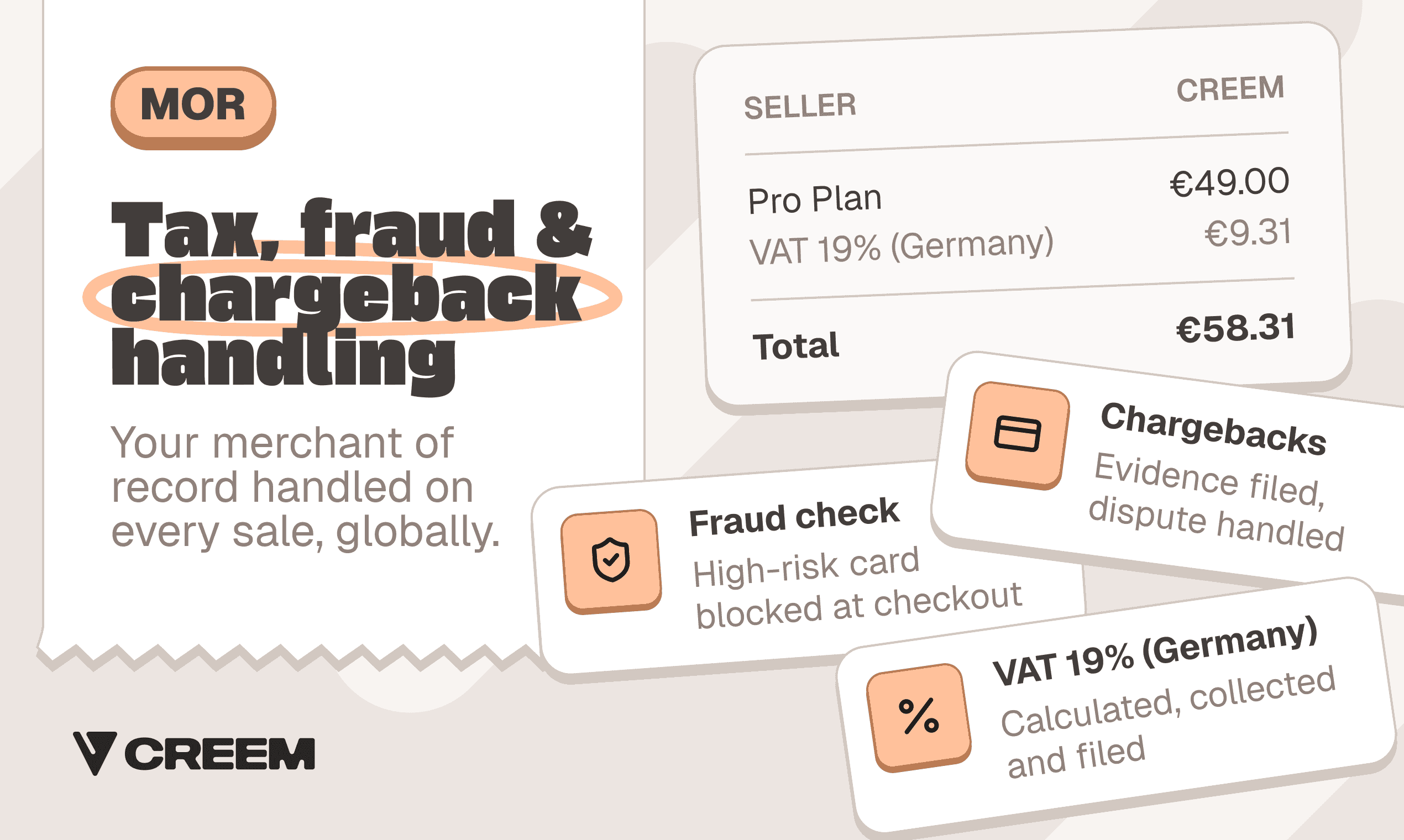
Creem’s merchant-of-record illustration with an example VAT receipt, fraud screening and chargeback handling.
For software and digital products sold to buyers in many countries, let a merchant of record be the legal seller. VAT, GST and sales tax, invoices and chargebacks then sit outside your business. Income tax, the product, its marketing and its support stay with you.
On Creem, checkout, tax, delivery, subscriptions and payouts run from one account, with Creem as the legal seller. Checkout delivers the file or license key with the order. Billing covers usage meters and prepaid credits with auto-refill alongside subscription renewals.
Affiliate commissions and collaborators’ revenue shares are paid from one balance. That is how DaisyUI needed 0 extra tools for profit sharing, according to its case study. Uneed moved its existing store across in minutes, changing 1,500+ lines of payment code with 3 AI prompts.
The standard plan charges 3.9% + 40¢ per successful transaction, covering tax, invoicing, compliance and dispute handling. There is no monthly fee, setup fee or minimum volume.
Payouts are processed on the 1st and 15th once your available balance reaches 50 USD or 50 EUR. Payments can be held for 7–12 days for risk review. Bank transfers carry a fee, with FX costs on top if your bank uses a different currency.
For merchant review, you will need your name or business entity, the product name and URL, a description of the business and its products, and your country of tax residence.
Review usually takes 1 to 2 working days. It goes faster when your product is live (build it in Test Mode first), your site has a Privacy Policy and Terms, and the support email on your site matches the one in Business Details.
One seller, Daniel Smidstrup, wrote that his approval took hours, not days. If you want to sell this week, try Creem.
FAQs
What digital products can you sell?
Templates, components and ebooks can sell as one-time downloads, software as licenses, and courses as paid access. SaaS suits subscriptions, while AI tools can charge through credit packs or metered usage.
Is selling digital products profitable?
It can be, because each extra copy costs little to deliver. What you keep is the price minus payment fees, hosting, support time and income tax. On Creem’s 3.9% + 40¢ rate, a $100 sale leaves $95.70 before those other costs, and an AI product also pays for compute each time a customer uses it.
Can you sell digital products on Etsy?
Etsy works for downloadable digital files. A file listing delivers the purchase once. Software subscriptions and usage-priced products need a billing and access system that can charge next month, bill for usage and end access after failed renewals.
Do you need a website to sell digital products?
A hosted checkout link in your launch post or newsletter lets buyers pay without visiting a site you built. A hosted storefront also works, and an existing app can sell access through an in-app paywall.