
The popular advice is to start with templates. That's backwards for software and digital goods.
A storefront builder isn't mainly a gallery of polished pages. It's the operating layer between a product URL and a fulfilled order. It has to price the offer, collect payment, handle tax, deliver the product, manage renewals, and give the customer a reliable way to control their account. If those systems are weak, a beautiful storefront only makes the failure easier to see.
That distinction matters as creator commerce expands.
The creator storefront tools market was valued at USD 0.9 billion in 2025, estimated at USD 1.0 billion in 2026, and projected to reach USD 5.5 billion by 2036, implying an 18.6% CAGR from 2026 to 2036, according to Fact.MR's report.
The category is moving from a niche design utility toward a commercial system for launching and operating digital businesses.
Table of Contents
- What a Storefront Builder Actually Does and Why Templates Are the Wrong Place to Start
- The Core Components of a Storefront Builder for Digital Products
- Features That Matter When You Sell Software and Digital Goods
- Why SaaS Teams and Indie Makers Reach for a Storefront Builder
- How to Evaluate Storefront Builders Without Falling for Marketing
- Implementation Considerations Before You Commit
- Two Real-World Storefront Builder Decisions Side by Side
What a Storefront Builder Actually Does and Why Templates Are the Wrong Place to Start
For a software seller, the storefront begins before the landing page. It starts with the commercial rules behind the offer.
A serious storefront builder should connect the product page to checkout, pricing, tax, fulfillment, customer access, and reporting. A customer might buy a one-time plugin, start a recurring subscription, add seats, request a refund, lose a payment method, or download a new version. Each event creates work for the platform and consequences for your support team.
A template can't solve those problems. It can arrange a headline, screenshot, feature list, and call to action. It can't decide whether a mid-cycle upgrade should be prorated, whether a buyer's tax should be collected and remitted, or whether a download link should expire after use.
The operational layer comes first
A polished page sitting on top of fragile billing produces familiar headaches:
- Manual tax research and filings
- Failed renewals handled through support tickets
- License codes copied from a spreadsheet
- Download links that never expire
- Refunds disconnected from product access
- Customers with no self-service portal
- Affiliate commissions reconciled by hand
That's why the definition of “storefront” needs to be wider than the page a buyer sees. For digital products, the storefront includes the purchase decision and everything that follows it.
Builder.io's Storefront Builder, one Shopify page-builder app, shows what merchants actually reach for.
Store Leads lists 3,455 Shopify stores, 31 reviews, and an average rating of 4.3, with installs down 10.2% year over year. Stores include merchants in the United States, the United Kingdom, and Australia.
The geography matters less than the operating lesson: merchants want faster deployment, but speed only helps when the resulting stack remains supportable.
A storefront is a promise
When a customer pays, you've promised more than a page load. You've promised the correct entitlement, a valid receipt, secure access, transparent billing, and a workable recovery path if something goes wrong.
For a software company, the right comparison question isn't “Which builder has the nicest theme?” Ask instead: Which platform can carry the commercial responsibility I'm about to create? That question will eliminate many attractive but unsuitable options before you spend time styling a homepage.
The Core Components of a Storefront Builder for Digital Products
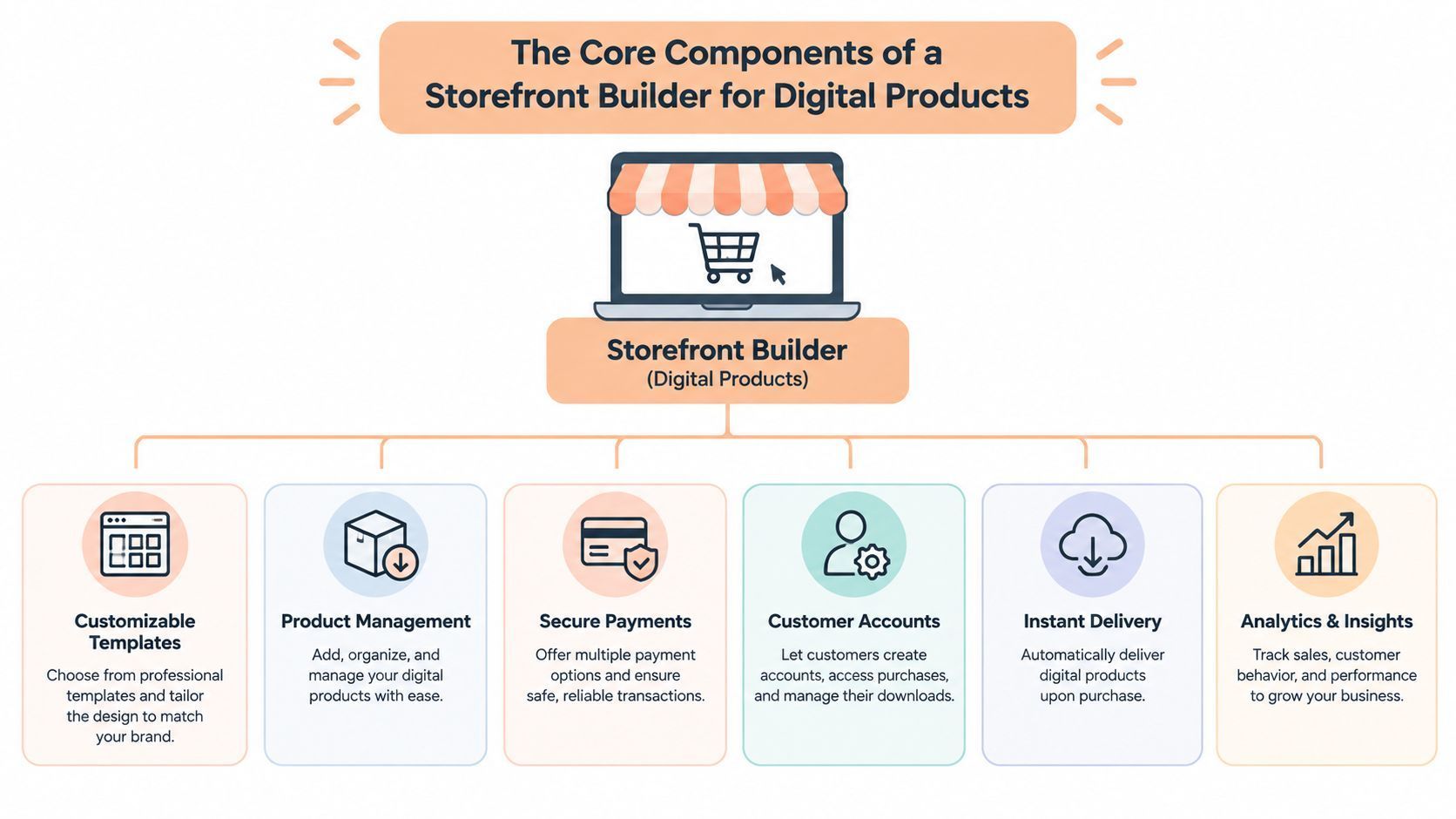
A storefront builder is only as reliable as the systems behind its checkout. The page attracts the buyer, but pricing, payment, tax, fulfillment, access, and customer records determine whether the business can operate without constant manual repair.
Start with the buying surface
The storefront surface includes landing pages, product pages, pricing tables, and checkout. It must explain the offer quickly and render consistently on mobile devices. Speed matters here: Amazon research cited in Adobe's guide reported a 1% loss in sales for every additional 100 milliseconds of load time.
That surface can be built three ways, and each one decides how much of it you maintain:
| Setup | What you build | Where payment happens | Who maintains the front end | How access is delivered | Creem option |
|---|---|---|---|---|---|
| Hosted storefront | Product listings and copy | Provider's hosted checkout | The provider | Provider sends files or keys | Hosted storefront and checkout |
| Your site plus hosted or embedded checkout | Marketing site and pricing page | Redirect, modal or iframe | You | Provider delivery or your webhook | Branded, custom-domain or embedded checkout |
| API-driven custom flow | Pricing, checkout calls and access logic | Session opened by your server | You | Your app grants access from webhooks | REST API, SDKs and webhooks |
The setup and the legal seller are separate choices. A fully custom front end can still run on a merchant of record, so you own the page while the provider carries tax, invoices and chargebacks.
- Offer selection: the plan, billing interval, and any seat or usage terms are clear before the buyer clicks to pay.
- Account timing: note whether the flow forces signup before payment. Every form between intent and charge is another place a buyer can quit.
- Renewal terms and total: the recurring amount, the interval, and the payable total with tax all appear before the buyer authorizes the charge.
- Mobile fields and authentication: card fields, wallets, and bank verification prompts work on a phone and return the buyer to checkout afterward.
- Handoffs: count every page change. A required bank check earns its place, but a redirect that only reloads the same offer elsewhere is a step you can cut.
- Confirmation and access: the confirmation page shows a working key, download, or login, plus a way to recover it if the email never arrives.
Fix any failure here before you touch copy or price. A buyer who cannot pay or get in will not respond to a better headline.
The pricing engine carries more weight for software than a product grid suggests. It may need one-time purchases, recurring plans, trials, usage charges, seat-based pricing, upgrades, downgrades, and plan-specific entitlements. If it cannot express those rules, the page may sell a promise the billing system cannot fulfill.
The payment layer converts that promise into a transaction. Review wallet support, local payment methods, authentication requirements, currency display, and failed-payment recovery. A payment flow that works only for a cardholder in ideal conditions will create avoidable abandonment.
Move into the back office
Tax and compliance define who carries the administrative burden. Confirm whether the builder supports a merchant-of-record model, tax collection and remittance, invoices, receipts, refunds, and required records. Choose this before launch because the model changes your responsibilities from the first sale.
Fulfillment must connect payment to the right customer access. Depending on the product, that means generating a license key, creating an account, provisioning permissions, delivering a protected file, or sending a private post-purchase message. Version updates and revocation also need explicit rules when a subscription ends.
A specific failure shows why integration details matter: the payment provider can send a successful-charge webhook while the entitlement service times out. The customer has paid, but receives no access. The builder should retry events, expose delivery status, and let your team reconcile the payment with the entitlement without editing records by hand.
The customer portal should let buyers retrieve receipts, update payment details, change plans, cancel, and verify current access. APIs and webhooks then connect these events to identity, product data, analytics, email, and internal tools.
Baymard's benchmark of 344 top-grossing US and EU sites found that 65% of checkout flows were mediocre or worse, according to its checkout usability research. Checkout deserves the same testing as the product page because a polished storefront cannot recover a broken purchase flow.
Features That Matter When You Sell Software and Digital Goods
A storefront builder earns its place by preventing operational failures, not by offering another attractive template. Evaluate it against the customer lifecycle, from plan selection and payment through access, renewal, refund, and support.
Billing primitives
Subscriptions need real state management. Check for trials, proration, upgrades, downgrades, seat changes, grace periods, dunning, and clear cancellation behavior. A mid-cycle plan change should create a predictable invoice and update access at the same time. If the platform cannot handle those states natively, your application and support team will carry the complexity.
Usage pricing needs a collection model. Postpaid meters bill after the customer consumes. Prepaid credit wallets take payment before any credits are spent.
With postpaid billing, you can pay for compute before the customer's charge succeeds. Prepaid moves that exposure to the refill.
Test metered units, balance deductions, a failed auto-refill, and what your app does when the balance hits zero.
Licensing must follow payment events. Downloadable or locally installed products need license-key generation, validation webhooks, activation limits, and revocation rules. A successful charge that fails to create the right entitlement is a fulfillment failure. Treat it as a systems requirement, not a minor integration detail.
Secure delivery protects the product. Expiring download links, signed URLs, controlled access, and version management limit casual sharing and stop old links from remaining useful forever. Digital fulfillment should run automatically, leave an audit trail, and reflect the customer's current purchase status.
Tax, payments, and retention
Tax handling determines who owns the compliance work. Ask whether the platform collects and remits tax, produces appropriate records, and offers a merchant-of-record option. A builder can sell a digital file while leaving you responsible for global tax and reporting obligations. “Supports digital products” does not answer that question.
Payment flexibility affects international conversion. Look for cards, wallets, relevant local methods, authentication flows, and clear currency presentation. Then measure your own checkout completion by device, country, and payment method, because a flow that works for desktop cards can still fail for mobile wallets abroad.
Refunds and disputes need connected workflows. A refund should update access, license status, affiliate attribution, and accounting records. A dispute should alert the right person while preserving transaction context. Independent systems will eventually produce conflicting records unless the builder exposes clear event handling.
Growth and integration
Affiliate attribution, commission rules, and automated payouts matter once creators or partners drive sales. Discount codes must remain understandable through plan changes, renewals, and upgrades. An embeddable or API-first checkout is the better choice if your marketing site or product interface already exists and rebuilding the front end would create unnecessary work.
Your reporting should show four stages for each offer, because each drop points to a different fix:
- Plan selected: views and clicks on each plan. If buyers leave before checkout opens, inspect the offer, pricing, and button-to-checkout handoff.
- Checkout started: sessions opened per plan. Plenty of starts with few payments point to a checkout problem.
- Payment succeeded: first purchases counted apart from renewals, so a failed renewal is never read as weak demand.
- Access provisioned: each payment ID matched to a license, file, or account. A payment with no match is a paid-but-no-access incident.
Tag each sale with its source, including the affiliate where there is one. Then ask the vendor which of these events are built in and which your app must send.
Creem's hosted storefront records impressions, clicks, and orders, and its short links tie clicks to orders. Access granted inside your own app still needs your webhook handler to log it.
SaaS billing has its own failure modes, especially around recurring access, plan changes, and customer self-service. For a focused explanation, read billing guidance for SaaS teams. Then ask the vendor to demonstrate the awkward scenario, such as a failed renewal followed by a plan change, rather than presenting only the happy path.
Why SaaS Teams and Indie Makers Reach for a Storefront Builder
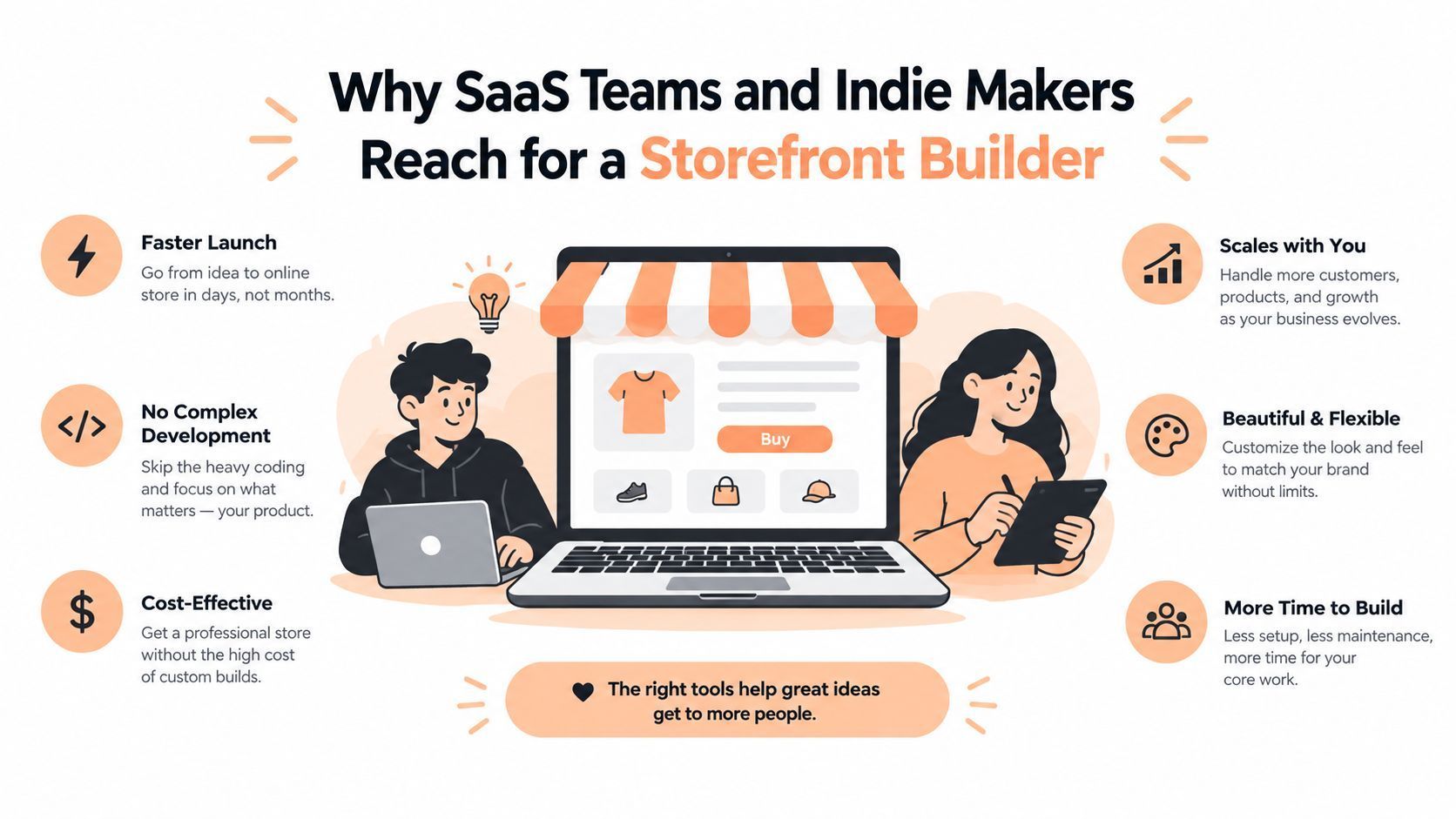
Founders don't adopt a storefront builder because they want another dashboard. They adopt one because payment operations are stealing attention from product work.
A solo maker often carries every role: product, support, marketing, finance, and compliance. For that operator, avoiding custom checkout work can be more valuable than maximizing control over every pixel. A hosted page that accepts payment, issues access, and sends a usable receipt may be the rational choice even if it looks less distinctive than a custom-built site.
A SaaS team feels the same pressure differently. It already has paying customers, a support queue, and product-specific access rules. Native subscriptions, seat billing, customer self-service, and recovery flows reduce the number of operational exceptions engineers need to maintain.
Four outcomes matter more than the feature count
Time reclaimed is the first outcome. Every hour not spent rebuilding checkout states, receipts, customer portals, or renewal logic can go into the product or distribution.
Compliance exposure reduced is the second. A merchant-of-record arrangement can shift tax collection, filing, and remittance work away from the software company, subject to the provider's actual coverage and contract terms.
Recurring revenue enabled is the third. Subscriptions aren't just a pricing option. They require lifecycle handling, payment recovery, entitlement changes, and customer controls.
Launch speed improved is the fourth. A founder should be able to change an offer, add a product, or test a price without scheduling a payment-system project.
The trade-off is a markup, reduced control, or both. The right question is which outcome you're willing to pay for. A bootstrapped maker may pay to remove compliance and integration work. A funded SaaS may pay for deeper billing control and a cleaner developer surface. Mid-cycle upgrades and failed renewals are why founders compare recurring billing vendors before they lock a stack.
How to Evaluate Storefront Builders Without Falling for Marketing
Don't score every feature equally. A flat checklist lets a polished template editor outweigh a missing tax workflow, which is exactly how founders choose the wrong platform.
Use five criteria and assign the weights according to your business. My default framework prioritizes operational coverage first, then billing and licensing, developer access, pricing transparency, and migration risk.
Before you weigh anything, list the requirements that end the conversation if they fail. Ask each vendor to demonstrate how it meets each requirement or confirm that coverage in the contract.
Compare the remaining criteria only among platforms that pass. A polished template or a low headline fee can't make up for a failed requirement.
A founder-calibrated framework
Operational coverage should carry the highest weight for most international digital sellers. Examine tax collection, VAT and sales-tax handling, invoicing, fraud controls, refunds, disputes, and merchant-of-record responsibilities.
Subscription and licensing primitives come next. Test trials, recurring plans, seat changes, proration, upgrades, downgrades, license issuance, validation, and revocation.
Developer surface includes API depth, webhook reliability, SDK quality, sandbox behavior, event documentation, and integration patterns. A hosted storefront is useful, but you shouldn't be trapped when your product needs a custom purchase flow.
Pricing transparency means understanding transaction fees, fixed charges, foreign-exchange treatment, payout costs, and chargeback liability. Compare the complete cost of ownership, not a headline rate.
Migration exit cost is easy to ignore until you need it. Ask for export formats and confirm whether you can retrieve customers, subscriptions, invoices, tax records, entitlements, and transaction history in a usable form.
| Criterion | Default Weight | Generic Checkout Builder | Creem Built-in Storefront |
|---|---|---|---|
| Operational coverage | Highest | May require separate tax, invoicing, and compliance tools | Merchant-of-record model covers tax collection, filing, and remittance in its stated markets |
| Subscription and licensing primitives | High | Depends on integrations and custom logic | Supports subscription management, seat-based billing, proration, plan changes, and digital-product tooling |
| Developer surface | High | Often varies by plan and integration | Provides SDKs, REST API, webhooks, templates, and plugins |
| Pricing transparency | Medium | Review transaction, platform, payout, and dispute costs | Publishes a flat 3.9% plus USD 0.40 per successful transaction, with no setup or monthly fee, according to Creem's stated pricing |
| Migration exit cost | Medium | Must be verified directly | Pressure-test export formats and portability before committing |
Creem's built-in storefront is a reasonable worked example because its merchant-of-record model compresses several operational responsibilities into one platform.
Creem is the legal seller to your buyer. It collects and remits VAT, GST, and sales tax, issues the invoice, and handles fraud and chargebacks.
Your team still builds, delivers, and supports the product, and connects app access to payment events. Your own business-income taxes also stay with you.
Its subscription and licensing capabilities are relevant to software sellers. Founders should still test edge cases: mid-cycle changes, failed renewals, entitlement updates, and data export.
For a broader market comparison, consult this guide to ecommerce platforms for digital products. Don't let any comparison replace a live technical review. Ask vendors to show the exact event sequence your business depends on.
Implementation Considerations Before You Commit
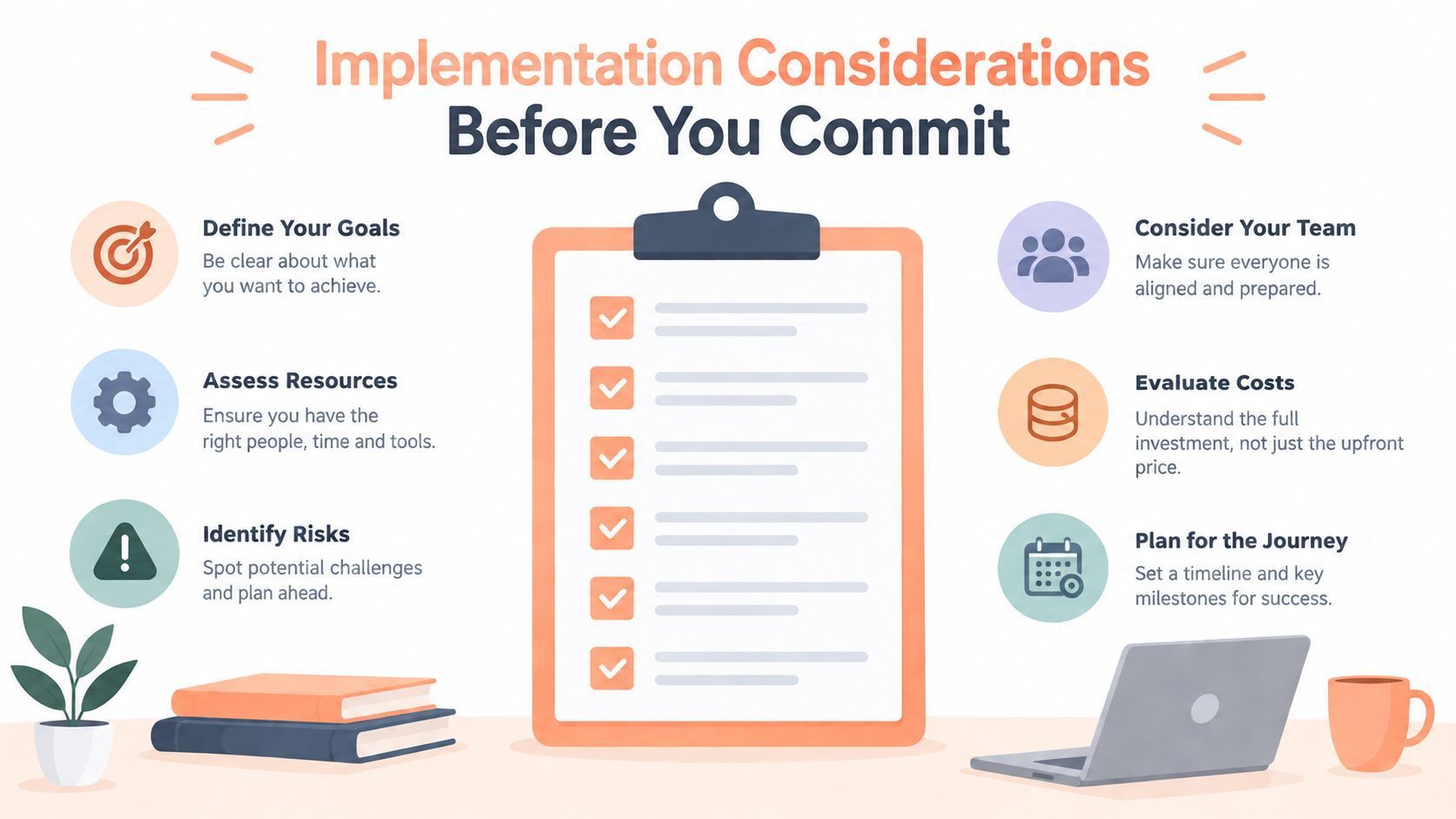
The safest implementation plan starts with risk, not visual polish. Before choosing a theme, write down who owns tax, buyer data, refunds, access, and failed payments.
A few basics also have to exist before the first live sale:
- Seller verification: complete identity or business verification for the account that will take payments.
- A product and a price: set at least one product with its price, plus the billing interval if it is a subscription.
- A place to buy: publish a hosted storefront or connect checkout to your own website. Checkout on a custom domain needs its DNS records in place first.
- Delivery or access rules: decide which files, license keys, or app access a buyer gets after paying. If your own app grants access, you need server-side API credentials and a webhook endpoint.
- A payout destination: on Creem, add a payout account. It goes through identity or business verification and needs approval from the Creem team before money can reach it.
- Support and refund information: show buyers a contact route and your refund policy before they pay.
A successful payment is not yet money you can withdraw. Creem pays out on the 1st and 15th once your available balance reaches 50 USD or 50 EUR, and a new payment can be held for 7 to 12 days before it becomes available.
Resolve compliance ownership
Ask these questions in writing:
- Who registers, collects, files, and remits applicable taxes?
- Do I need to manage VAT obligations myself, or does the merchant-of-record model cover them?
- Does my refund policy match the platform's customer-facing process?
- What buyer information does the vendor store, and how can I retrieve or delete it?
A platform's tax promise is meaningful only when you understand its geographic scope, product classification rules, evidence requirements, and contractual responsibilities. Use a current sales tax and internet sales compliance guide as a starting point, then confirm the details with the vendor and your advisor.
Sequence integrations carefully
Connect the identity provider before fulfillment logic. Decide whether a successful payment creates an account, attaches to an existing account, or sends an invitation. Then configure email delivery, analytics, support notifications, and webhook destinations.
Before you configure email, list which messages the storefront provider sends and which go out through your own domain. Receipts, license emails, onboarding sequences, and renewal notices can sit on either side.
For messages you send through a new domain or SMTP server, include SMTP warmup in launch preparation. Test receipt and license-email delivery before buyers depend on those messages.
Subscription events can arrive more than once or in an unexpected order. Store every event before acting on it, using the provider's documented event identifier. Track whether processing completed so you skip completed repeats and retry failed attempts.
Make fulfillment idempotent. Replaying the same event should find the license or access grant that already exists instead of creating a second one.
An older event must never overwrite newer subscription state. Use the provider's documented ordering field, or fetch the current subscription before changing access. Don't grant permanent access merely because a checkout redirect completed.
Protect your exit
Define a clean export before you sign. It should include customers, subscriptions, invoices, tax records, payments, refunds, and entitlements in a format your team can process. Back up that data on a schedule you can maintain, and verify that the export can reconstruct customer state rather than producing disconnected rows.
Test the ugly paths before launch
Run a sandbox-to-production checklist that includes a failed renewal, a plan change, a refund, a dispute notification, a duplicate webhook, an expired download, and a revoked license. Route each event to a named owner.
Write the first incident response note before the first incident occurs. It should tell your team how to identify the affected customer, confirm payment state, restore or revoke access, communicate clearly, and record the resolution.
Two Real-World Storefront Builder Decisions Side by Side
The same storefront builder can be a smart shortcut for one business and a constraint for another. In a hypothetical comparison, the deciding variables are product type, billing complexity, compliance ownership, and the cost of founder time.
Consider a solo maker selling a $49 lifetime deal for a Notion-style template. The product has no recurring billing, no seat management, and limited fulfillment complexity. A hosted merchant-of-record storefront with no-code setup and tax handling may beat a self-hosted checkout because the maker's time is better spent improving the template, publishing content, and answering customers.
At Creem's standard rate of 3.9% plus $0.40 per successful transaction, one $49 sale costs 49 × 0.039 + 0.40 = $2.311 in fees, about $2.31 or 4.72% of the price. That rate includes tax, invoicing, compliance, and dispute handling.
To compare platforms, add each one's transaction fees to the recurring tools it requires at your expected volume. Weigh engineering and admin effort separately.
A scaling SaaS has a different problem. It may sell seat-based subscriptions, offer upgrades and downgrades, support enterprise identity requirements, and need revenue recognition workflows. That company should favor deeper billing primitives and integration control, even if the initial setup demands more engineering.
| Dimension | Indie Maker (Lifetime Deal) | Scaling SaaS (Seat-Based Subs) |
|---|---|---|
| Setup time | Prioritize a hosted, low-code purchase path | Accept more integration work for stronger control |
| Compliance ownership | Shift tax administration to a merchant-of-record provider where appropriate | Confirm coverage, contracts, reporting, and finance requirements |
| Monthly cost | Value predictable operating effort and limited fixed overhead | Evaluate transaction costs against engineering and finance workload |
| Fulfillment | Secure file delivery, receipts, and private notes may be sufficient | Require account provisioning, license logic, entitlement events, and customer self-service |
| What breaks first | Manual support and access handling | Proration, seat changes, renewals, reporting, and integration edge cases |
The indie maker should avoid paying for enterprise machinery that won't be used. The SaaS team should avoid mistaking a fast launch for a durable billing architecture.
Mobile distribution creates another decision point. Before assuming a web checkout covers an app-linked product, check three things:
- What the buyer purchases: a digital good, a subscription, or a physical item or service.
- Where it's used: whether the purchase unlocks content or features consumed inside the app.
- Which rules apply: the store's guidelines for your region and distribution channel.
A resource on how to bypass App Store review for ecommerce frames the distinction between web commerce and app-store distribution.
Creem provides a storefront builder for software and digital goods alongside merchant-of-record payments, tax handling, subscriptions, licensing, secure delivery, affiliates, APIs, and webhooks.
Choose an operating layer instead of another template gallery: Start selling with Creem's checkout and fulfillment.
Only pay when you earn.