
You can feel it in the small things first. A customer renews on Friday, your team spends Monday chasing a missing invoice, finance is unsure which tax rule applied, and support has a thread open because the receipt never matched the charge. The product is selling, but the revenue stack is wobbling under work that should've happened automatically.
For SaaS and digital products, invoicing isn't a clerical afterthought. It sits right between payment, tax compliance, customer trust, and cash collection, which means a weak invoicing process can slow the whole business down. Automated invoicing turns that fragile handoff into a repeatable system that keeps up as you sell across markets, currencies, and billing models.
Table of Contents
- Why Manual Invoicing Is Holding Your Business Back
- Understanding Automated Invoicing as a System
- The Core Benefits for SaaS and Digital Sellers
- Must-Have Features in an Automated Invoicing Platform
- Choosing Your Implementation Strategy Standalone vs Integrated
- Connecting Invoicing to Your Full Revenue Lifecycle
- Making the Switch to Smarter Invoicing
Why Manual Invoicing Is Holding Your Business Back
A founder can get by with manual invoicing for a while, usually when the business is small and every customer order looks similar. Then sales start coming from more countries, subscription upgrades begin, and invoices have to reflect taxes, receipts, renewals, refunds, and customer-specific billing details. One missed line item turns into a support ticket, then a reconciliation problem, then a compliance issue.
The deeper problem is that manual invoicing makes finance react after the sale is already done. One person creates the invoice, another checks the tax treatment, someone else sends the receipt, and a different thread starts when the payment does not match the invoice amount. That process does not just consume time, it creates uneven customer experiences and makes it harder to see whether the business has collected what it earned.
Why the pain compounds so quickly
In a SaaS company, a single purchase can trigger several follow-up tasks. If those tasks are handled by hand, every renewal, upgrade, and failed payment adds another chance for delay or error. Invoice automation matters because it keeps revenue moving instead of letting it stall in a queue of manual checks.
Practical rule: if an invoice needs a human to remember the next step, the process is already too brittle for global sales.
Manual invoicing also leaves too much room for regional complexity to slip through. Once you sell internationally, tax treatment, invoice format, and delivery expectations vary by market, and a spreadsheet-driven process struggles to keep pace. A customer-facing billing process should feel like part of the product, not a patchwork of reminders and corrections.
The benchmark gap makes the case clear. Ardent Partners reported that best-in-class AP organizations process an invoice at about 79% lower cost than peers, with hard costs around $10 per invoice saved versus the manual average, and cycle times falling from 17.4 days to 3.1 days in the benchmark data summarized by InvoiceQuickly's invoice automation statistics. Those numbers come from AP, but the operating lesson carries over to SaaS billing, less manual handling, less latency, and fewer places for revenue to get stuck.
Understanding Automated Invoicing as a System
Automated invoicing is a connected workflow, not a prettier invoice template. A customer action, such as a purchase or subscription renewal, starts a chain of events that generates an invoice, validates the data, delivers the document, and stores the record for reporting and compliance. The system matters because revenue doesn't stop at payment, it has to be documented, matched, and auditable.
An automated invoicing system functions as a financial nervous system. A trigger hits one end, the invoice is produced in the middle, and the result travels to the systems that need it, payment tools, tax logic, CRM records, and accounting software. When the chain is set up well, nobody has to copy data from one place to another just to keep the books aligned.
What the system actually does
Microsoft's invoice model shows the practical shape of this process, it extracts core fields like invoice ID, dates, vendor or customer addresses, subtotals, tax, amount due, and line items through its invoice document intelligence workflow, then supports routing based on confidence and exceptions in Azure AI Document Intelligence's invoice model. That's the right mental model for SaaS too. The system isn't just producing a file, it's converting a transaction into structured data that downstream systems can trust.
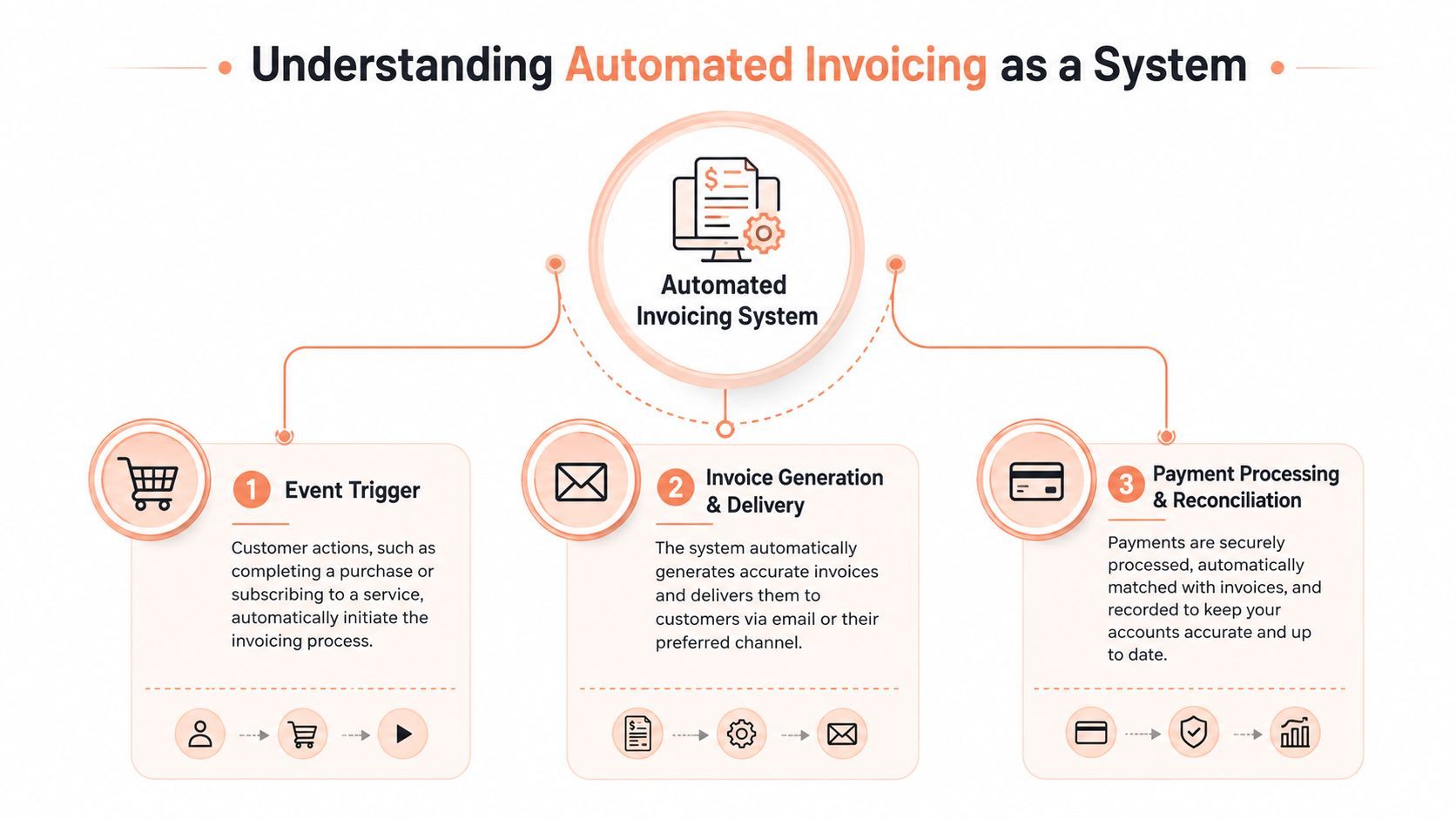
A useful way to think about automated invoicing is in three steps:
- Event Trigger. A purchase, renewal, or usage milestone starts the process.
- Invoice Generation and Delivery. The invoice is created from trusted transaction data and sent automatically.
- Payment Processing and Reconciliation. The invoice is matched to the payment and stored for records, reporting, and audit.
Why format matters for global sellers
For global commerce, machine-readable formats are more useful than PDF-only workflows because standardized XML or UBL invoices can be ingested directly by automated systems, which reduces ambiguity in totals, tax IDs, and required fields. Amazon Business notes that real-world deployments also need to accept EDI, XML, PDF extraction, and portal submission because supplier networks aren't uniform, and the highest-throughput systems normalize those inputs into one common schema before tax and payment logic runs in its e-invoicing guidance.
If you want a plain-English explanation of how finance teams are applying automation in adjacent workflows, AI automation for finance teams is a helpful reference point. The common thread is the same, structured intake, reliable validation, and exception routing before anything gets posted.
The Core Benefits for SaaS and Digital Sellers
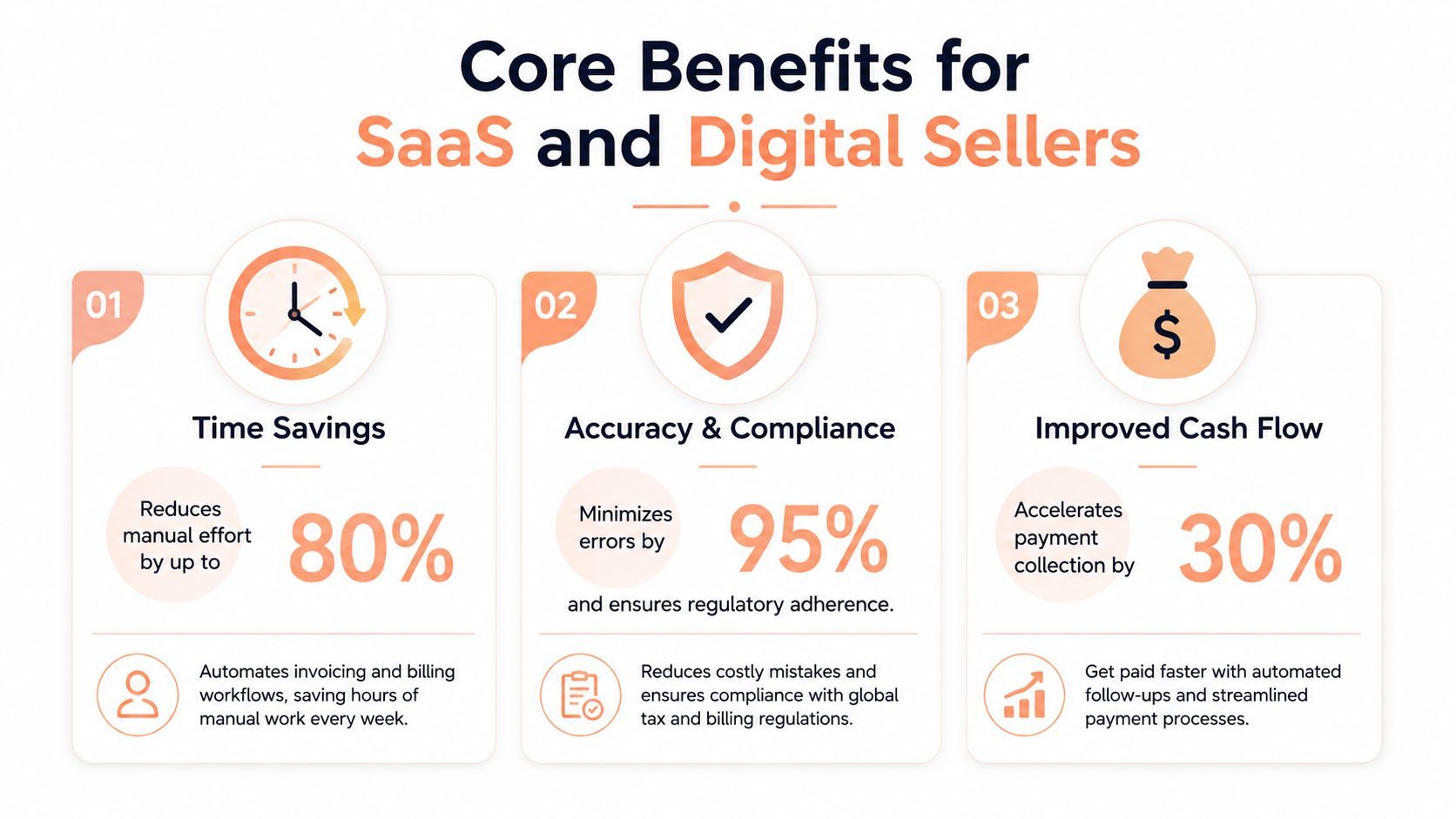
Automated invoicing matters because it sits inside the revenue stack, not beside it. For SaaS founders and digital sellers, the invoice is part of how cash comes in, how tax gets recorded, and how customers see the business at the point of payment. A manual process can still produce revenue, but it usually does so with more mistakes, slower collection, and more work every time the business grows.
Financial efficiency without the handoffs
The cost difference is easy to understand. Manual invoice processing is commonly benchmarked in the **12.88 to **19.83 per invoice range, while automated processing is often reported near $3 or less, based on the benchmark roundup cited earlier. That gap matters because each renewal, successful payment, and receipt can create another invoice event, which means the process gets tested every time sales activity increases.
A simple way to look at it is this. Manual invoicing is like asking a person to copy and mail every shipping label one by one, while automation prints the right label at the moment the order is confirmed. The order still has to move, but the work no longer depends on repeated handoffs.
Practical rule: if your invoicing process gets slower as your sales get better, it is acting like a tax on growth.
Benefit is not just saved time. Once invoice creation, sending, and status tracking stop taking up attention, finance can focus on reconciliation, customer questions, and subscription billing changes. For a lean team, that shift matters because it turns invoicing from a recurring distraction into part of a system that can support more sales without adding the same amount of manual work.
Customer experience that looks like product quality
Invoices are part of the product experience, even if customers never say that directly. A clear, timely, branded invoice signals that the company is organized and reliable, especially when the buyer needs a receipt for internal approval or expense records. A messy billing flow sends the opposite signal, and it can make a strong product feel less polished at the exact moment trust should be reinforcing retention.
Digital sellers feel that pressure quickly because the invoice is often the last visible record of the transaction. If the document arrives late, looks inconsistent, or leaves out tax details, the customer has to do extra work to fix it. That friction can weaken confidence in the purchase, which is why automated invoicing belongs in revenue operations, not only in accounting.
Risk reduction across tax and cross-border selling
Global sales introduce compliance work that manual billing handles poorly. Tax rules vary by jurisdiction, invoice fields change by market, and payment records have to match the correct customer and region. Automated invoicing reduces the chance that someone misses a required field or sends a noncompliant invoice after the sale is already complete.
The market shift points in the same direction. One benchmark summary says 20% of teams are already fully automated and 41% plan to automate within the next 12 months, according to the industry roundup at Skynova's invoicing statistics. That same source also cites AP automation software at USD 2.18 billion in 2022, with a projected 12.5% CAGR from 2023 to 2030, which suggests the category is being built around durable demand rather than short-term interest.
Must-Have Features in an Automated Invoicing Platform
A serious invoicing platform has to do more than send a PDF by email. It needs to fit the way SaaS businesses sell, which means subscriptions, upgrades, proration, tax variation, and customer self-service all belong in the same workflow. If a tool can't handle those realities, it's not really reducing complexity, it's just moving it around.
The basics that still matter
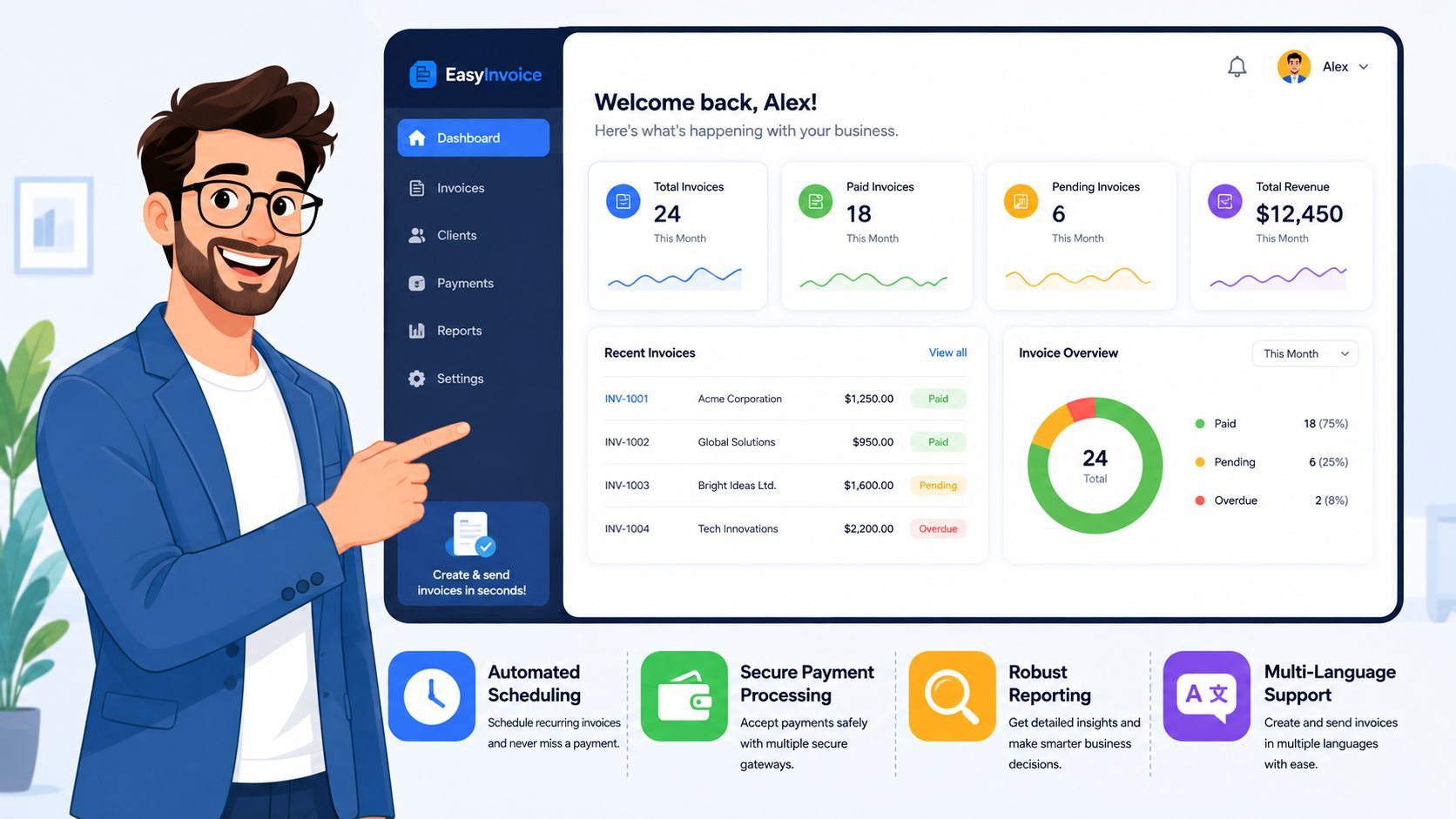
Start with customizable templates. Branding matters because the invoice is part of the customer relationship, and every receipt or billing email should look like it came from the same company that sold the product. Then check for multi-currency support, because global sellers can't afford to treat foreign transactions like edge cases.
Tax handling matters even more. A platform should calculate and collect taxes automatically where required, then reflect the result clearly on the invoice so finance, support, and the customer all see the same record. That's where automated invoicing stops being cosmetic and becomes operational infrastructure.
Subscription logic and delivery paths
SaaS billing gets messy when plans change mid-cycle. The platform should support upgrades, downgrades, seat changes, and prorations without forcing a finance person to rebuild the invoice by hand. It also helps when the same system can deliver invoices by email and through a customer self-service portal, because buyers often want to retrieve documents without opening a support ticket.
A practical buyer's checklist looks like this:
- Branded templates: so invoices and receipts match the product experience.
- Tax calculation and collection: so the system can handle global sales without manual lookups.
- Multi-currency billing: so international customers aren't pushed into awkward workarounds.
- Subscription billing integration: so renewals, plan changes, and prorations flow through cleanly.
- Invoice delivery and portal access: so customers can find documents without waiting on finance.
For teams evaluating a payment and billing stack, the structure of the underlying payment management layer matters too. A useful starting point is this payment management system overview, because invoicing often succeeds or fails based on how well it connects to checkout and billing records.
Where tool selection usually goes wrong
Organizations often underweight the exception path. The happy case is easy, a clean purchase, a standard invoice, a normal tax treatment. The hard part is when a customer changes plans, a tax detail is missing, or a payment needs to be retried before the invoice can be marked complete. If the tool can't route those cases cleanly, the automation breaks where it matters most.
If you're looking at a vendor demonstration, a schedule a demo request is only useful if the vendor shows you live exception handling, not just polished invoice previews. That's the part that reveals whether the system is built for scale or just presentation.
Choosing Your Implementation Strategy Standalone vs Integrated
The main decision is not whether to automate. It's whether to bolt together separate tools or use one integrated platform that handles invoicing alongside payments, tax, and subscriptions. Both paths can work at first, but they create very different operating burdens over time.
Standalone tools give flexibility, then create sprawl
A standalone invoicing app can be attractive because it looks simple and cheap to start. The problem is that once payments, tax calculation, subscription changes, and reporting live in different systems, your team has to reconcile them manually. That usually means more connectors, more failure points, and more time spent debugging why one system says paid while another says pending.
Toolchain sprawl gets expensive. The invoices may go out correctly, but the revenue record still needs manual cleanup because the surrounding systems don't share one source of truth. In practice, the company has automated a document, not the workflow.
Integrated systems reduce the number of moving parts
An integrated approach centralizes invoicing, payment capture, subscription management, and tax handling in one place. For SaaS founders, that means one workflow produces the invoice, records the transaction, and keeps the compliance trail aligned with the customer event. Creem is one example of that model, with automated invoicing built into a wider revenue stack, alongside checkout, tax handling, subscriptions, and revenue splits.
Good implementation choices remove work twice, once at launch and again during exceptions.
That exception layer is the true test. If an invoice doesn't match a plan change, or a transaction needs a retry before it can be marked settled, the platform has to tell you what happened and keep the record clean. Platforms that were designed with that loop in mind usually handle edge cases better than systems patched together after the fact.
For buyers comparing platform types, the guide on billing for SaaS helps frame how billing, invoicing, and collection should fit together. That matters because invoicing in SaaS is rarely a standalone process, it's a node in a larger revenue chain.
A simple decision test
Use this test when you're choosing:
- If your business sells in one market, with one product, and one tax treatment, a standalone tool may be enough for now.
- If your business sells globally, bills on subscriptions, or needs recurring recovery flows, integration usually wins.
- If your team already spends time reconciling records across multiple systems, you've probably outgrown the standalone model.
The hidden cost isn't just licenses. It's the hours spent on mismatched records, failed retries, and manual explanations to customers and accountants. A cleaner stack usually costs less in operational friction even when the sticker price looks higher.
Connecting Invoicing to Your Full Revenue Lifecycle
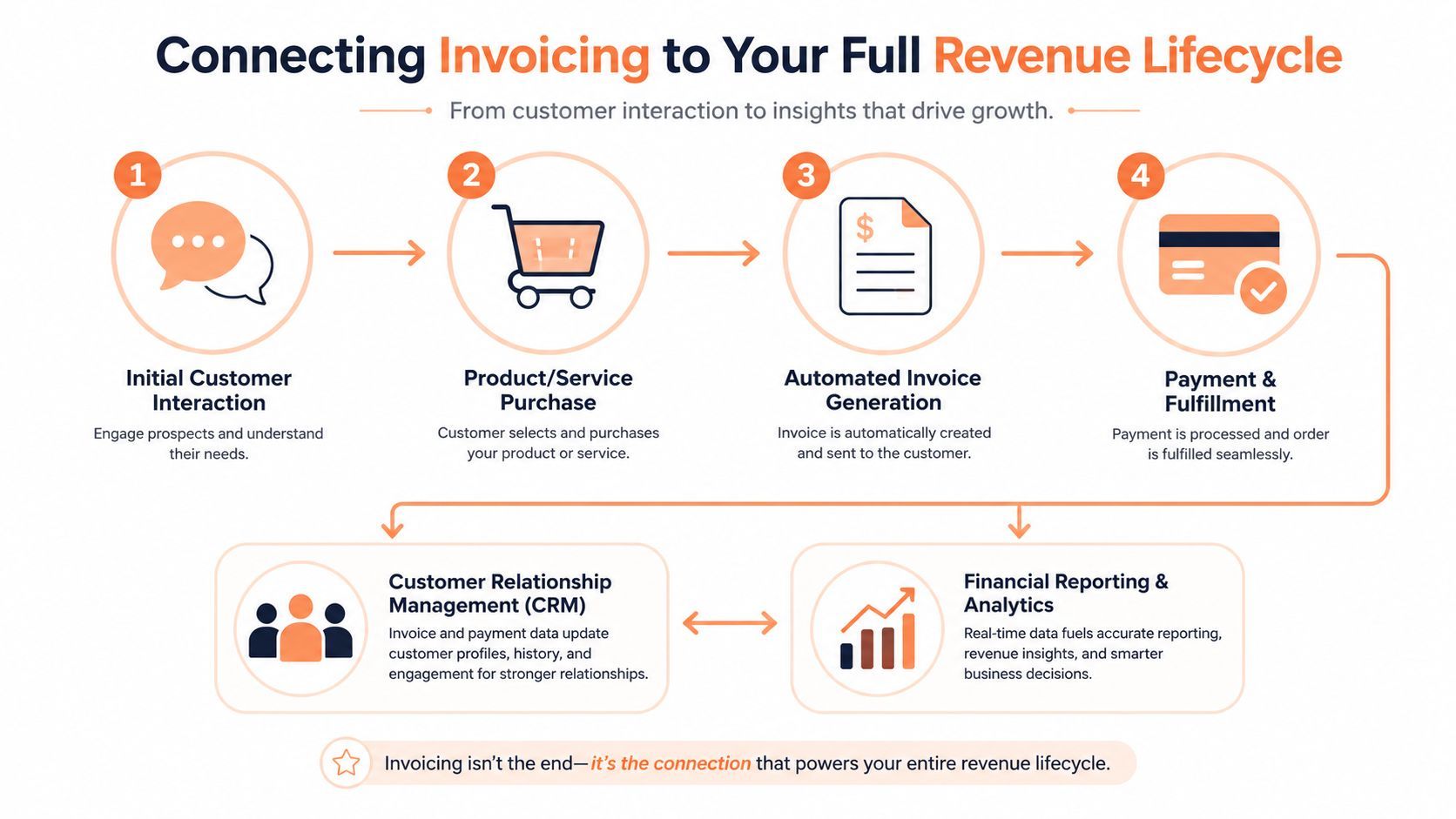
An invoice is one checkpoint in the revenue flow, not the finish line. It is the handoff where a sale turns into cash, and where weak revenue operations become visible fast. If the invoice is clean but the payment fails, or the payment clears but the record does not reconcile, the business still has a collection problem.
Why billing should connect to recovery and reporting
When invoicing sits inside the broader revenue lifecycle, it can trigger recovery workflows, support payout logic, and feed reporting without extra work. That matters because SaaS revenue is rarely one-and-done. Customers churn, cards expire, plans change, and a failed payment can still be recovered if the system knows how to retry, track, and update the record.
Creem's revenue stack is built around that broader flow, including automated invoicing, smart dunning, and revenue splits. A setup like that matters not only because it sends invoices, but because it keeps the money movement legible when the sale gets complicated. For a closer look at how those records should line up, see our revenue reconciliation guide for software teams.
The parts that usually get ignored
Many teams focus only on issuing the invoice and forget what comes after. Failed-payment recovery, payout logic for partners or co-founders, and reporting for finance all depend on that first billing event. If each piece lives in a different tool, the company ends up managing the revenue lifecycle by spreadsheet.
The most useful operational question is simple, what happens when the invoice does not follow the ideal path? If the answer is “someone in finance sorts it out,” the process is too manual. If the answer is “the system reroutes it, logs it, and surfaces the exception,” the revenue stack is closer to something you can trust. That is the way SaaS businesses sell across borders, on subscriptions, and through digital delivery, where billing, payment recovery, and reporting have to stay in sync.
Why this changes net cash flow
Cash flow is not only about billing quickly. It is about reducing the places where money can get delayed, disputed, or lost in cleanup work. The NetSuite guidance on invoice automation notes that businesses often talk about faster payment, but the harder question is how fees, taxes, refunds, chargebacks, and churn affect the net economic impact of the workflow, which is why its invoice automation resource is a useful reminder that cash flow and revenue recovery belong together.
That is why automated invoicing belongs in the revenue stack. It gives you a starting point for collection, a control point for compliance, and a data trail for reporting. Without that connection, finance stays busy. With it, finance can steer the business.
Making the Switch to Smarter Invoicing
Manual invoicing works until growth makes every weakness visible. Once you sell across borders or run subscription billing at scale, the cost of human handling shows up everywhere, in slower collections, more support issues, weaker compliance, and more time spent fixing records than growing revenue. Automated invoicing isn't a nice-to-have in that environment, it's infrastructure.
The smartest move is to audit where invoices start, where they get blocked, and where exceptions currently live. Look at tax handling, delivery, retries, customer access, and reconciliation together, because a tool that only solves one of those problems will leave the rest to your team. If you want a cleaner path, choose a system that ties invoicing to payments, compliance, and revenue recovery from the beginning.
Creem gives software companies and digital sellers a way to run invoicing, checkout, tax handling, subscriptions, and revenue splits in one place. If you're ready to replace scattered billing workflows with a system built for global sales, visit Creem and see how an integrated merchant-of-record platform can handle invoicing from day one.