

A customer opens your billing page because a renewal failed, a team needs fewer seats, or an invoice has to reach accounting before the next close. Instead of fixing the issue, they find a static plan summary, a buried cancellation link, and a support email address. The resulting ticket costs your team time, while the customer loses confidence in a product they were otherwise willing to keep.
A well-built subscription management page is more than an account screen. It's a transaction control surface where customers can change plans, adjust seats, update payment details, retrieve invoices, and recover from failed renewals without waiting for an agent. The difficult work sits behind the interface: proration rules, entitlement synchronization, payment retries, tax data, idempotent webhooks, and clear explanations of what happens today versus at the next renewal.
Table of Contents
- Mapping Core Subscriber Intents for Self-Service
- Implementing Plan Changes and Seat-Based Proration
- Designing Billing History and Invoice Management
- Integrating Smart Dunning and Payment Recovery
- API and Webhook Integration for Real-Time Sync
- Measuring Portal Success and Operational Impact
Mapping Core Subscriber Intents for Self-Service
Support volume usually reveals what the portal should do before product roadmaps do. Customers rarely arrive on a billing page to admire the current plan. They arrive with a specific job, and if the page doesn't support that job directly, the request becomes a ticket.
The most common lifecycle actions should be visible immediately:
- Update payment method: Let customers replace an expired card or choose another supported method without opening a support conversation.
- Switch plan: Show available tiers, included limits, effective dates, and the financial effect of an upgrade or downgrade.
- Pause subscription: Offer a temporary stop when cancellation is really a request for flexibility.
- Skip a charge or cycle: Useful for products with scheduled deliveries, usage periods, or recurring releases.
- Cancel subscription: Make the action clear and accessible, while collecting an optional reason after the customer has confirmed.
- Manage invoices and receipts: Provide historical documents for expense reporting, tax records, and internal reconciliation.
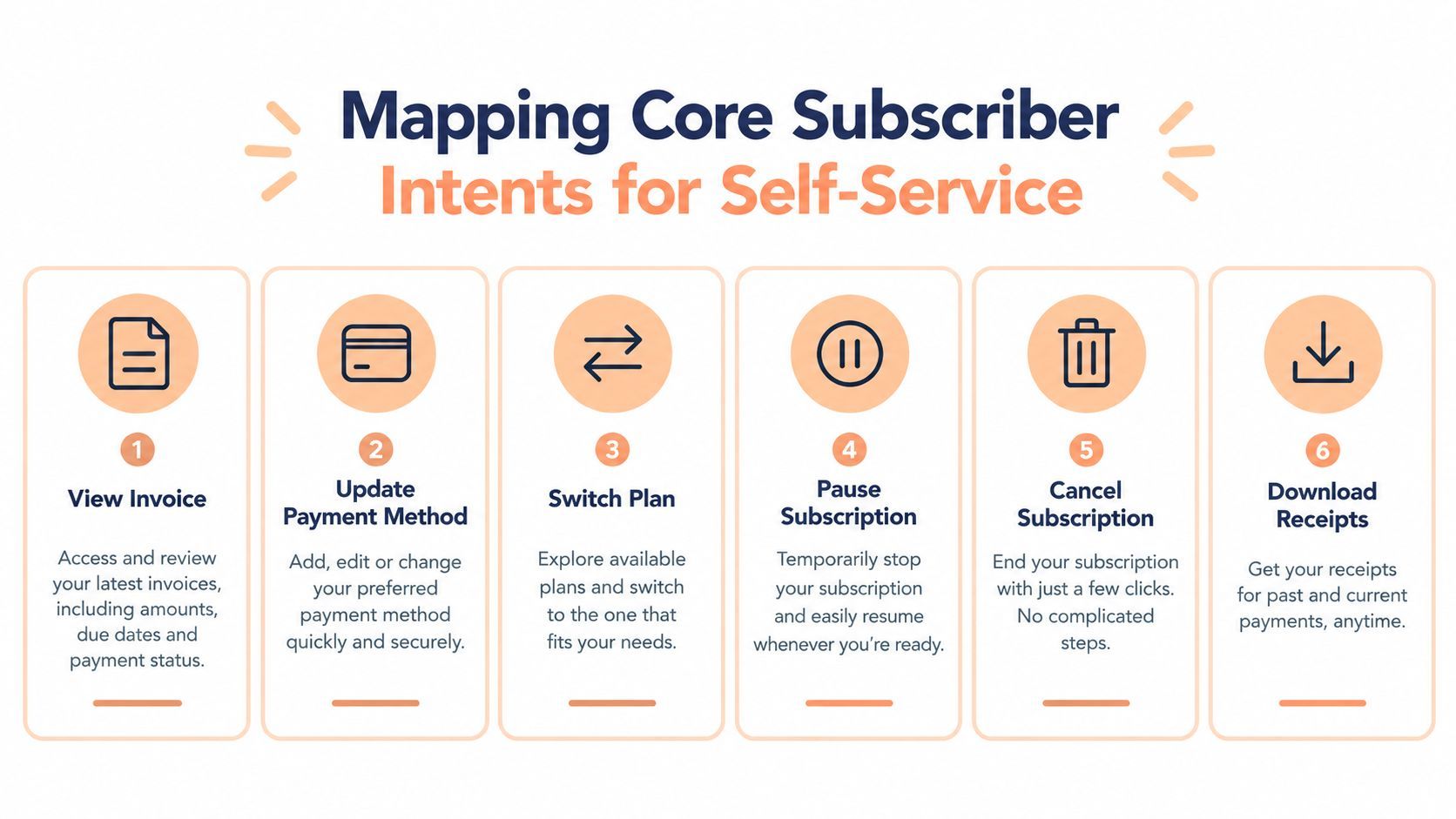
Industry guidance places particular emphasis on these high-frequency paths. One subscription management reference from Chargebee notes that roughly 80% of subscription support tickets are simple requests customers could handle in about 30 seconds. Those figures are useful directionally, but the engineering decision should come from your own ticket tags. Export billing conversations, group them by intent, and rank actions by volume, revenue risk, and implementation effort.
Design around fewer clicks
A subscriber shouldn't have to move through account settings, a separate billing product, and an authentication loop to change a card. Keep the portal reachable from renewal emails, the application account menu, and payment-failure notices. After authentication, put the most frequent actions in the first view, not behind an unlabeled overflow menu.
Login friction deserves special attention. Require appropriate verification, but preserve the customer's context after authentication. If a failed-payment email opens the portal, take the subscriber directly to the payment-update state rather than dropping them on a generic dashboard.
Practical rule: Map the intent from the customer's first click to a confirmed outcome. If the path requires support for a routine plan or payment action, the portal hasn't finished its job.
Track more than page views. Record the intent selected, the number of steps completed, validation errors, payment outcomes, and whether the customer reached a resolved state. A portal session that ends after a customer sees an error isn't self-service. It's an unsuccessful support deflection attempt that needs a product fix.
Implementing Plan Changes and Seat-Based Proration
Plan changes become difficult when the customer's current billing period, seat count, discounts, taxes, and entitlement rules all interact. The interface may be simple, but the billing engine needs a precise contract for what changes immediately and what waits until renewal.
Start with a canonical subscription state. Store the customer, subscription, price or plan identifier, quantity, billing interval, currency, period start, period end, status, and scheduled changes separately from presentation fields. Don't overwrite historical plan data when a customer changes tiers. You need an auditable record of the previous state, the requested state, the calculation inputs, and the provider's resulting invoice or credit.
Calculate the preview before committing
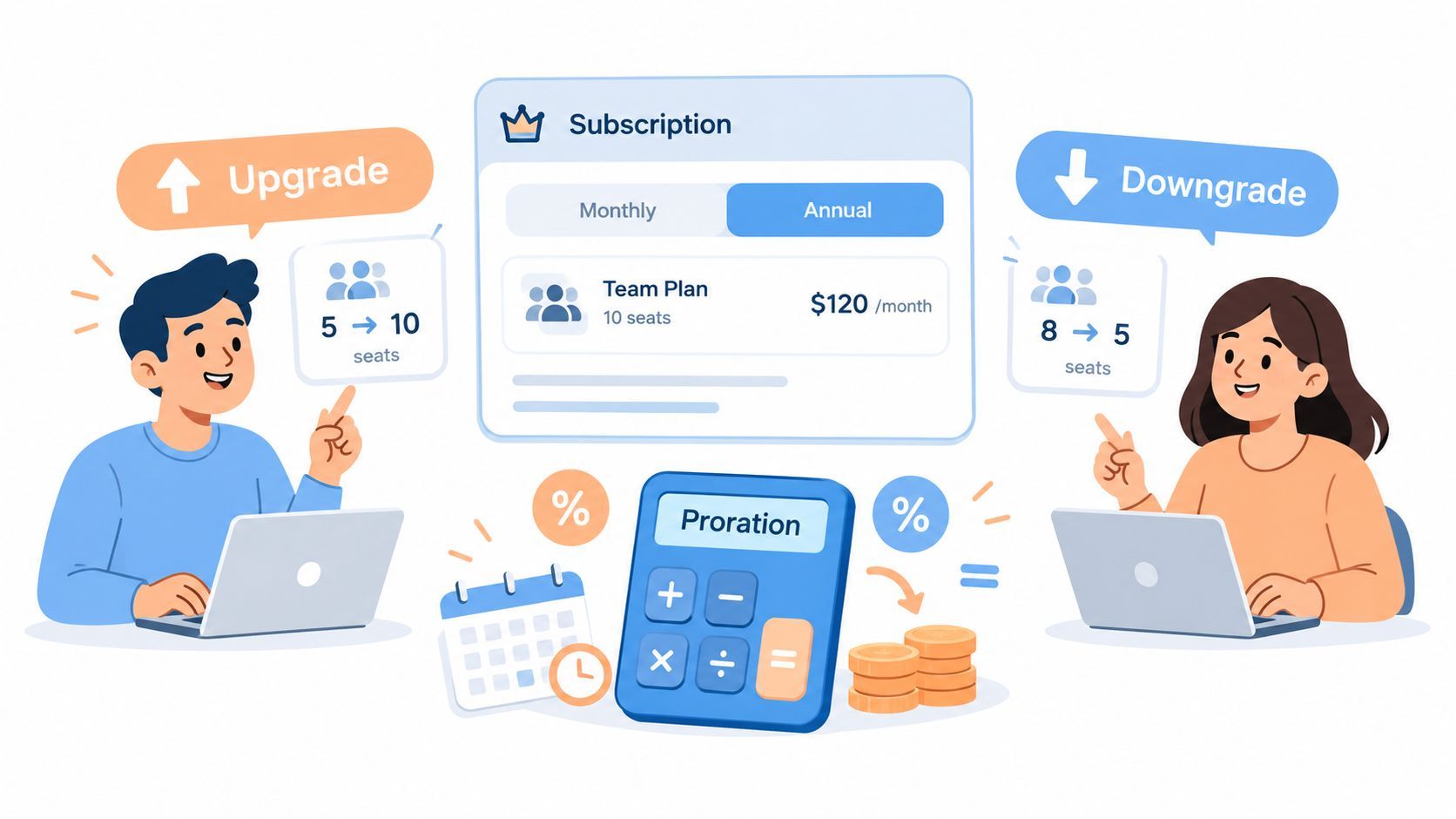
For a mid-cycle change, calculate the unused value of the current configuration and the value of the new configuration for the remaining time. A simplified model is:
credit for unused current service - charge for remaining new service = immediate adjustment
The production implementation must also account for quantity, tax treatment, discounts, currency precision, minimum charges, and provider-specific rounding. Treat the payment provider's preview or invoice calculation as authoritative where available. Your application can display the result, but it shouldn't maintain a competing proration engine that silently diverges from the ledger.
The confirmation screen should separate three values:
- Due now: The immediate charge or credit created by the change.
- Next renewal: The recurring amount expected when the next period begins.
- Access change: The limits, seats, features, or entitlements that become active immediately or later.
For a seat reduction, ask whether access should shrink immediately or at the end of the paid period. Immediate reduction can create an operational surprise if users are still working. Delaying the reduction can preserve customer experience, but it also requires a scheduled quantity change and clear messaging. The answer should be a documented product policy, not an accidental result of an API default.
Treat pauses and legacy plans as state transitions
A pause isn't just a canceled subscription with a different label. Define whether the customer keeps access, whether billing stops, how long the pause can last, and what event resumes service. Model the pause as a transition with a start date, an optional end date, and an explicit resume behavior. This prevents background jobs from treating a paused account as delinquent or canceled.
Grandfathered plans need the same discipline. Keep the legacy price and entitlement identifiers intact, then map them to current display metadata. Avoid rewriting old subscriptions into the newest plan schema, because that can alter renewal behavior and make invoice history difficult to explain.
For a broader view of subscription billing architecture, see this guide to billing for SaaS. The key principle is simple: preview first, commit once, and show the customer exactly which parts of the subscription change now.
Designing Billing History and Invoice Management
Many billing visits have nothing to do with changing a subscription. A customer needs an invoice for reimbursement, a receipt for bookkeeping, or a tax document that matches the charge. If the document isn't easy to find, the customer emails support even when every payment succeeded.
Put billing history in the primary subscription area. Each row should identify the invoice date, status, total, currency, covered period, and available actions. Use recognizable labels such as “Download invoice” and “View receipt,” not an unlabeled icon that forces customers to guess.
Build a trustworthy document flow
Generate documents from finalized transaction data, not from the current customer profile. A customer may change their company name, billing address, tax registration, or payment method after an earlier invoice was issued. Historical invoices should remain immutable and should preserve the values that applied at the time of the transaction.
PDF access needs protection. Issue short-lived, authenticated download links or proxy the file through a server that verifies the logged-in customer and invoice relationship. Don't expose predictable document paths or let a client-side identifier decide which invoice can be downloaded. Log access events where auditability matters, and return a useful error when an invoice is still being finalized rather than showing a broken link.
Tax presentation also deserves deliberate design:
- Tax identity: Display the legal customer details and any validated VAT or GST registration associated with the transaction.
- Tax breakdown: Show the taxable amount, applicable tax, and total in a way the customer can reconcile.
- Currency context: Preserve the charged currency and show any converted display value only as supplemental information.
- Merchant responsibility: Make clear which legal entity issued the document and handled the applicable tax obligations.
A Merchant of Record can simplify the data model because tax collection, filing, and remittance are handled as part of the transaction service. It doesn't remove the need for accurate customer information, but it reduces the number of tax decisions your application must reproduce on the invoice page.
For implementation details around recurring documents and customer access, use this practical guide to automated invoicing for SaaS digital sellers. The page should make document retrieval feel routine, secure, and boring. That's exactly what customers want from billing history.
Integrating Smart Dunning and Payment Recovery
A failed renewal creates a different kind of customer intent. The subscriber may still want the product, but the payment method, issuer, or network has interrupted the relationship. If the portal only displays “payment failed,” it leaves the customer and the billing team to solve a problem without context.
Dunning should connect backend recovery logic with a focused frontend state. The application needs to know whether the failure is a soft decline, an expired card, a hard decline, or an authentication requirement. The customer needs a clear action, such as updating a card, completing authentication, or contacting their bank.
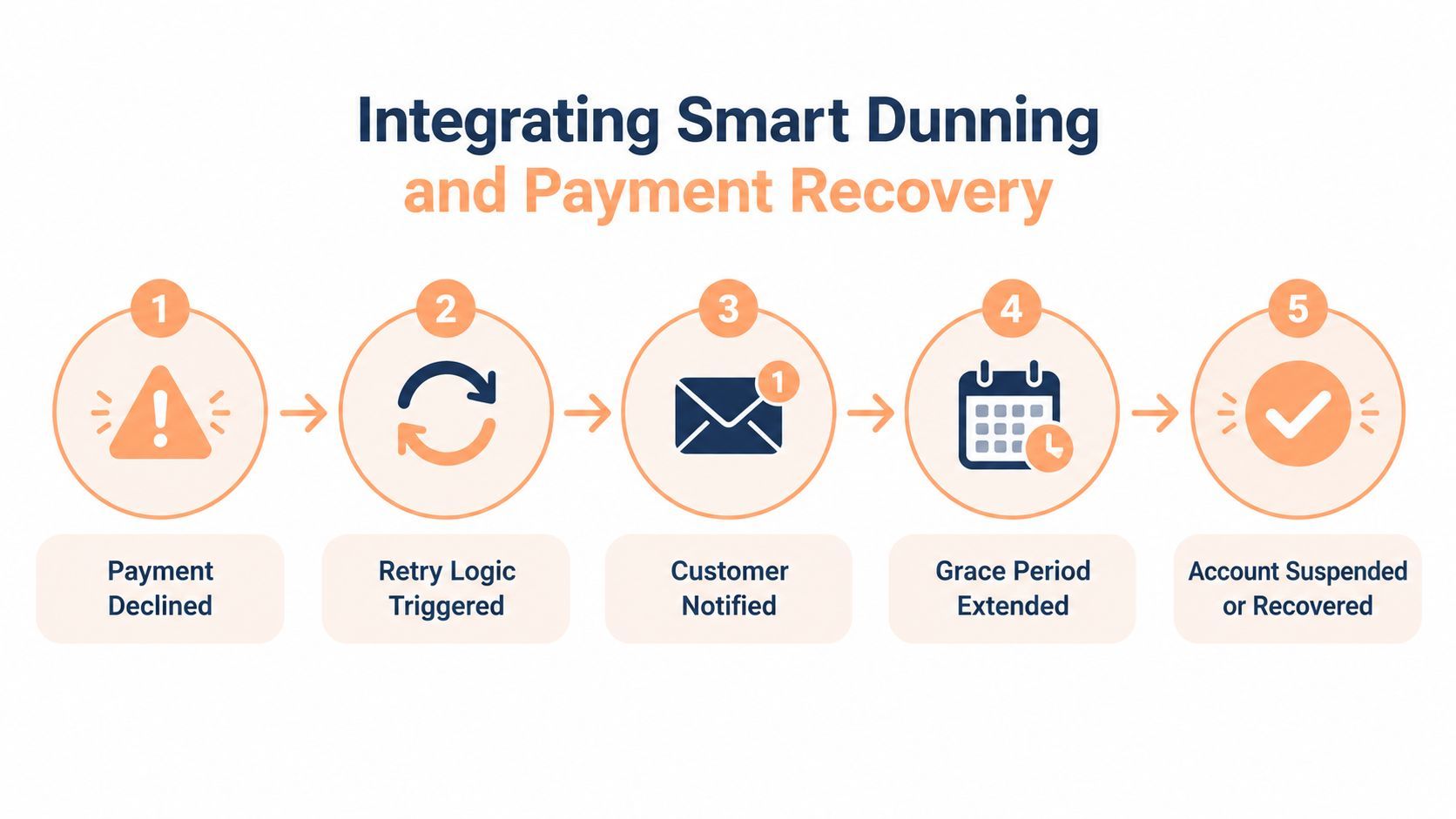
Failed payments account for about 20–40% of total SaaS churn, according to independent subscription billing benchmark summaries. The same source reports recovery of roughly 30% with basic email and retry logic, 55–65% with advanced smart retries, and up to 75% with best-in-class machine-learning optimization. These benchmarks aren't a promise for every business, but they show why a generic retry loop is a weak default.
Coordinate retries with customer prompts
The backend should schedule retries based on payment-network signals and failure categories rather than using one fixed cadence for every account. Before renewal, send a pre-dunning notice when the payment method is approaching expiration. After a failure, keep the account state and customer message synchronized so the portal doesn't say “active” while the billing provider is already retrying.
The payment-update experience should open in context. A recovery email should link to the affected subscription, show the failed invoice or renewal attempt, and present the payment method form without requiring a customer to search through settings. Preserve the intended action after the card is updated, then confirm whether the invoice was paid, is scheduled for retry, or still requires authentication.
A useful recovery state machine might include:
- At risk: The payment method is expiring or a renewal warning has been triggered.
- Retrying: The provider is attempting recovery and the service remains within its grace policy.
- Action required: The customer must update details or complete authentication.
- Recovered: The invoice is paid and the subscription returns to good standing.
- Suspended: The grace policy ended without successful payment.
The source also reports that involuntary churn can remain around 1.5–2.5% monthly with limited automation, compared with a less than 1% range associated with modern automation. Those values should be treated as benchmark context, not as a target you can guarantee. Your own dashboard should distinguish voluntary cancellations from payment-driven losses so the product team can see whether recovery changes are working.
The portal should never make customers choose between “manage my plan” and “fix my payment.” A subscriber might need to reduce seats and replace an expired card in the same visit. Treat those as connected lifecycle actions, with a single source of truth for status and a clear confirmation after each change.
API and Webhook Integration for Real-Time Sync
The portal is only as accurate as the events that update it. A customer can complete a plan change successfully at the payment provider while your application still grants the old seat limit. That mismatch creates access complaints, duplicate support work, and dangerous manual fixes.
Use the payment system as the billing authority and your application as the entitlement authority. The two systems should exchange events through a durable integration layer rather than relying on the browser to tell your backend that a change succeeded.
Keep commands and events separate
A typical flow starts with an authenticated server-side command:
- Load the customer's current subscription from your database.
- Confirm that the requested plan, quantity, and transition are allowed.
- Ask the billing provider for a preview.
- Display the calculated outcome to the customer.
- On confirmation, create or update the subscription with an idempotency key.
- Wait for the provider event before changing application entitlements.
The browser should never receive secret credentials or be trusted as the final record of a payment result. It can display the immediate response, but your backend should reconcile the state from signed webhook events.
Listen for events such as subscription.updated, invoice.payment_failed, and customer.subscription.deleted. Depending on the provider, you'll also want successful invoice payment events, payment-method updates, scheduled changes, and disputes. Store the provider event identifier before processing its side effects. If the same event arrives again, return a successful acknowledgment without applying the entitlement change twice.
Make webhook handling resilient
A solid handler should validate the signature, parse the event into a typed object, record receipt, and enqueue business processing. Keep the HTTP response fast. Retryable work, such as updating seats across several services, belongs in a worker with controlled retries and observable failure states.
Use an event version or provider timestamp to protect against out-of-order delivery. For example, a delayed subscription.updated event shouldn't roll a customer back after a newer update has already been applied. Compare the provider's current subscription version or retrieve the latest resource before committing a destructive state change.
The application database should store a small synchronization record containing the external subscription ID, last processed event ID, last known status, quantity, plan identifier, and synchronization timestamp. That record supports reconciliation jobs that periodically compare local state with the provider and repair missed events.
For more practical webhook patterns, consult this guide to webhooks for subscription and payment integrations. Type the plan and entitlement models in your SDK, validate quantity boundaries on the server, and make every mutation safe to retry. A customer should be able to refresh the page after a timeout without accidentally creating a second subscription or charging twice.
Measuring Portal Success and Operational Impact
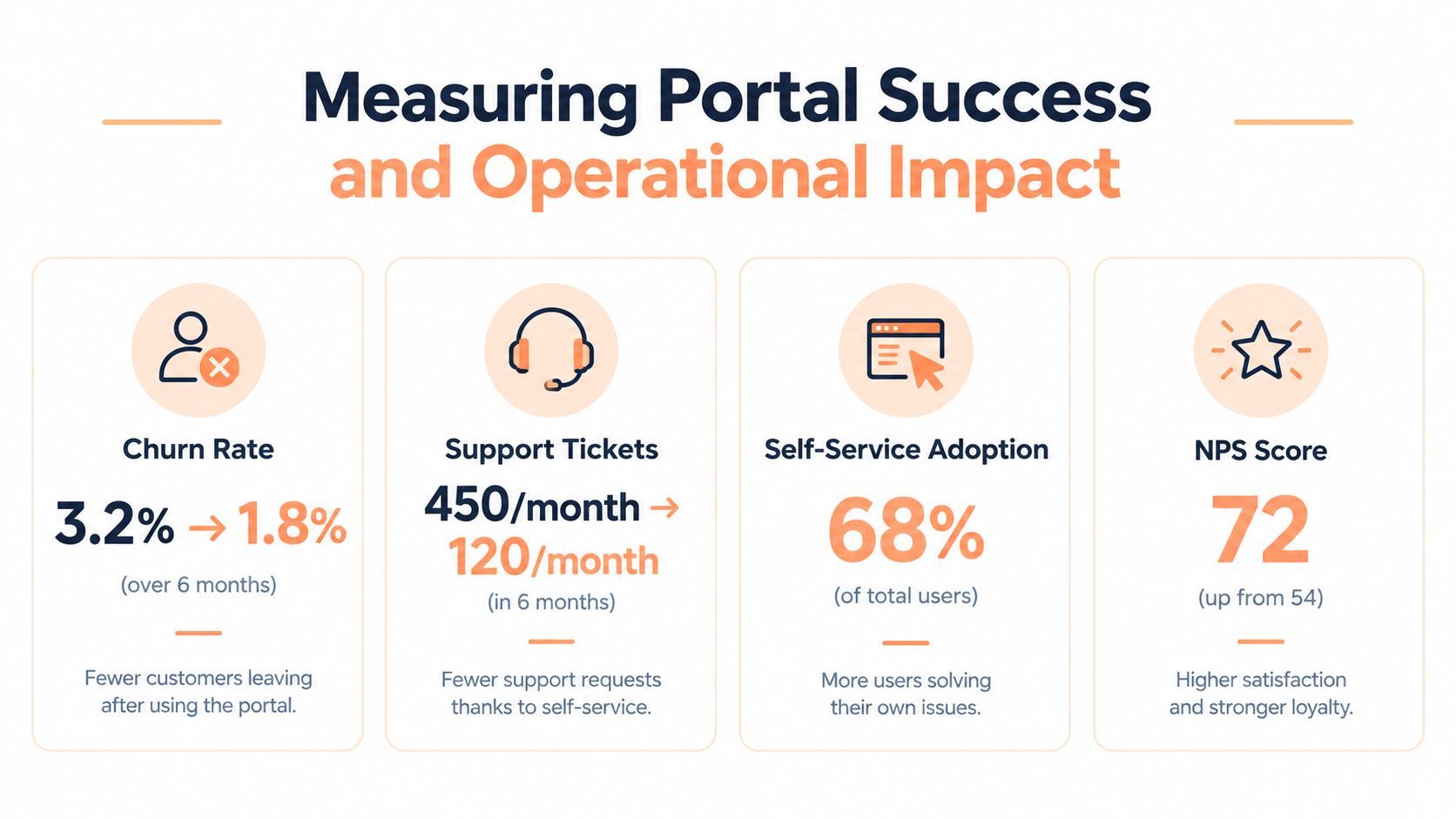
A portal launch isn't successful because the page loads or because customers can see their current plan. It succeeds when customers complete billing tasks without support, the application reflects the correct entitlement state, and payment failures become recoverable journeys rather than silent churn.
Measure each intent as a funnel. For a payment update, capture portal entry, form opened, payment method submitted, authentication completed, invoice paid, and subscription recovered. For a plan change, capture preview requested, confirmation accepted, provider update received, and access limits synchronized. This makes it possible to separate UX friction from provider decline rates and webhook failures.
Track operational outcomes
The most useful dashboard combines behavioral and financial signals:
- Session-to-resolution conversion: The percentage of portal sessions that end with the selected task completed.
- Self-served request rate: The share of eligible billing requests resolved without an agent.
- Ticket deflection: Billing tickets avoided after customers use the portal, measured against a consistent ticket taxonomy.
- Payment recovery: Failed renewals that return to good standing after retries, customer updates, or authentication.
- Synchronization health: Time between a provider event and the corresponding entitlement update, plus the count of failed or replayed events.
- Cancellation reasons: Structured reasons paired with the stage where the customer left the flow.
In a 2026 industry summary, 67% of customers were reported to prefer self-service over speaking to a representative, and 81% attempted to solve issues themselves before reaching out, according to self-service statistics from WiFiTalents. The same summary reported that 40% of organizations saw an NPS increase after launching a self-service portal and that self-service can reduce subscription churn by up to 5%. These figures provide useful context, but your own intent-level data should drive prioritization.
One benchmarked implementation cited 94% of requests self-served, a 34% ticket reduction, and 1,248 portal sessions per month, as reported in the subscription billing reference. Don't copy those values into a forecast. Use them as examples of the operational measures a mature team might expose, then establish your own baseline before changing the interface.
Review session recordings and error logs by intent, not just by account. If customers abandon at the proration preview, clarify the calculation. If they open payment recovery but don't submit a new method, reduce fields and preserve the failed invoice context. If cancellations complete but support tickets continue, the confirmation or account-state messaging may be unclear.
For broader retention context, compare your results with published SaaS net revenue retention benchmarks, while keeping the portal metrics separate from the overall business measure. A business AI assistant can help identify combinations of failed payments, plan changes, support contacts, and cancellations, but it should surface evidence for product decisions rather than replace event-level instrumentation.
Creem provides merchant-of-record checkout, subscription billing, seat-based plan changes, proration, customer self-service, automated invoicing, and payment recovery in one payments platform. If you're rebuilding a subscription management page, visit Creem to evaluate its APIs, SDKs, webhooks, and customer portal capabilities for your billing workflow.